
Navigating the administrative necessities of any travel experience, whether it’s a weekend getaway or an extended sojourn, can often feel like an adventure in itself. For those residing in or planning an extended stay in the Golden State, ensuring your California Driver’s License is up-to-date is paramount. This guide will demystify the process of renewing your California driver’s license, ensuring your travels within the state and beyond remain seamless and legal. From understanding eligibility requirements to mastering the online portal, we’ll cover every essential step.
Understanding Your Renewal Options
The California Department of Motor Vehicles (DMV) offers several convenient avenues for renewing your driver’s license, catering to various needs and preferences. Understanding these options upfront can save you time and potential frustration.
Online Renewal: The Digital Gateway
For many, the most efficient method is online renewal. This option is available to drivers who meet specific criteria, typically those whose licenses are not expired by more than a certain timeframe and who do not require a new photograph or have made significant personal changes that need updating on their license.
Eligibility for Online Renewal:
- Age: Generally available for drivers between 18 and 70 years old.
- License Status: Your current license must not be expired for more than a specified period (check the DMV website for the exact duration).
- No Major Changes: You haven’t had a change in your name or gender marker that needs to be reflected on your license.
- No Medical Conditions: You haven’t been notified by the DMV of any medical conditions that may affect your driving ability.
- Previous Photo: You have had your photograph taken by the DMV within the last 15 years.
The Online Process:
- Visit the DMV Website: Navigate to the official California DMV website.
- Locate the Renewal Section: Look for the “Driver License Renewal” or “Online Services” section.
- Create or Log In to Your Account: You may need to create a secure online account or log in if you already have one.
- Provide Information: You’ll be prompted to enter your driver’s license number, date of birth, Social Security number, and other identifying information.
- Answer Declarations: You will need to answer a series of questions about your eligibility to renew online, similar to those asked during an in-person renewal.
- Pay the Fee: A credit or debit card is typically required for payment of the renewal fee. The fee amount is usually displayed during the online process.
- Confirmation: Upon successful completion, you will receive a confirmation of your renewal. Your new license will be mailed to the address on file.
Mail-In Renewal: The Traditional Approach
If online renewal isn’t an option, or if you prefer a more traditional method, mail-in renewal is another possibility. The DMV will typically send you a renewal notice in the mail several weeks before your license expires. This notice will indicate if you are eligible for renewal by mail.
Eligibility for Mail-In Renewal:
- DMV Notification: You must have received a renewal-by-mail notice from the DMV.
- Specific Circumstances: This option is often extended to individuals who are out of state or have specific reasons why they cannot visit a DMV office.
The Mail-In Process:
- Complete the Renewal Form: Carefully fill out the renewal-by-mail form provided in your notice. Ensure all information is accurate and legible.
- Provide Necessary Documents: You may be required to include copies of specific documents, such as proof of identity or residency, depending on the requirements outlined in your notice.
- Submit Payment: Include a check or money order for the renewal fee payable to the DMV. Do not send cash.
- Mail Your Application: Send the completed form, supporting documents, and payment to the address specified on the renewal notice. It’s advisable to use certified mail for tracking purposes.
In-Person Renewal: The Direct Interaction
For many, especially those who don’t qualify for online or mail-in renewal, an in-person visit to a California DMV office is necessary. This is the most comprehensive renewal method, allowing for photo updates, vision tests, and the completion of any required examinations.
When an In-Person Visit is Required:
- Expired License: If your license has been expired for a significant period.
- New Photograph: If your last photograph was taken more than 15 years ago.
- Name or Gender Change: If you need to update your name or gender marker on your license.
- Medical Conditions: If you have been advised by the DMV to undergo a medical evaluation.
- DMV Request: If the DMV has specifically requested you to appear in person.
- Lost or Stolen License: If you are renewing due to a lost or stolen license.
Preparing for Your In-Person Visit:
- Schedule an Appointment: To minimize wait times, it is highly recommended to schedule an appointment online through the California DMV website.
- Gather Required Documents:
- Current Driver’s License: Even if expired.
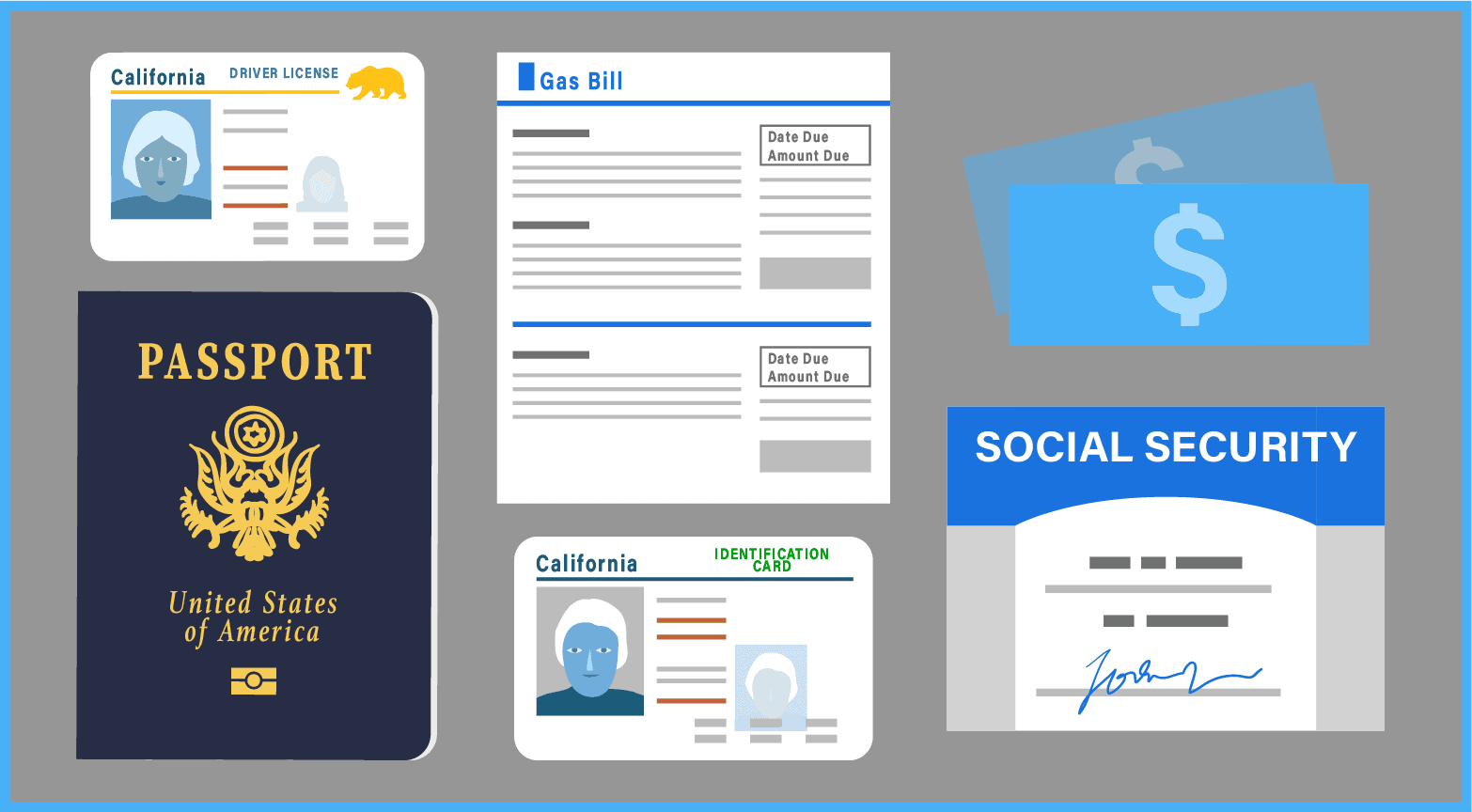
- Proof of Identity: Such as a U.S. Passport, birth certificate, or Permanent Resident Card.
- Proof of Residency: Two documents showing your current California address, like utility bills, bank statements, or rental agreements.
- Social Security Number: You’ll need to provide your Social Security number.
- Renewal Notice: If you received one.
- Complete the Driver License Application Form (DL 44): This form is available online for pre-filling, or you can obtain it at the DMV office.
- Be Prepared for Tests:
- Vision Test: You will undergo a standard vision screening. If you wear glasses or contact lenses for driving, bring them with you.
- Written Test: Depending on your renewal circumstances and how long your license has been expired, you may be required to take a written knowledge test. Study the California Driver Handbook to prepare.
- Road Test: In most renewal scenarios, a road test is not required. However, it may be necessary in specific situations, such as if you are renewing a commercial driver’s license or if there are concerns about your driving ability.
The In-Person Process:
- Arrive at the DMV: Arrive at your scheduled appointment time.
- Submit Application and Documents: Present your completed application form and all supporting documents to the DMV representative.
- Pass the Vision Test: Complete the vision screening.
- Take the Written Test (if applicable): If required, you will be directed to take the written knowledge test.
- Pay the Renewal Fee: Make the payment using cash, check, money order, or a credit/debit card.
- Have Your Photograph Taken: A new photograph will be taken for your renewed license.
- Receive a Temporary License: You will be issued a temporary paper license, which is valid for a specific period, while your new permanent license is being processed and mailed.
Real ID: An Important Consideration
For many travelers, obtaining a REAL ID compliant driver’s license is becoming increasingly important, especially for domestic air travel. Starting May 7, 2025, a REAL ID will be required to board commercial aircraft and enter certain federal facilities.
Renewing for a REAL ID:
If you are renewing your license and wish to obtain a REAL ID, you must do so in person at a DMV office. You will need to provide additional documentation to prove your identity, Social Security number, and California residency. Refer to the DMV’s website for a comprehensive list of acceptable REAL ID documents. The renewal process for a REAL ID is similar to a standard in-person renewal, but with the added verification steps for documentation.
Navigating the Fees and Expiration Dates
Understanding the renewal fees and your license’s expiration date is crucial for a smooth renewal process.
Renewal Fees
The fee for renewing a California driver’s license can vary. It is best to check the official California DMV website for the most current fee schedule. Fees are typically paid at the time of renewal, whether online, by mail, or in person.
Expiration Dates
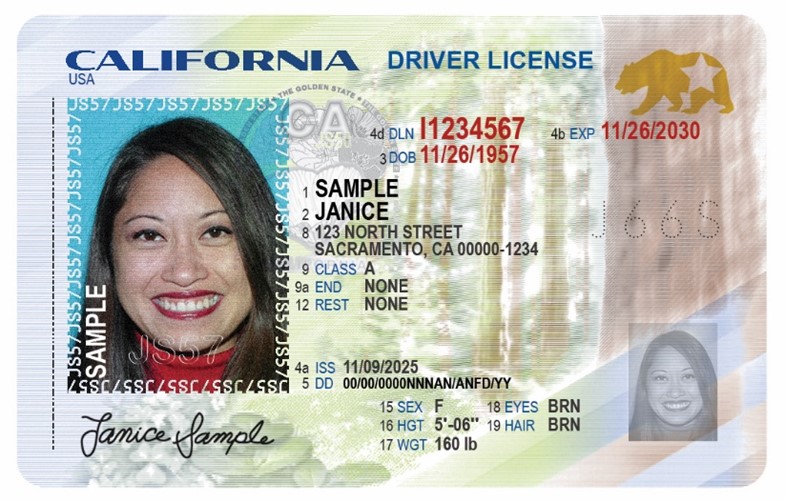
Your driver’s license expiration date is clearly printed on the front of the card. It is your responsibility to renew your license before it expires. The DMV usually sends out renewal notices approximately 60 days before your license expires, but it’s wise not to rely solely on these notices. Mark your calendar or set reminders to avoid driving with an expired license, which can result in penalties.
Tips for a Hassle-Free Renewal
To ensure your driver’s license renewal experience is as smooth as possible, consider these helpful tips:
- Start Early: Don’t wait until the last minute. Begin the renewal process well in advance of your expiration date.
- Check Your Mail: Keep an eye out for renewal notices from the DMV.
- Utilize Online Services: If eligible, online renewal is often the quickest and most convenient option.
- Book Appointments: For in-person visits, scheduling an appointment online is highly recommended.
- Prepare Your Documents: Ensure you have all necessary identification and residency documents before your visit or before starting your online renewal.
- Study the Handbook: If you anticipate needing to take the written test, thoroughly review the California Driver Handbook.
- Contact the DMV: If you have any specific questions or encounter issues, contact the California DMV directly for clarification.
By understanding the various renewal options, preparing thoroughly, and staying informed about requirements, renewing your California driver’s license can be a straightforward process, allowing you to focus on your next great adventure.
LifeOutOfTheBox is a participant in the Amazon Services LLC Associates Program, an affiliate advertising program designed to provide a means for sites to earn advertising fees by advertising and linking to Amazon.com. Amazon, the Amazon logo, AmazonSupply, and the AmazonSupply logo are trademarks of Amazon.com, Inc. or its affiliates. As an Amazon Associate we earn affiliate commissions from qualifying purchases.