
Navigating the temporal landscape of travel can be a significant logistical challenge, especially when coordinating schedules across vast distances. For those planning a trip to the Sunshine State, understanding how digital tools like Google Calendar represent Florida‘s time zones is paramount to a seamless experience. This guide delves into the intricacies of Florida’s time zones, their implications for travelers, and how to ensure your Google Calendar accurately reflects these distinctions.
Understanding Florida’s Time Zone Duality
Florida is unique in that it straddles two primary time zones: the Eastern Time Zone (ET) and the Central Time Zone (CT). This division is not arbitrary but follows historical and geographical lines that continue to influence daily life and, consequently, digital scheduling.
The Eastern Time Zone Dominance
The vast majority of Florida observes Eastern Standard Time (EST) during the winter months and Eastern Daylight Time (EDT) during the spring, summer, and fall. This encompasses major metropolitan areas and popular tourist destinations.
- Geographical Spread: Cities like Miami, Orlando, Tampa, Jacksonville, and the Florida Keys all fall within the Eastern Time Zone. This includes iconic attractions such as Walt Disney World Resort, Universal Orlando Resort, Everglades National Park, and the historic city of St. Augustine.
- Daylight Saving Time: Florida observes Daylight Saving Time (DST). This means that from the second Sunday in March to the first Sunday in November, clocks are moved forward one hour, and the time zone becomes EDT. The rest of the year, it reverts to EST. This transition is automatically handled by most digital calendars, including Google Calendar, provided the correct location is set.
The Central Time Zone Exception
A smaller, western portion of the Florida Panhandle observes Central Time. This geographical area is west of the Apalachicola River.
- Geographical Spread: Communities such as Pensacola, Panama City, and Destin are located within the Central Time Zone. While not as densely populated with major tourist hubs as the eastern half, these areas offer beautiful beaches and unique cultural experiences.
- Daylight Saving Time: Similar to the Eastern Time Zone, the portion of Florida observing Central Time also adheres to Daylight Saving Time. This means they switch between Central Standard Time (CST) and Central Daylight Time (CDT).
Setting Time Zones in Google Calendar for Florida Travel
When planning your travel to Florida, ensuring your Google Calendar is set correctly is crucial for avoiding confusion and missed appointments or activities. The platform is designed to be intelligent about time zones, but user input is key.
The Importance of Location Settings
Google Calendar uses your device’s location settings and your calendar’s general settings to determine the appropriate time zone. For travelers, this means setting your destination in Florida as your primary location when planning events or viewing schedules related to your trip.
For New Events:
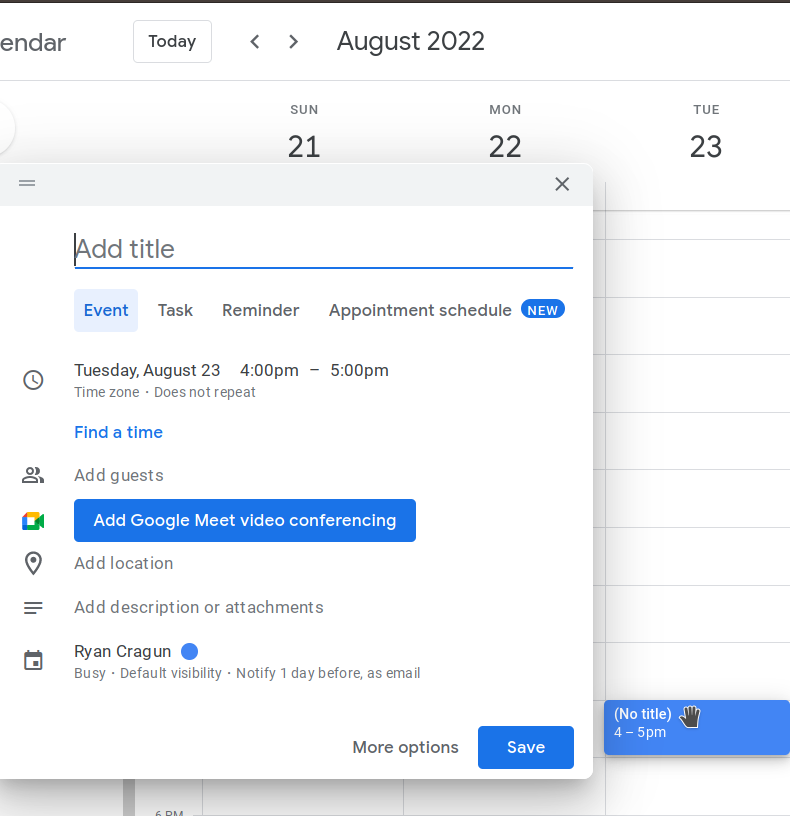
When creating a new event in Google Calendar, the platform will typically default to your current or primary time zone. However, you can easily override this.
- Event Creation: Click on the desired time slot or the “Create” button.
- Add Title and Details: Fill in the event details as usual.
- Time Zone Selection: Below the date and time fields, you will see a time zone option. If it’s not automatically set to the correct Florida time zone, click on it.
- Search and Select: A dropdown menu or search bar will appear. You can type in “Florida” and Google Calendar will often provide specific cities or the general time zones applicable. For instance, searching for “Orlando” will likely select “Eastern Time (US & Canada),” while searching for “Pensacola” will default to “Central Time (US & Canada).”
- Confirm: Select the appropriate time zone and then save your event.
For Existing Events:
If you are modifying an existing event that was created in a different time zone, or if you are traveling and want to ensure a previously scheduled event is accurate for your Florida destination, follow these steps:
- Open the Event: Click on the event in your calendar to open its details.
- Edit Event: Click the pencil icon or “Edit event” button.
- Adjust Time Zone: Locate the time zone setting as described above and select the correct Florida time zone.
- Save Changes: Save the updated event.
Setting Your Default Calendar Time Zone
For frequent travelers to Florida or those who manage multiple events across different time zones, setting your default calendar time zone can save time and prevent errors.
Accessing Calendar Settings:
- Open Google Calendar: Go to calendar.google.com.
- Settings: Click the gear icon (Settings) in the top right corner and select “Settings.”
- General Tab: Ensure you are on the “General” tab.
- Time Zone: Scroll down to the “Time zone” section.
- Set Your Current Time Zone: Here, you can set your primary time zone. If you are physically in Florida, select the appropriate time zone based on your location within the state. If you are planning for a future trip, you can either temporarily switch your default to your destination’s time zone or rely on setting individual events, as described previously.
- Show Secondary Time Zones (Optional): For travelers who need to keep track of their home time zone simultaneously, Google Calendar allows you to display a secondary time zone. This can be invaluable for coordinating with people back home.
Practical Implications for Travelers in Florida
Understanding Florida’s time zones is not just an abstract concept; it has tangible impacts on your travel experience.
Booking Flights and Accommodations
When booking flights to airports like Orlando International Airport (MCO) or Miami International Airport, airlines will display flight times according to the local time zone of the departure and arrival airports. Your booking confirmation will usually clarify this. However, when you add these flights to your Google Calendar, ensure the time zone is correctly set for the Florida airport. This is especially important if you are arriving late at night or departing very early in the morning, as the date might change due to the time difference.
Similarly, when booking hotels or vacation rentals, check-in and check-out times will be based on the local Florida time. Ensure your calendar reflects these times accurately to avoid any misunderstandings with the accommodation provider. For example, booking a stay at the Ritz-Carlton Orlando, Grande Lakes will have check-in times governed by the Eastern Time Zone.
Planning Daily Activities and Excursions
Florida offers a wealth of activities, from theme park visits to airboat tours in the Everglades and dolphin watching excursions from Key West. Tour operators and attraction managers will schedule events using the local time.
- Theme Parks: If you have reservations for a specific dining experience at Magic Kingdom or a show at Epcot, ensure these are entered into your Google Calendar with the correct Eastern Time.
- Tours and Excursions: A sunset cruise departing from Naples will operate on Eastern Time, while a fishing charter from Destin will adhere to Central Time. Double-checking the tour operator’s location and their stated time for the activity is crucial.
- Business Meetings: For those traveling to Florida for business, coordinating meetings with local partners requires careful attention to time zones. If you are meeting someone in Tampa from your office in California, your Google Calendar should reflect the meeting time in Eastern Time, not Pacific Time, to avoid confusion.
Navigating Local Services
Understanding the time zone can also affect your interactions with local services. For example, knowing when restaurants open and close, when shops start their business day, or when public transportation services commence their routes will all be relative to the local time in the specific part of Florida you are visiting.
Troubleshooting Common Time Zone Issues
Despite the advancements in digital calendaring, occasional discrepancies can arise. Here are some common issues and how to address them when dealing with Florida.
Mismatched Time Zones Between Devices
If you use Google Calendar across multiple devices (e.g., a laptop and a smartphone), ensure that the time zone settings are consistent or correctly configured on each device. Your smartphone’s GPS might influence its perceived time zone more dynamically than a desktop computer.
- Check Phone Settings: On most smartphones, time zone settings are often managed by the network or can be set manually. Verify that your phone is set to the correct Florida time zone, especially when you first arrive.
- Check Computer Settings: Ensure your computer’s operating system is set to the correct time zone. This often influences the default time zone used by applications like Google Calendar.
Daylight Saving Time Transitions
While Google Calendar is designed to handle DST transitions automatically, errors can occur if the system is not updated or if a particular event was manually set without considering DST.
- Verify Event Times: Around the DST transition dates (typically the second Sunday in March and the first Sunday in November), it’s wise to quickly check the times of your important scheduled events in Florida to ensure they have adjusted correctly.
- Manual Adjustment: If an event appears to be an hour off after a DST change, edit the event and re-select the Florida time zone. This often forces the calendar to re-calculate the time based on the current DST rules.
Shared Calendars and Invitations
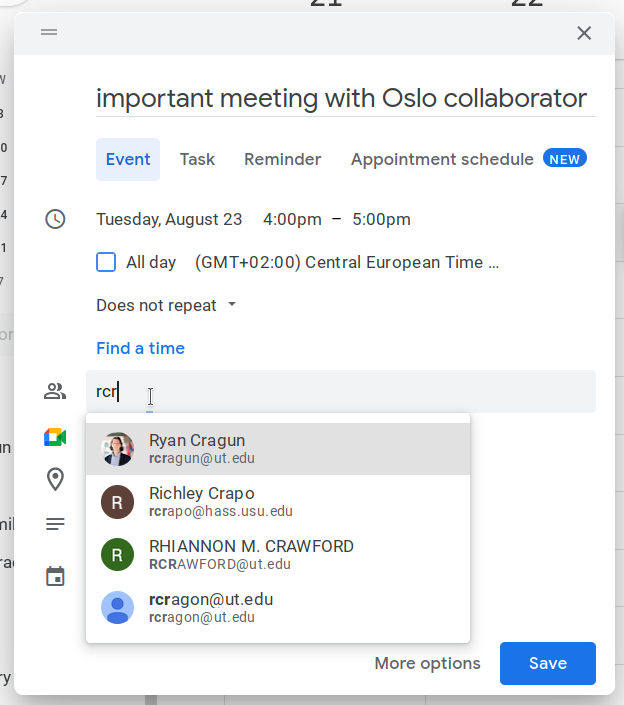
When collaborating with others who might not be familiar with Florida’s time zone split, clarity is key.
- Specify Time Zone: When sending calendar invitations for events in Florida, explicitly mention the time zone in the event description. For example, “Meeting at 10:00 AM EST (Eastern Standard Time).”
- Confirm with Attendees: Encourage attendees to confirm the time zone for their calendar to ensure it has been interpreted correctly, especially if they are in a different country or a significantly different time zone.
By understanding the temporal geography of Florida and mastering the time zone settings within Google Calendar, travelers can significantly enhance their planning and execution of a trip to the Sunshine State, ensuring that every minute counts.
LifeOutOfTheBox is a participant in the Amazon Services LLC Associates Program, an affiliate advertising program designed to provide a means for sites to earn advertising fees by advertising and linking to Amazon.com. Amazon, the Amazon logo, AmazonSupply, and the AmazonSupply logo are trademarks of Amazon.com, Inc. or its affiliates. As an Amazon Associate we earn affiliate commissions from qualifying purchases.