
Navigating the administrative aspects of relocating within the great state of Texas can feel like a significant undertaking, especially when it involves official documents like your driver’s license. For many, the address on their driver’s license is a crucial piece of identification, and keeping it current is not just a matter of convenience but a legal requirement. Whether you’ve just moved to a new neighborhood in Austin, settled into a different city like Houston, or are returning to your roots in Dallas, understanding the process to update your Texas driver’s license address is essential for smooth daily living and avoiding potential complications.
The Texas Department of Public Safety (DPS) oversees driver licensing in the state, and they provide clear guidelines and multiple options for updating your address. This guide will walk you through the most efficient methods, from online portals to in-person visits, ensuring you can get your Texas driver’s license address updated promptly and accurately. We will cover the necessary documents, potential fees, and important timelines to keep in mind, making your transition to a new address as seamless as possible.
Understanding the Requirements for a Texas Driver’s License Address Change
Before embarking on the process of changing your address on your Texas driver’s license, it’s crucial to understand the state’s requirements and what information you’ll need to have readily available. The Texas DPS aims to make this process as straightforward as possible, but adherence to their guidelines ensures a successful update without unnecessary delays.
Legal Obligation to Update Your Address
In Texas, like in most states, there’s a legal obligation for licensed drivers to inform the Department of Public Safety of any change of address. While the DPS doesn’t typically mail a new physical license reflecting the updated address automatically, it’s vital that your record is current with them. This ensures that any official correspondence, such as renewal notices or important updates regarding your driving privileges, reaches you at your correct location. Failing to update your address can lead to missed important notifications, which could have implications for your driving status. The law generally requires this change to be made within a specific timeframe after your move, though the focus for drivers is usually on ensuring their record is accurate for renewal or other interactions with the DPS.
Acceptable Proof of Identity and Residency
When interacting with the Texas DPS, whether online or in person, you’ll be expected to provide proof of your identity and your new address. While you won’t necessarily receive a new physical license with the updated address printed on it unless you specifically request a duplicate, your electronic record with the DPS will be updated.
For identity verification, common documents include:
- Your current Texas driver’s license or ID card.
- A U.S. Passport.
- A Certificate of Citizenship or Naturalization.
- A Permanent Resident Card.
For proving your new address, the DPS accepts a variety of documents. It’s important that these documents are current and display your full legal name and new residential address. Examples include:
- Utility bills (electricity, water, gas, internet) issued within the last 60-90 days.
- Bank statements.
- Lease agreements or mortgage statements.
- A voter registration card.
- Current vehicle registration receipt showing the new address.
- Property tax statements.
It’s always a good idea to check the official Texas DPS website for the most up-to-date list of acceptable documents, as requirements can sometimes be updated.
What to Expect Regarding Your Physical License
It’s important to clarify what happens to your physical driver’s license card. When you change your address with the Texas DPS, they do not automatically mail you a new card with the updated address. Your current physical license remains valid until its expiration date, even with your old address printed on it. The address change is primarily updated in the DPS’s electronic system.
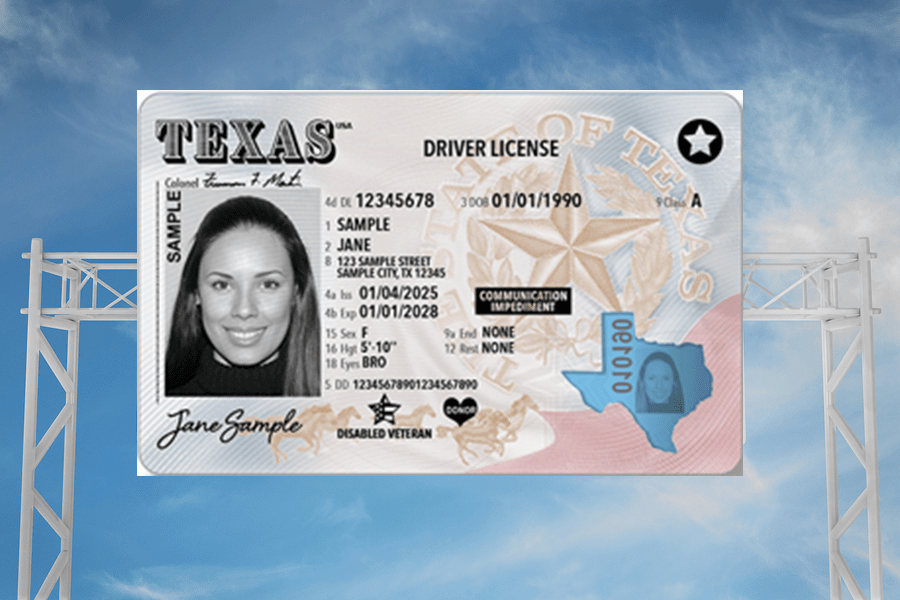
However, if you wish to have a driver’s license card that reflects your new address, you will need to apply for a duplicate driver’s license. This typically involves a fee and can be done either online or in person. The duplicate license will then be mailed to your new address. Many people choose to update their address electronically and only obtain a duplicate license when their current one is nearing expiration or if they specifically need a card showing their new address for official purposes.
Methods for Changing Your Texas Drivers License Address
The Texas Department of Public Safety offers several convenient methods to update your address on file. Each method has its own set of advantages, allowing you to choose the option that best suits your schedule and preferences.
1. Online Address Change: The Quickest and Easiest
For many Texans, the most efficient way to update their driver’s license address is through the official Texas DPS website. This method allows you to make the change from the comfort of your home, saving you a trip to a driver’s license office.
The Online Portal Process
To change your address online, you will need to visit the Texas DPS driver license services portal. Here’s a general overview of the steps involved:
- Navigate to the DPS Website: Go to the official Texas Department of Public Safety website and find the section dedicated to driver license services. Look for options related to “Address Change” or “Update Driver License Information.”
- Enter Required Information: You will be prompted to enter personal information to verify your identity. This typically includes your driver’s license number, date of birth, and possibly your Social Security number.
- Provide New Address Details: You will then enter your new residential address. Ensure accuracy, as this is the information that will be updated in your record.
- Review and Confirm: Before submitting, carefully review all the information you have entered to ensure it is correct.
- Submit and Acknowledge: After confirmation, you will typically receive a confirmation page or email acknowledging that your address has been updated in the DPS system.
Important Considerations for Online Changes:
- Electronic Record Update: Remember, this process updates your address in the DPS’s electronic database. It does not result in a new physical license being mailed to you unless you opt for a duplicate.
- Eligibility: The online service is generally available to individuals who have a valid Texas driver’s license and are not in the process of renewing or replacing their license.
- No Additional Fee for Record Update: Typically, there is no fee for simply updating your address in the electronic record through the online portal.
2. In-Person Visit: For a Physical Address Change or Specific Needs
While online is convenient, some individuals may prefer or require an in-person visit to a Texas driver’s license office. This is particularly relevant if you wish to obtain a duplicate driver’s license with your new address printed on it, or if you encounter issues with the online system.
Locating a Driver License Office
You can find a list of official Texas driver license offices on the Texas DPS website. It’s advisable to check the office hours and whether appointments are recommended or required, as wait times can vary.
What to Bring for Your In-Person Visit
When you visit a driver’s license office to change your address, be prepared to present the following:
- Your current Texas Driver’s License: This serves as proof of your identity.
- Proof of Identity: If your current license is expired or lost, you may need to present other acceptable forms of identification (as listed in the previous section).
- Proof of New Address: Bring at least one acceptable document that clearly shows your new residential address.
- Application for a Duplicate Driver License (if applicable): If you are seeking a physical card with your updated address, you may need to fill out a specific application form.
- Payment for Fees (if applicable): If you are applying for a duplicate license, there will be a fee. The DPS website will specify the current fee amount, and acceptable payment methods.
The In-Person Process
Upon arrival at the driver’s license office:
- Take a Number/Check In: Follow the office’s procedure for checking in or taking a number.
- Submit Documents: When called, present your documents to the licensing representative. They will verify your identity and new address.
- Address Update and/or Duplicate License Application: If you are only updating your address in the system, this will be processed. If you are applying for a duplicate license, you will complete the necessary paperwork and pay the fee.
- Receive Confirmation: You will receive confirmation that your address has been updated in the system. If you applied for a duplicate license, you will be informed of the expected delivery time.
3. Mail: A Less Common but Available Option
While less frequently used due to the efficiency of online and in-person methods, changing your address via mail is still an option in certain circumstances. This is typically for individuals who cannot access online services or visit an office.
Steps for Mail-In Address Change
To change your address by mail, you will generally need to:
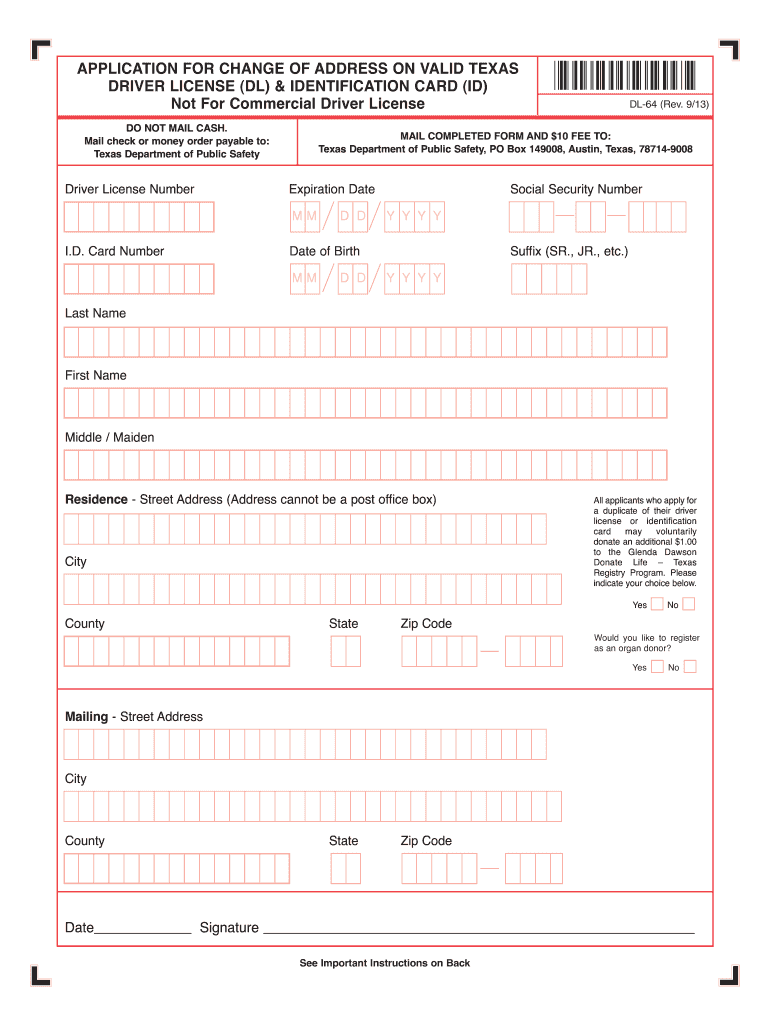
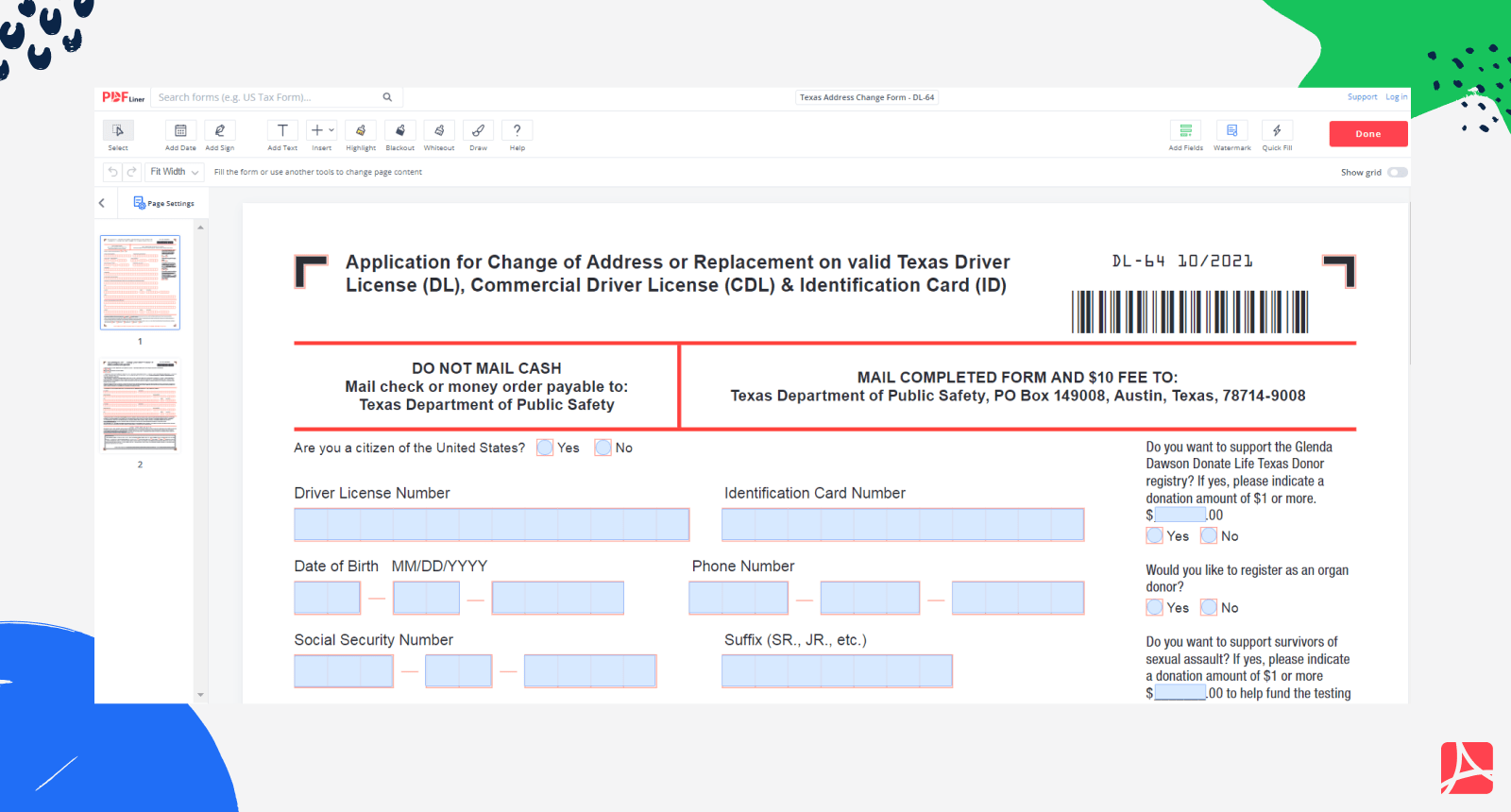
- Obtain the Correct Form: Contact the Texas DPS or visit their website to find the specific form required for an address change by mail. This might be part of a larger application or a dedicated form.
- Complete the Form Accurately: Fill out the form with all the required personal information, including your driver’s license number and your new address.
- Include Required Documentation: You will likely need to include photocopies of your proof of identity and your proof of new address. Be sure to follow the DPS’s instructions regarding the type and clarity of photocopies.
- Send to the Correct Address: Mail the completed form and documentation to the address specified by the Texas DPS for address changes. Using certified mail is recommended for tracking purposes.
Considerations for Mail-In Changes:
- Processing Time: This method is generally the slowest, with longer processing times compared to online or in-person options.
- Risk of Loss: There’s a slight risk of mail being lost in transit, which is why certified mail is advised.
- Not for Immediate Needs: If you need your address updated quickly or require a physical license with the new address, mail is not the best choice.
Important Considerations and Tips for Updating Your Texas Drivers License Address
Beyond the procedural steps, there are several other important aspects to consider when changing your address on your Texas driver’s license. Staying informed about these details can help prevent confusion and ensure a smooth administrative process.
Keeping Your Vehicle Registration Current
Changing your driver’s license address is distinct from updating your vehicle registration address. Vehicle registration is handled by the Texas Department of Motor Vehicles (DMV), although the process is often intertwined with your county’s tax assessor-collector’s office.
- Separate Process: You must also update your address for your vehicle registration separately. This is crucial for receiving renewal notices and ensuring your vehicle’s legal status is current.
- County Tax Office: Generally, you will need to visit or contact your local county tax assessor-collector’s office to update your vehicle registration address. Some counties may offer online options for this as well.
- Proof of Residency: Similar to the driver’s license, you may need to provide proof of your new address to update your vehicle registration.
- Importance: Keeping both your driver’s license record and vehicle registration updated ensures you receive all official communications related to your driving privileges and vehicle ownership.
Renewing Your Driver’s License After an Address Change
If your driver’s license is nearing its expiration date, you will need to renew it. The process for renewal will naturally involve confirming your current address.
- Address Confirmation During Renewal: Whether you renew online, by mail, or in person, you will be asked to confirm your address. This is an excellent opportunity to ensure your address on file is accurate.
- Receiving Your New License: When you renew your license, a new physical card will be issued and mailed to the address on record. Therefore, ensuring this address is correct before renewal is paramount if you wish to receive your new license promptly.
- “Old Address” License: Even if your license expires and you get a new one with your current address, your old license card with the previous address is technically invalid once expired. However, the electronic record is what matters most for the DPS’s official tracking.
What If You Move Out of State?
If your move is not just across town but out of Texas entirely, the process is different. You will need to obtain a driver’s license from your new state of residence.
- Notify Texas DPS: It’s still a good practice to inform the Texas DPS of your move, especially if you maintain any ties or have pending matters. However, your primary focus will shift to the licensing requirements of your new state.
- New State Requirements: Each state has its own rules for transferring an out-of-state license. Typically, you will need to visit the Department of Motor Vehicles (or equivalent agency) in your new state, surrender your Texas license, and meet their requirements for issuing a new one. This usually involves proof of identity, residency in the new state, and sometimes passing a vision test or knowledge test.
- Time Limits: New residents are usually given a specific timeframe (e.g., 30, 60, or 90 days) after establishing residency to obtain a new driver’s license.
Frequently Asked Questions About Address Changes
- Q: Do I need to get a new physical driver’s license after changing my address?
- A: No, you are not required to get a new physical license immediately. Your current license remains valid until it expires. The address change updates your record with the Texas DPS. If you want a card with your new address, you must apply for a duplicate license for a fee.
- Q: How long does it take for my address change to be reflected in the DPS system?
- A: Online address changes are typically reflected immediately or within a few business days. In-person changes are usually processed on the same day. Mail-in changes can take several weeks.
- Q: Can I change my address on my learner’s permit?
- A: Yes, the process for updating the address on a learner’s permit is similar to that for a driver’s license. You can usually do this online or in person.
- Q: What happens if I move and don’t update my address?
- A: You risk missing important legal notices from the DPS, such as renewal reminders or notifications about your driving privileges. This could potentially lead to fines or other penalties if you miss a required action.
By understanding these methods and considerations, you can effectively manage the administrative task of changing your driver’s license address in Texas, ensuring your official records are always up-to-date.
LifeOutOfTheBox is a participant in the Amazon Services LLC Associates Program, an affiliate advertising program designed to provide a means for sites to earn advertising fees by advertising and linking to Amazon.com. Amazon, the Amazon logo, AmazonSupply, and the AmazonSupply logo are trademarks of Amazon.com, Inc. or its affiliates. As an Amazon Associate we earn affiliate commissions from qualifying purchases.