
Navigating the administrative processes of any state can feel like charting an unfamiliar territory. For residents of the Lone Star State, particularly those who have recently relocated, ensuring your driver’s license accurately reflects your current address is a crucial step. This isn’t just about avoiding potential mail mishaps; it’s a legal requirement and a vital component of responsible citizenship. The Texas Department of Public Safety (DPS) oversees driver licensing, and they provide clear guidelines on how to update your address. This guide will walk you through the process, offering insights and practical advice to make this transition as smooth as possible.
Understanding the Importance of an Accurate Address
Your driver’s license is more than just a permit to operate a motor vehicle; it’s an official form of identification. Law enforcement agencies, electoral boards, and various other official bodies rely on the information contained within it. An outdated address can lead to a host of inconveniences and potential legal issues.
Legal Requirements in Texas
Texas law mandates that drivers update their address with the Texas Department of Public Safety within 30 days of moving. Failure to do so can result in penalties. This is to ensure that official communications, such as traffic citations, renewal notices, and other important correspondence, reach you promptly and reliably.
Practical Implications of an Outdated Address
Beyond legal mandates, an inaccurate address on your driver’s license can cause significant practical problems. Imagine missing a critical jury summons, a notice for a court appearance, or even your vehicle registration renewal. These oversights can lead to fines, license suspension, or other complications. For those who frequently travel, especially for leisure or business, ensuring your identification is current is paramount. Missing a flight due to an ID discrepancy or facing issues at a rental car agency because your address doesn’t match your reservation can add unnecessary stress to your journey.
Methods for Changing Your Driver’s License Address
The Texas DPS offers several convenient ways for residents to update their driver’s license address. The most common and efficient methods involve online and mail-in options. While in-person visits are possible, they are generally reserved for situations requiring a new physical license with the updated address, which is not always the primary goal of an address change.
The Online Address Change
For many Texans, the most straightforward method is to update their address online through the official Texas DPS website. This process is designed to be user-friendly and can typically be completed in a matter of minutes.
Step-by-Step Online Process
- Visit the Official Texas DPS Website: Navigate to the Texas Department of Public Safety website. Look for the section dedicated to driver services or online transactions.
- Locate the Address Change Portal: There will be a specific link or portal for changing your address. It’s often labeled as “Change of Address” or similar.
- Provide Necessary Information: You will be prompted to enter certain details to verify your identity and your existing driver’s license information. This typically includes your driver’s license number, date of birth, and potentially other identifying information.
- Enter Your New Address: Carefully input your new residential address. Double-check for any typos or errors.
- Review and Submit: Before finalizing, review all the information you’ve entered for accuracy. Once confirmed, submit your request.
- Confirmation: You should receive a confirmation message on the screen and, in most cases, an email confirmation of your address change.
It’s important to note that an online address change typically updates the address on file with the DPS for future mailings and records. It does not automatically generate a new physical driver’s license card with the updated address. If you wish to obtain a new card, you will need to follow a separate process, which is discussed later in this guide.
The Mail-In Address Change
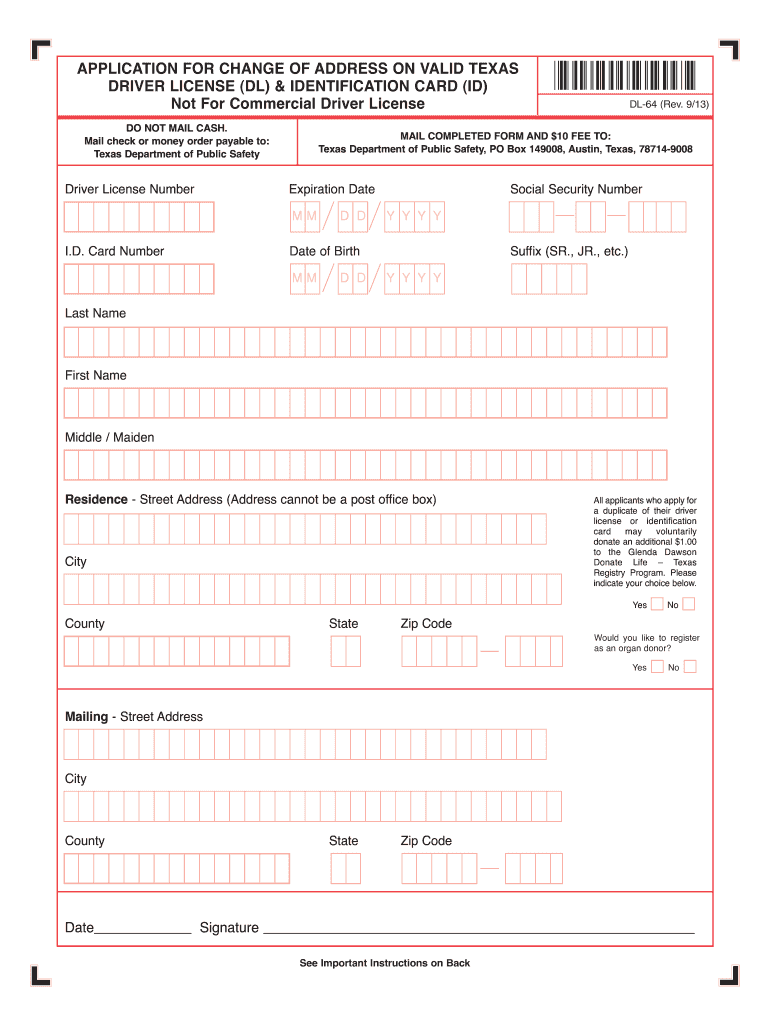
For individuals who prefer not to conduct transactions online or who may not have consistent internet access, the mail-in option is a viable alternative. This method involves completing a physical form and mailing it to the DPS.
How to Use the Mail-In Method

- Obtain the Change of Address Form: You can typically download the official “Change of Address” form from the Texas DPS website. Alternatively, you might be able to obtain a copy from a local driver license office or by calling the DPS customer service line.
- Complete the Form Accurately: Fill out all required fields on the form. This will include your name, driver’s license number, social security number, date of birth, and both your old and new addresses. Ensure your handwriting is legible if filling it out by hand.
- Sign and Date: Sign and date the form as indicated.
- Mail the Form: Mail the completed form to the address specified on the form itself. This address is specifically designated for processing address changes. It is advisable to use certified mail if you wish to have proof of mailing.
Similar to the online method, the mail-in option updates the address on record but does not issue a new physical license. The processing time for mail-in requests may be longer than for online submissions.
Obtaining a New Driver’s License with an Updated Address
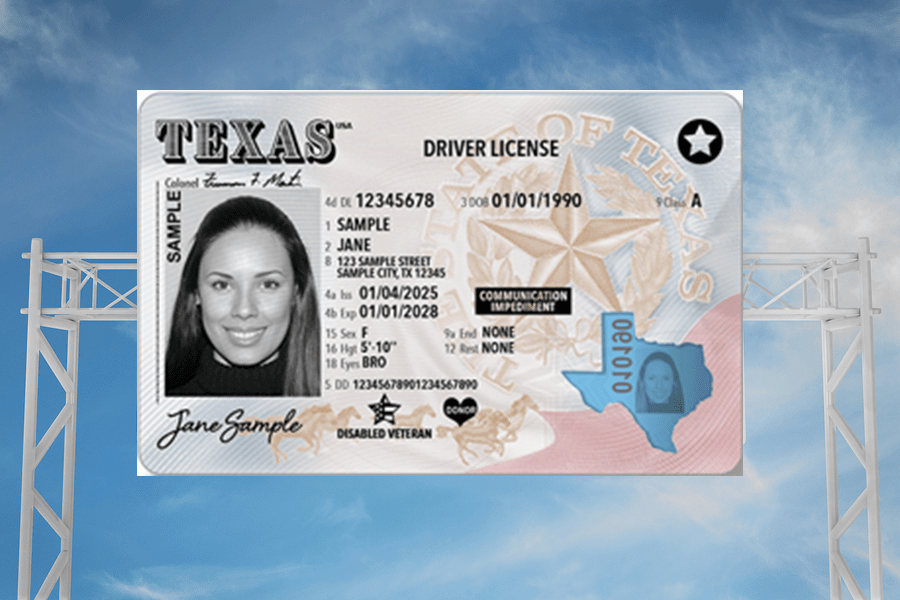
While the online and mail-in methods are effective for updating your address in the Texas DPS records, they do not provide you with a physical driver’s license card that displays your new address. If you require a new card for identification purposes or simply prefer to have an updated document, you will need to apply for a replacement license.
When to Consider a Replacement License
- Official Identification: If you need your driver’s license to reflect your current address for official purposes, such as opening a bank account, applying for a job, or other situations requiring a current ID.
- Convenience: Some individuals simply prefer to have their most up-to-date information on their identification.
- Relocation to a New State: While this guide focuses on Texas, a move to another state necessitates obtaining a new license from that state, which will naturally involve providing your new address.
The Process for a Replacement License
- Visit a Driver License Office: To obtain a replacement license with your new address, you will need to visit a Texas Driver License Office in person. It is highly recommended to check the DPS website for the nearest office and to see if appointments are recommended or required.
- Complete the Application: You will need to fill out an application for a duplicate driver’s license. This form will ask for your identifying information and confirm your desire for a replacement due to an address change.
- Provide Proof of Identity and Residency: Be prepared to present documents to verify your identity and your new Texas address. Acceptable documents can include utility bills, lease agreements, or bank statements showing your name and new address.
- Pay the Required Fee: There is a fee associated with issuing a duplicate driver’s license. The exact amount can be found on the Texas DPS website or by inquiring at the driver license office.
- Pass Vision Screening: A brief vision screening will be conducted to ensure you meet the state’s visual requirements for driving.
- Receive Your New License: Your new driver’s license will be mailed to your new address. It typically takes a few weeks for the new card to arrive. In the interim, the confirmation or receipt you receive at the office may serve as temporary proof of your updated license information.
Important Considerations and Tips
Successfully changing your driver’s license address in Texas involves more than just completing a form. Being aware of potential nuances and best practices can ensure a hassle-free experience.
When to Update Your Address
The 30-day window from the date of your move is critical. Procrastinating can lead to missing important legal and administrative notices. The sooner you update, the better.
What Information is Needed?
Always have your current driver’s license number readily available. For online changes, ensure you have access to the email address associated with your DPS account, if applicable. When visiting an office, be prepared with multiple forms of identification and proof of your new address.
Keeping Other Documents Updated
Changing your driver’s license address is one piece of the puzzle when relocating. Remember to update your address with other important entities:
- Voter Registration: Ensure your voter registration reflects your new address to be able to vote in local and state elections.
- Vehicle Registration: If you have a vehicle registered in Texas, you will need to update its registration address as well.
- Insurance Providers: Inform your auto insurance, homeowner’s/renter’s insurance, and health insurance providers of your new address.
- Financial Institutions: Update your address with banks, credit card companies, and any other financial institutions.
- Employer and Schools: Notify your employer and any educational institutions you are affiliated with.
- Post Office: While the DPS will forward mail for a period, it’s best to officially change your address with the United States Postal Service.
The Texas DPS Website as Your Primary Resource
The official Texas Department of Public Safety website is the most reliable source for current information, forms, fee schedules, and office locations. Policies and procedures can change, so always refer to the DPS for the most up-to-date guidance. Navigating administrative tasks like changing your address might seem mundane, but completing them accurately and promptly ensures you remain in compliance and can continue to enjoy the conveniences of a well-managed personal life, whether you are a resident of Dallas, Houston, or any other part of the vibrant state of Texas.
LifeOutOfTheBox is a participant in the Amazon Services LLC Associates Program, an affiliate advertising program designed to provide a means for sites to earn advertising fees by advertising and linking to Amazon.com. Amazon, the Amazon logo, AmazonSupply, and the AmazonSupply logo are trademarks of Amazon.com, Inc. or its affiliates. As an Amazon Associate we earn affiliate commissions from qualifying purchases.