
Renewing your driver’s license in Texas is a straightforward process, especially with the convenience of online services offered by the Texas Department of Public Safety (DPS). While in-person visits to a driver’s license office can sometimes be time-consuming, navigating the digital avenues can save you considerable time and effort. This guide will walk you through the entire online renewal process in the Lone Star State, ensuring you maintain a valid license without unnecessary hassle.
Eligibility for Online Renewal in Texas
Not all Texas driver’s licenses are eligible for online renewal. The Texas DPS has specific criteria to ensure the integrity and security of the licensing system. Understanding these requirements upfront will help you determine if you can proceed with the online option.
Age and License Type
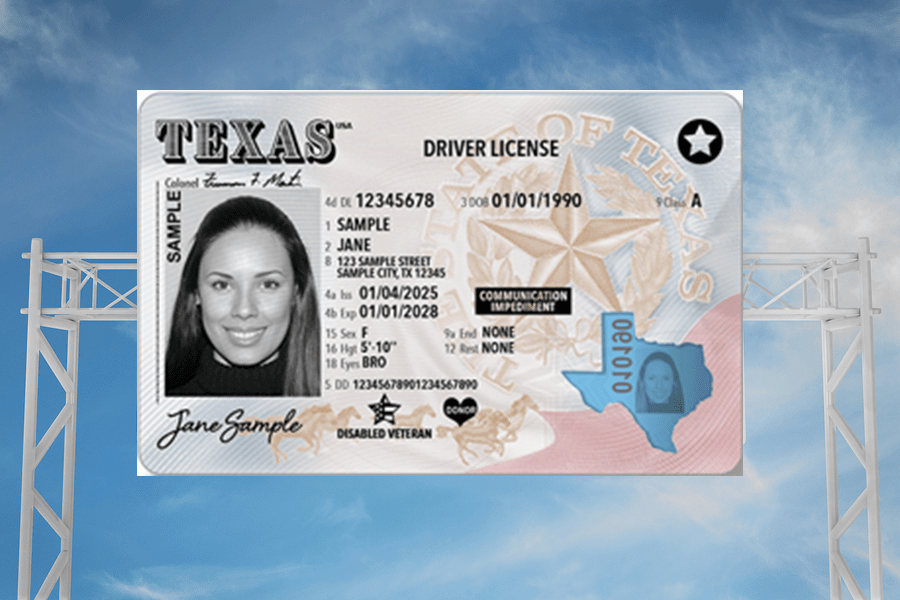
Generally, if you are 79 years of age or younger and hold a standard Texas driver’s license (Class A, B, or C), you are likely eligible for online renewal. This includes licenses for most passenger vehicles, motorcycles, and some commercial vehicles. However, there are exceptions.
License Status and Restrictions
Your license must be current and not expired for more than two years. If your license has been expired for a longer period, you may need to reapply for a new license rather than simply renewing. Furthermore, you cannot renew online if your license has been suspended or revoked, or if you have any outstanding legal restrictions or requirements with the DPS.
Recent Renewals and Issuances
The online renewal system is typically designed for renewals that occur at regular intervals. If you have recently obtained a new or duplicate license, or if your current license was issued less than six months ago, you might not be eligible for immediate online renewal. The DPS encourages individuals to wait for their renewal notice, which will indicate eligibility and provide a confirmation code if applicable.
Medical or Vision Requirements
For individuals who require medical endorsements or have specific vision requirements, the online renewal process might not be suitable. These situations often necessitate an in-person examination or updated documentation that cannot be submitted digitally through the standard renewal portal. If you have any doubts about your eligibility based on medical or vision needs, it is best to contact the Texas Department of Public Safety directly.
Changes to Personal Information
If you have a name change or a significant change in your address that has not yet been updated with the DPS, you may encounter issues with online renewal. While address changes can often be updated online separately, a legal name change typically requires an in-person visit with supporting documentation.
The Online Driver’s License Renewal Process
Once you’ve confirmed your eligibility, the online renewal process for your Texas driver’s license is remarkably simple. The Texas DPS has streamlined this process through its official website, making it accessible and user-friendly.
Accessing the Texas DPS Online Portal
The primary gateway to renewing your driver’s license online is the Texas Department of Public Safety’s official website. Navigate to the “Driver License” section and look for the “Renew” or “Online Services” option. The specific URL for the Texas DPS Driver License Renewal portal is usually found on your renewal notice or through a general search for “Texas DPS Driver License Renewal.” Be cautious and ensure you are on the official Texas DPS website to avoid phishing scams.
Gathering Necessary Information
Before you begin, ensure you have the following information readily available:
- Your Current Texas Driver’s License: You will need the information printed on it, including your driver’s license number.
- Date of Birth: Your date of birth is a key identifier.
- Social Security Number (SSN): A portion of your SSN is usually required for verification.
- Confirmation Code (if applicable): If you received a renewal notice by mail, it may contain a confirmation code that can expedite the process or is required for renewal.
- Payment Method: You will need a valid credit or debit card (Visa, MasterCard, Discover, American Express) or an electronic check (e-check) to pay the renewal fee.
- Printer and Ink: You will need to print your temporary driver’s license after successful renewal.
Step-by-Step Renewal Procedure
- Navigate to the Online Renewal Portal: Access the official Texas DPS online renewal portal.
- Enter Your Information: You will be prompted to enter your driver’s license number, date of birth, and other identifying details.
- Verify Your Eligibility: The system will check your eligibility based on the information you provide and DPS records.
- Answer Required Questions: You may need to answer a series of questions to confirm your identity and update any necessary information, such as your address or contact details.
- Review and Confirm: Carefully review all the information presented to ensure accuracy. This is your last chance to make corrections before finalizing the renewal.
- Make Payment: Proceed to the payment gateway and enter your credit/debit card or e-check details to pay the renewal fee. The fee amount will be displayed on the screen.
- Print Your Temporary License: Upon successful payment and completion of the renewal process, you will be provided with a link to print a temporary driver’s license. This temporary license is valid for a specified period, usually 60 days, until your permanent card arrives by mail.
Important Considerations During Online Renewal
- Security: Always ensure you are on a secure connection (look for “https://” in the URL and a padlock icon in your browser’s address bar) when entering personal and financial information.
- Confirmation: After completing the process, you should receive a confirmation email. Keep this email for your records.
- Troubleshooting: If you encounter any technical difficulties, there is usually a customer support contact number or FAQ section on the DPS website.
Receiving Your New Driver’s License
The process doesn’t end with printing your temporary license. The Texas DPS will mail your new, permanent driver’s license to the address on file.
The Mailing Process
Once your online renewal is processed, your new license will be printed and mailed. The typical processing and mailing time can range from a few weeks to a couple of months. It’s crucial to ensure your mailing address is up-to-date with the DPS to avoid delivery issues.
Updating Your Address
If you have moved and your address has changed, you must update your address with the Texas DPS. This can often be done online through the DPS website, even if you are not renewing your license at the same time. Failure to update your address can result in your new license being sent to your old address, leading to further complications.
What to Do If Your License Doesn’t Arrive
If you do not receive your new driver’s license within the expected timeframe (typically 4-6 weeks after the online renewal confirmation, though it can take longer), contact the Texas DPS Driver License Division immediately. You can usually find contact information on their website or on your temporary license. They will be able to track the status of your license and advise on the next steps, which may include reordering a replacement.
Carrying Your Temporary License
Your temporary driver’s license is a legally valid document and should be carried with you at all times when driving. It serves as proof of your ongoing licensing status until the permanent card arrives. Treat it with care, as it is susceptible to damage.
When In-Person Renewal is Necessary
While online renewal offers unparalleled convenience, there are specific circumstances where an in-person visit to a Texas driver’s license office is mandatory. Understanding these exceptions ensures you don’t waste time attempting an online renewal when it’s not applicable.
Specific License Types and Endorsements
Certain types of driver’s licenses and endorsements require an in-person renewal. This includes:
- Commercial Driver’s Licenses (CDLs): While some aspects of CDL renewal might be possible online, requirements related to medical certifications and endorsements often necessitate an in-person visit.
- Motorcycle Endorsements: If you are adding or renewing a motorcycle endorsement, you may need to complete a skills test or other requirements that are best handled in person.
- Texas Driver’s Permits: Permits, such as learner’s permits or provisional licenses, often have different renewal procedures that might not be supported online.
Significant Changes to Personal Information
As mentioned earlier, significant changes to your legal name due to marriage, divorce, or other legal processes require an in-person visit. You will need to present original or certified copies of legal documents (like a marriage certificate or court order) to update your name on your driver’s license.
Vision or Medical Re-examination
If you have failed a vision test during a previous renewal, or if the DPS requires a medical re-examination due to age or a medical condition, you will need to schedule an in-person appointment. This ensures that your ability to safely operate a vehicle is properly assessed by a qualified professional.
Expired Licenses Beyond the Grace Period
If your Texas driver’s license has been expired for more than two years, you are generally not eligible for online renewal. In such cases, you will be treated as a new applicant or someone needing to re-establish their driving privileges, which usually involves taking knowledge and driving tests at a driver’s license office.
Damaged or Unreadable Licenses
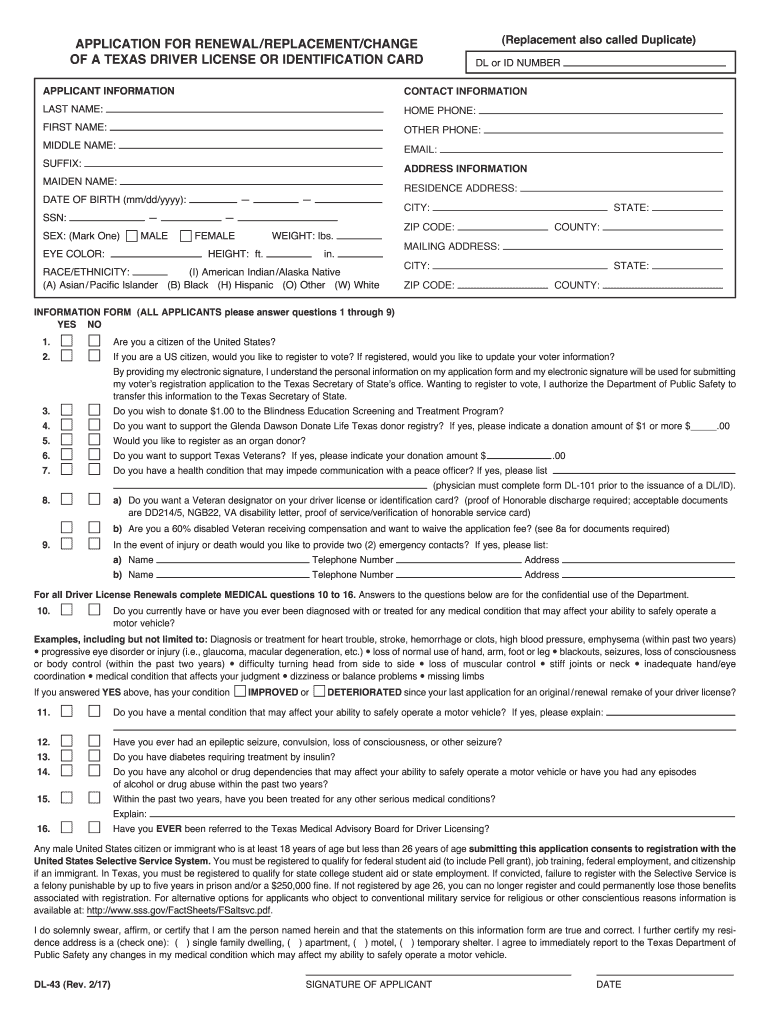
If your current driver’s license is severely damaged, lost, stolen, or unreadable, you will likely need to apply for a duplicate license in person. While you can request a replacement online in some instances, a severely damaged card might require in-person verification.
Failure to Pass Online Verification
In rare cases, if the online system cannot verify your identity or eligibility through the automated checks, you may be directed to visit a driver’s license office to complete the renewal process.
Tips for a Smooth Online Renewal Experience
To ensure your online driver’s license renewal in Texas is as seamless as possible, consider these helpful tips:
Renew Before Expiration
The most critical tip is to initiate your renewal well before your current license expires. This gives you ample time to complete the process, receive your new license, and avoid driving with an expired license, which can lead to fines and penalties. The Texas DPS typically sends out renewal notices about 60 days before expiration, but don’t solely rely on this.
Keep Your Contact Information Updated
Ensure the Texas DPS has your current mailing address and email address on file. This is crucial for receiving renewal notices, your new license, and any important communications from the department. You can update your information online separately if needed.
Double-Check All Entered Information
Accuracy is paramount. Before submitting your renewal, meticulously review all personal details, address information, and payment details. A small typo can cause significant delays or issues.
Understand the Renewal Fees
Be aware of the current renewal fees. These are typically listed on the Texas DPS website and on your renewal notice. Ensure you have the correct payment amount ready.
Save Digital Copies of Documents
While not always required for online renewal, it’s good practice to save digital copies of any confirmation emails or temporary licenses you receive. This can be helpful for future reference or in case of any disputes.
Bookmark the Official DPS Website
Bookmark the official Texas DPS driver’s license renewal page in your web browser. This will make it easy to find and access the correct portal each time you need to renew.

Consider Ordering a REAL ID Compliant License
If you plan to travel domestically by air or access certain federal facilities in the future, consider obtaining a REAL ID compliant driver’s license. The online renewal process typically offers the option to upgrade to a REAL ID. Be aware that obtaining a REAL ID for the first time usually requires an in-person visit with specific documentation, but subsequent renewals may be possible online if you already possess one.
By following these steps and understanding the requirements, renewing your driver’s license online in Texas can be a quick, efficient, and stress-free experience, allowing you to stay legally on the road with minimal disruption.
LifeOutOfTheBox is a participant in the Amazon Services LLC Associates Program, an affiliate advertising program designed to provide a means for sites to earn advertising fees by advertising and linking to Amazon.com. Amazon, the Amazon logo, AmazonSupply, and the AmazonSupply logo are trademarks of Amazon.com, Inc. or its affiliates. As an Amazon Associate we earn affiliate commissions from qualifying purchases.