
After a long day of exploring a new city, whether it’s the bustling streets of Tokyo or the historic charm of Rome, there’s nothing quite like unwinding in your hotel room. Many modern accommodations, from a cozy boutique hotel in Paris to a sprawling resort in Dubai, now offer the convenience of smart TVs with pre-installed streaming apps like Netflix. This amenity allows travelers to continue their favorite shows or discover new content, just as they would at home. However, while the ease of access is a major draw, it also introduces a critical question for privacy-conscious guests: how do you ensure you’ve signed out of your Netflix account before checking out?
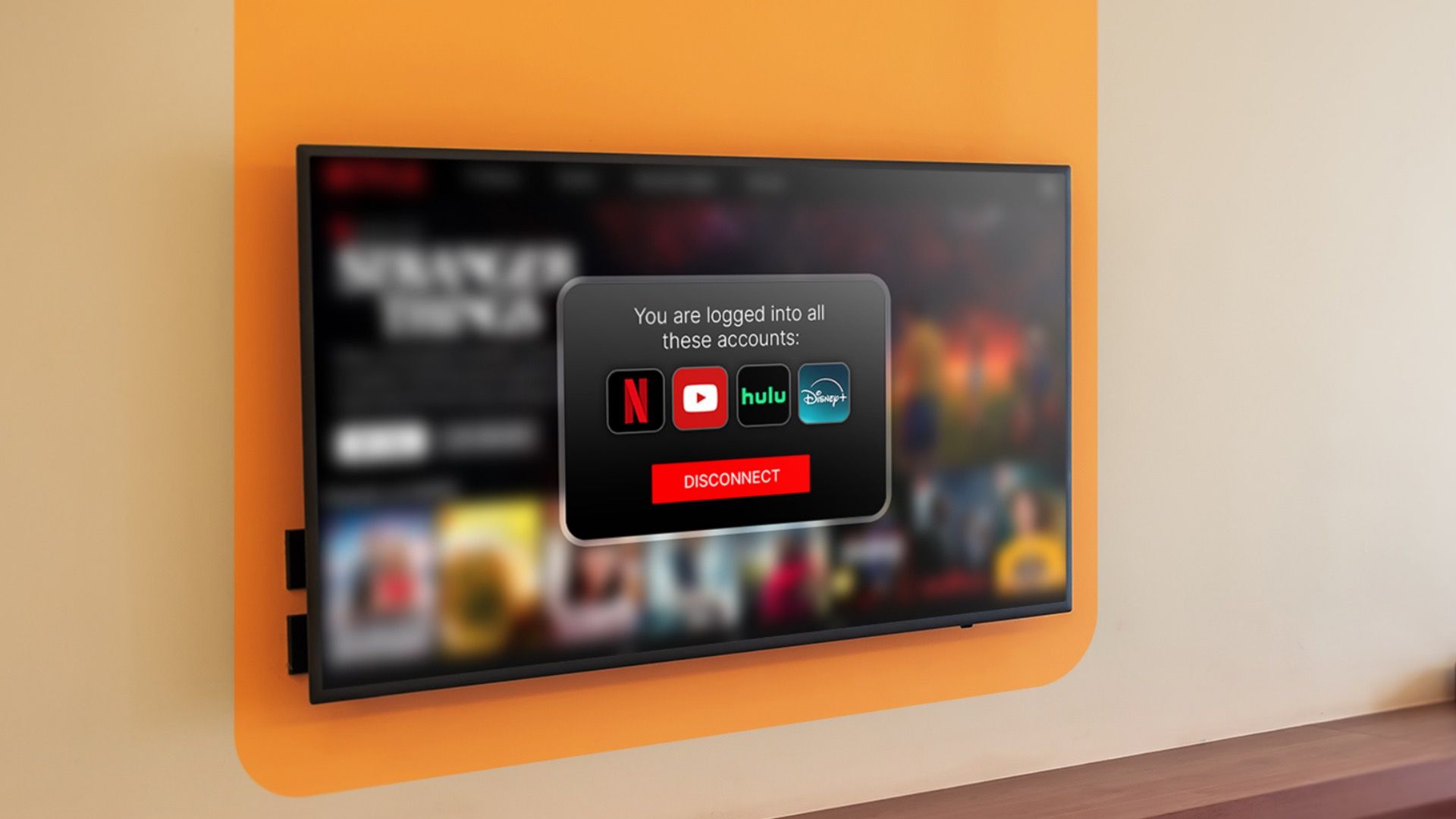
Leaving your Netflix account logged in on a public device, such as a hotel TV, poses significant security and privacy risks. The next guest could potentially access your profile, view your watch history, alter your preferences, or even make changes to your account settings. For business travelers, family vacationers, or solo adventurers alike, safeguarding personal information is paramount, especially when navigating the various aspects of digital life on the go. This comprehensive guide will walk you through the essential steps and best practices for signing out of Netflix on any hotel TV, ensuring peace of mind during your travels.
Understanding Hotel TV Systems and Netflix Integration
Before diving into the “how-to,” it’s beneficial to understand the different ways Netflix can be integrated into a hotel room’s entertainment system. This knowledge will help you identify the most effective sign-out method for your specific situation. Hotels often employ diverse technologies, ranging from basic setups to sophisticated multimedia interfaces.
The Convenience vs. The Risk: Why Hotels Offer Streaming
The increasing demand for personalized entertainment has led many hotel chains, from Marriott International to Hilton Worldwide, to upgrade their in-room amenities. Offering direct access to Netflix and other streaming services is a competitive edge, enhancing the guest experience and making a hotel stay feel more like a home away from home. Imagine returning to your suite at The Grand Plaza Hotel after a day of sightseeing at the Colosseum, and instantly picking up where you left off on your favorite series. This seamless integration is highly valued by guests who prioritize comfort and convenience.
However, this convenience comes with an inherent risk. Unlike your personal smart TV at home, hotel TVs are public devices. When you log into your Netflix account, your credentials and viewing preferences are stored, albeit temporarily. Failing to sign out leaves a digital footprint that could be exploited by subsequent guests, potentially leading to unauthorized access, privacy breaches, or even changes to your subscription. This underscores the critical importance of being diligent about account security when traveling.
Different Types of Hotel TV Setups
Hotel TV systems aren’t monolithic. You might encounter a few different scenarios:
- Integrated Smart TVs: Many newer hotels feature smart TVs (from brands like Samsung, LG, or Sony) with Netflix pre-installed as an application, much like a smart TV you’d own. The TV’s remote control typically allows direct navigation within the app.
- External Streaming Devices: Some hotels might provide an external streaming device, such as an Amazon Fire TV Stick, Chromecast, or Apple TV, connected to a standard TV. In these cases, your Netflix account is logged into the device, not the TV itself.
- Proprietary Hotel Entertainment Systems: High-end hotels or those with custom-built systems might integrate Netflix directly into their own user interface. This often means you access Netflix through the hotel’s custom menu, and the underlying technology might be a dedicated media box rather than a standard smart TV.
- “Guest Mode” or Temporary Logins: A few forward-thinking hotels offer a “guest mode” for Netflix, where your login is automatically cleared upon checkout or after a set period. While convenient, it’s still wise to double-check.
Understanding which type of system you’re using is the first step in ensuring a successful sign-out.
Step-by-Step Guide to Signing Out of Netflix on Hotel TV
Regardless of the system, the primary goal is to sever the connection between your Netflix account and the hotel’s device. Here’s a detailed breakdown of the most common and effective methods.
The Standard Method: Through the Netflix App
This is the most straightforward method and applies to most integrated smart TVs or external streaming devices where you directly interact with the Netflix app.
- Open the Netflix App: Navigate to and open the Netflix application on the hotel TV.
- Access the User Profile/Menu: Once inside the app, you’ll usually see a list of profiles or your current profile icon. Move the cursor (using the TV remote’s arrow keys) to the far left or top of the screen to reveal the main Netflix menu.
- Scroll to “Get Help” or “Settings”: Within this menu, scroll down. You’re typically looking for options like “Get Help,” “Settings,” or a gear/cog icon.
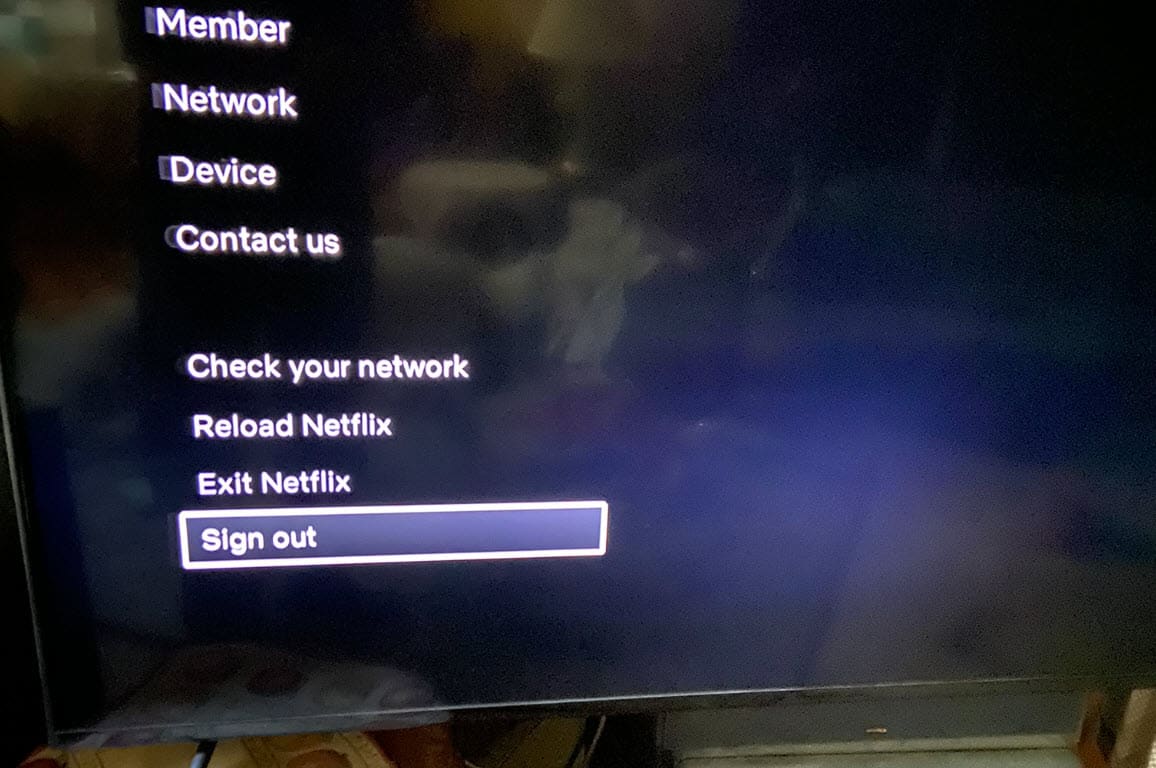
- Select “Sign Out”: Under “Get Help” or “Settings,” you should find the “Sign Out,” “Exit Netflix,” or “Logout” option. Select it.
- Confirm Sign Out: A confirmation prompt will usually appear asking “Are you sure you want to sign out?” Select “Yes” or “Confirm.”
Once confirmed, the Netflix app should return to the login screen, indicating that your account has been successfully disconnected from the device.
The “Remote Sign Out” Method: Using Your Web Browser
This is the ultimate fail-safe method, especially if you can’t find a sign-out option on the TV, or if you simply forget to sign out before leaving. This method allows you to sign out of all devices connected to your Netflix account from anywhere with internet access.
- Access Netflix Account Settings: On your personal smartphone, tablet, or laptop, open a web browser and go to the Netflix website (netflix.com).
- Log In to Your Account: Log in with your Netflix credentials.
- Navigate to Account Settings: Once logged in, click on your profile icon (usually in the top right corner) and select “Account” from the dropdown menu.
- Find “Security & Privacy” or “Settings”: Within the “Account” page, look for a section related to “Security & Privacy” or general “Settings.”
- Select “Sign out of all devices”: Under this section, you’ll find an option that says “Sign out of all devices” or “Manage access and devices.” Click on this.
- Confirm Action: Netflix will ask you to confirm if you want to sign out of all devices. Confirm your decision.
This action will immediately sign out your Netflix account from every device it’s currently logged into, including the hotel TV. It might take a few minutes for the change to propagate to all devices, but it’s the most secure way to ensure no device is left connected to your account. This is particularly useful after a stay in a city like New York City where you might have logged in across multiple different screens during a business trip or extended vacation.
Dealing with Integrated Hotel Systems
Some hotels, particularly those with sophisticated proprietary entertainment systems, might not offer a direct “Sign Out” option within the Netflix interface. These systems are often designed to automatically clear guest data upon checkout.
- Check the Hotel’s Welcome Information: Often, hotels provide information in their welcome packets or on the TV’s main menu regarding how their entertainment system works, including details on streaming services.
- Contact the Front Desk: If you can’t find a sign-out option, the best course of action is to call the front desk. They can often remotely log you out, clear the TV’s data, or guide you through their specific system. This is especially relevant if you’re staying at a large establishment like a Hyatt Hotels Corporation property which might have standardized but unique systems.
- Use the Remote Sign Out Method: If all else fails, the “Sign out of all devices” method from your personal device is always a reliable backup.
What if You Used a Streaming Device (e.g., Chromecast, Fire Stick)?
If you brought your own streaming device (like a Chromecast or Amazon Fire TV Stick) and plugged it into the hotel TV, then the Netflix account is logged into your device. In this case, simply unplugging your device and taking it with you ensures your account is secure. There’s no need to sign out from the hotel TV itself, as it never directly stored your Netflix login. However, if you logged into Netflix via the hotel’s pre-existing external streaming device, then you must follow the standard sign-out procedure on that specific device.
Why Signing Out is Crucial for Travelers
Beyond the technical steps, understanding the underlying reasons why signing out is so important can reinforce good habits for any globetrotter, whether they’re exploring landmarks like the Eiffel Tower or navigating the business districts of London.
Protecting Your Privacy and Personal Data
Your Netflix profile isn’t just a list of shows; it reflects your viewing habits, potentially reveals your age group (based on content watched), and, if a payment method is linked directly to that profile (though less common with standard subscriptions), could expose sensitive financial information. Leaving your account active means that the next guest could easily browse your watch history, see your personal recommendations, and gain insights into your lifestyle. For travelers concerned about digital privacy – a growing concern in the modern world – taking this extra step is non-negotiable.
Preventing Unauthorized Use of Your Account
An overlooked Netflix login can lead to unauthorized viewing. While it might seem harmless, a stranger using your account can impact your viewing recommendations, making it harder for you to find new content tailored to your tastes. More critically, if your plan has specific user limits or simultaneous stream restrictions, unauthorized use could prevent you from watching Netflix on your personal devices when you need to. In rare cases, if your account is linked to an easily guessable password or other vulnerable accounts, an exposed Netflix login could be a gateway to further security breaches, especially in areas with high tech presence like Silicon Valley where cyber security is a constant topic.
Ensuring a Smooth Experience for the Next Guest
Practicing good digital etiquette is part of being a considerate traveler. Just as you’d leave a hotel room tidy, signing out of your personal accounts contributes to a seamless experience for the next guest. No one wants to check into The Serenity Suites only to find themselves logged into a stranger’s Netflix account with a completely different watch history and recommendations. It’s a small but significant gesture that helps maintain the overall quality and enjoyment of the hotel stay for everyone.
Best Practices for Using Streaming Services in Hotels
Beyond the immediate sign-out process, there are broader best practices that can enhance your digital security and convenience when traveling.
Always Use a Strong, Unique Password
This is fundamental digital security advice but bears repeating, especially for accounts used across multiple devices and locations. A strong password, ideally combined with a password manager, reduces the risk of your account being compromised, even if a login session is accidentally left open.
Consider Two-Factor Authentication (2FA)
Many online services, including Netflix, offer 2FA. While not directly applicable to signing out of a device, having 2FA enabled adds an extra layer of security. If someone were to gain access to your username and password, they would still need a second verification (e.g., a code sent to your phone) to log in, significantly protecting your account from unauthorized access.
Check Your Account Regularly
Periodically review your Netflix account’s “Recent device streaming activity” or “Manage access and devices” section. This allows you to see which devices have accessed your account and when. If you notice any unfamiliar activity after a trip that took you from exploring the Statue of Liberty to seeing Big Ben, you can then use the “Sign out of all devices” feature proactively.
The “Guest Profile” or Temporary Profile Strategy
If you’re particularly cautious or frequently use Netflix in hotel rooms, consider if you can create a temporary or “guest” profile on your account at home. While this doesn’t protect your overall account, it helps keep your main profile’s recommendations and viewing history pristine. Some hotels might even offer their own generic “guest” Netflix profile which you should use if available, avoiding your own login altogether. This is often seen in family-friendly destinations near attractions like Disney World or Universal Studios.

When in Doubt, Remote Sign Out
Never underestimate the power of the remote sign-out feature. If you have any doubt whatsoever about whether you successfully logged out of a hotel TV, or if you simply forgot in the rush of checking out, use your phone or laptop to perform a remote sign-out. It takes less than a minute and provides instant peace of mind, ensuring your private streaming space remains truly private.
In conclusion, while the convenience of streaming services in hotel rooms greatly enhances the travel experience, it comes with the responsibility of safeguarding your digital privacy. By understanding the different TV systems, following the straightforward sign-out procedures, and adopting secure streaming habits, you can enjoy your entertainment without worrying about your personal data being compromised. So, whether you’re venturing across continents or simply enjoying a local staycation, make logging out of Netflix on your hotel TV a non-negotiable part of your departure routine.
LifeOutOfTheBox is a participant in the Amazon Services LLC Associates Program, an affiliate advertising program designed to provide a means for sites to earn advertising fees by advertising and linking to Amazon.com. Amazon, the Amazon logo, AmazonSupply, and the AmazonSupply logo are trademarks of Amazon.com, Inc. or its affiliates. As an Amazon Associate we earn affiliate commissions from qualifying purchases.