
For many avid gamers, packing a PlayStation 4 (PS4) for a trip is as essential as their toothbrush. Whether you’re on a business trip to London, a family vacation in Orlando, or exploring the vibrant culture of Tokyo, the desire to unwind with a favorite game after a day of sightseeing or meetings is universal. However, the seemingly simple task of connecting your PS4 to a hotel’s Wi-Fi can often transform into a frustrating tech challenge, putting a damper on your lifestyle and travel plans. Hotel internet, while a ubiquitous amenity, is designed primarily for basic web browsing and email, not for the complex authentication processes and bandwidth demands of a gaming console.

This comprehensive guide will demystify the process, offering practical solutions and expert tips to ensure your PS4 connects flawlessly to hotel Wi-Fi. We’ll delve into the common hurdles faced by travelers, from captive portals to restrictive network settings, and provide step-by-step instructions to overcome them. Beyond just connectivity, we’ll explore how to optimize your setup for the best possible gaming experience, transforming your temporary accommodation into a personal gaming oasis. Prepare to level up your hotel stays and make your tourism adventures even more enjoyable.
Understanding Hotel Wi-Fi: The Gamer’s Nemesis
Before diving into solutions, it’s crucial to understand why connecting a PS4 to hotel Wi-Fi is often more complicated than connecting a laptop or smartphone. Hotels typically employ specific network configurations that prioritize security and manage bandwidth across a large number of guests. These configurations, while beneficial for general users, can be a major hurdle for gaming consoles.
The Captive Portal Conundrum
The most common obstacle is the “captive portal.” This is the separate webpage that automatically appears when you first connect to a hotel’s Wi-Fi network, requiring you to enter a room number, last name, password, or agree to terms and conditions. While laptops and smartphones can easily display and interact with these pages, a PS4’s built-in web browser is notoriously limited and often struggles to render or submit the necessary information. This means your console can connect to the Wi-Fi signal, but it won’t gain internet access until the captive portal authentication is complete. Many a gamer has stared blankly at a PS4’s network test failing repeatedly, unaware that a portal is the silent gatekeeper. This issue is prevalent across various hotel types, from a luxurious Four Seasons resort in Dubai to a more budget-friendly Holiday Inn Express in a small town.
Bandwidth and Latency Challenges
Even if you successfully bypass the captive portal, hotel Wi-Fi can present other issues. Shared bandwidth means that during peak hours, when many guests are streaming movies, making video calls, or simply browsing, the available internet speed can drop significantly. For online gaming, stable, low-latency connections are paramount. High ping (latency) or inconsistent speeds can lead to lag, disconnections, and a thoroughly frustrating experience. A hotel with hundreds of rooms, like the MGM Grand in Las Vegas, might struggle to provide dedicated bandwidth for every guest’s high-demand activities. Furthermore, some hotel networks impose strict firewall rules or port restrictions, which can interfere with the PS4’s ability to connect to game servers or utilize voice chat features.
Proven Strategies for Connecting Your PS4
Despite these challenges, connecting your PS4 to hotel Wi-Fi is far from impossible. With a bit of preparation and the right techniques, you can enjoy seamless gaming wherever your destinations take you.
The Browser Workaround (and its Limitations)
The simplest, though often least reliable, method involves using the PS4’s built-in web browser to access the captive portal.
- Connect to the Hotel Wi-Fi: Go to “Settings” > “Network” > “Set Up Internet Connection” > “Use Wi-Fi” > “Easy.” Select the hotel’s Wi-Fi network.
- Attempt to Browse: After connecting, the PS4 should ideally detect the captive portal and prompt you to open its web browser. If it doesn’t, try launching the web browser manually.
- Authenticate: Once the browser opens, you should see the hotel’s login page. Enter your credentials or agree to the terms.
- Test Connection: Close the browser and run a “Test Internet Connection” to confirm you have full access.
Limitations: The PS4 browser is clunky and outdated. Many modern captive portals, especially those with advanced JavaScript or security features, simply won’t load correctly, leaving you stuck. For high-end suites or apartments that might offer more sophisticated Wi-Fi systems, this method can often fail.
The Travel Router: Your Best Friend on the Go
A travel router is arguably the most reliable and versatile solution for gamers who frequently stay in hotels. This compact device creates your own private Wi-Fi network using the hotel’s connection.
- Connect the Travel Router: Plug the travel router into a power outlet. Connect it wirelessly or via an Ethernet cable (if available) to the hotel’s Wi-Fi network.
- Authenticate (Once): Use a smartphone or laptop to connect to your travel router’s new Wi-Fi network. The travel router will then redirect you to the hotel’s captive portal, which you can easily complete.
- Connect PS4: Once the travel router has internet access, connect your PS4 (and any other devices) to your travel router’s Wi-Fi network.
- Benefits: This method only requires you to authenticate the travel router once. All devices connected to your private network will bypass the portal automatically. It also provides a more secure, private network, which is a significant advantage when using public Wi-Fi. Many brands offer excellent travel routers, making them a worthwhile investment for any frequent traveler, whether for business stays or extended long-term stays.
MAC Address Spoofing (via a PC/Mac)
This method involves using a laptop (PC or Mac) to “spoof” your PS4’s MAC address, essentially tricking the hotel network into thinking your PS4 is the laptop that has already authenticated.
- Find PS4 MAC Address: On your PS4, go to “Settings” > “Network” > “View Connection Status.” Note down the MAC address (LAN or Wi-Fi, depending on how you plan to connect).
- Connect Laptop: Connect your laptop to the hotel’s Wi-Fi and complete the captive portal authentication. Ensure your laptop has full internet access.
- Change Laptop’s MAC Address:
- Windows: Go to “Device Manager” > “Network Adapters,” right-click your Wi-Fi adapter, go to “Properties” > “Advanced” tab, look for “Network Address” or “Locally Administered Address,” and enter your PS4’s MAC address. Restart your Wi-Fi adapter.
- Mac: This is more complex and often requires third-party tools or command-line commands.
- Disconnect Laptop: Disconnect your laptop from the hotel Wi-Fi.
- Connect PS4: Connect your PS4 to the hotel Wi-Fi. Since the hotel network “remembers” the MAC address as authenticated, your PS4 should now have internet access.
Caveats: This method can be tricky and may not work on all hotel networks, especially those with aggressive MAC address filtering. It also requires some technical comfort. Additionally, if the hotel network periodically forces re-authentication, you might need to repeat the process.
The Ethernet Advantage
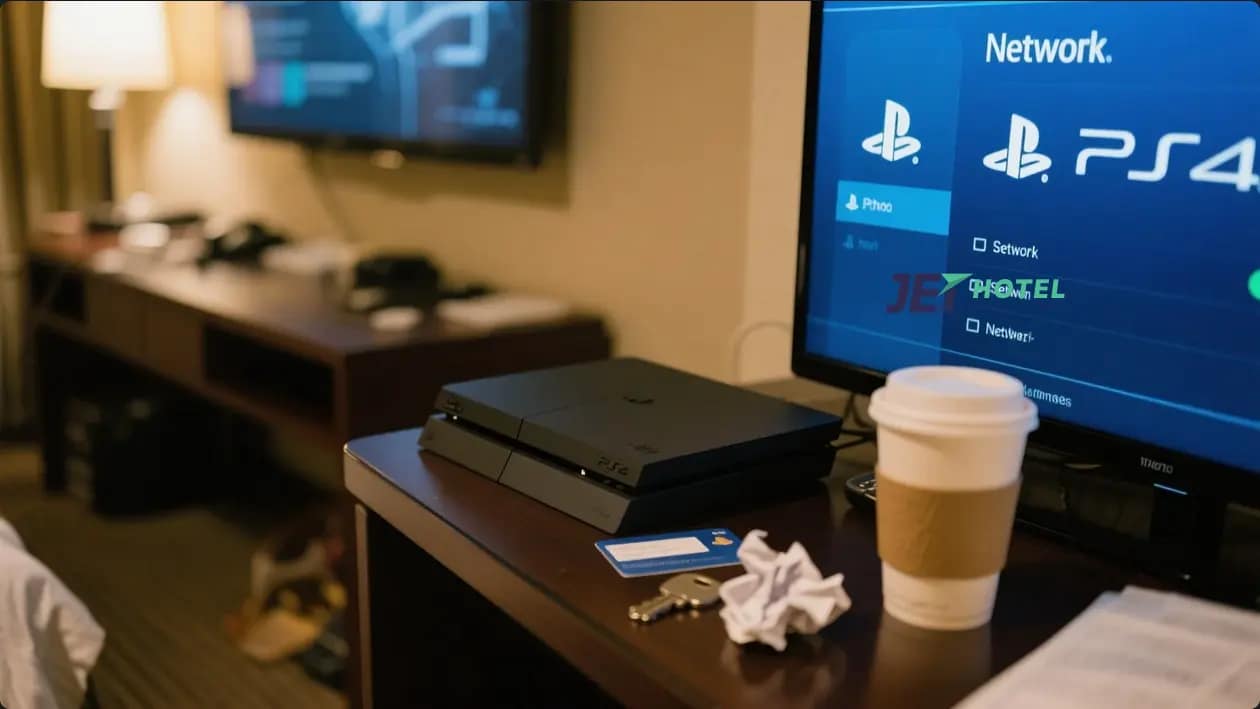
If your hotel room provides an Ethernet port (a diminishing but still valuable amenity), this is often the fastest and most stable connection method, bypassing Wi-Fi entirely.
- Locate Port: Check behind the TV, on a desk, or near the phone for an Ethernet port.
- Connect Cable: Plug one end of an Ethernet cable into the port and the other into your PS4.
- Set Up Connection: On your PS4, go to “Settings” > “Network” > “Set Up Internet Connection” > “Use a LAN Cable” > “Easy.”
- Authenticate: If the Ethernet connection also leads to a captive portal, you might still need a laptop to authenticate, as described in the MAC address spoofing method, but without changing the MAC address. Simply connect your laptop via Ethernet, authenticate, then swap the cable to your PS4.
Why it’s great: Ethernet offers superior speed and lower latency compared to Wi-Fi, ideal for competitive online gaming. It’s often available even in high-end villas or older, more established hotel chains like Marriott or Hilton.
Pre-Trip Planning and On-Site Troubleshooting
A little foresight can save a lot of frustration. Integrating gaming into your travel experiences means thinking ahead.
Researching Hotel Wi-Fi Before Booking
Before you even book your accommodation, make Wi-Fi quality a priority.
- Read Reviews: Check recent guest reviews on booking sites specifically mentioning Wi-Fi performance. Look for comments about speed, reliability, and ease of connection for multiple devices.
- Contact the Hotel: Call the front desk and ask specific questions: “Do you use a captive portal for Wi-Fi access?” “Is there an Ethernet port in the rooms?” “What are the typical Wi-Fi speeds?” Some hotels, particularly those catering to business travelers or offering luxury travel packages, might offer premium Wi-Fi tiers or dedicated gaming support.
- Look for Gamer-Friendly Amenities: Some modern hotels, especially in tech-forward cities like Seoul or Singapore, are starting to cater to gamers with better internet infrastructure.
Essential Gear for Gamers on the Go
Packing smart can make all the difference.
- Travel Router: As mentioned, this is a game-changer.
- Ethernet Cable: A short (3-6 ft) Ethernet cable is invaluable if an Ethernet port is available.
- Power Strip/Surge Protector: Hotel rooms often have limited outlets. A small power strip ensures you can plug in your PS4, TV, router, and phone simultaneously.
- HDMI Cable: While most hotel TVs have one, having your own reliable cable ensures compatibility and picture quality.
- VPN (Virtual Private Network): For added security and to potentially bypass some network restrictions, a VPN can be beneficial, especially when connecting to public Wi-Fi. Ensure your travel router supports VPN passthrough or has built-in VPN client functionality.
Communicating with Hotel Staff
Don’t hesitate to involve hotel staff if you’re struggling.
- Ask for IT Support: Many larger hotels, especially chains like Hilton or Marriott, have dedicated IT or concierge staff who can assist with Wi-Fi issues.
- Provide MAC Address: Some hotels can manually register your PS4’s MAC address with their system, bypassing the captive portal entirely. This is often the easiest solution if available. Be polite and patient, as this might be a less common request for them. You might even find this service offered at boutique hotels or apartments designed for extended stays.
Enhancing Your Hotel Gaming Experience
Connecting is just the first step. To truly enjoy your PS4 in a hotel room, consider these enhancements.
Optimizing PS4 Settings for Hotel Wi-Fi
Even with a successful connection, you can fine-tune your PS4 for better performance on potentially constrained hotel networks.
- Primary DNS (Google DNS): Change your DNS settings to Google DNS (8.8.8.8 and 8.8.4.4) or Cloudflare DNS (1.1.1.1 and 1.0.0.1) instead of the automatic hotel DNS. This can sometimes improve connection stability and speed.
- Download/Upload Prioritization: If your game allows it, prioritize game traffic over other background downloads. Pause any large game updates or system software downloads until you have a more robust connection.
- Adjust Game Settings: In multiplayer games, consider lowering graphical settings or resolution if you experience significant lag. This reduces the amount of data that needs to be transmitted, potentially improving frame rates on a slower connection.
Beyond Gaming: Other Devices and Entertainment
Your PS4 can be more than just a gaming machine in a hotel room.
- Streaming Services: Leverage your PS4 for streaming Netflix, Hulu, or Disney+ on the hotel TV, especially if you’re not keen on the hotel’s limited channel selection. This is a great way to unwind after visiting famous places or experiencing local culture.
- Blu-ray/DVD Player: Your PS4 doubles as a Blu-ray and DVD player, perfect for movie nights in, particularly useful during a family trip or if the internet is unreliable for streaming.
- Portable Storage: If you have external hard drives with media, your PS4 can play videos and music, providing entertainment without relying on the internet.
Integrating your PS4 into your travel lifestyle adds an extra layer of comfort and entertainment, turning downtime into playtime. From a quick gaming session after exploring a landmark like the Eiffel Tower in Paris to a relaxing evening after a strenuous hike through national parks in Canada, ensuring connectivity for your console enriches your overall journey.
Conclusion
Connecting your PS4 to hotel Wi-Fi can seem like a daunting task, but with the right knowledge and tools, it’s an easily surmountable challenge. By understanding the quirks of hotel networks, preparing with essential gear like a travel router or an Ethernet cable, and knowing the various workarounds for captive portals, you can transform your hotel room into a personal entertainment hub. From budget travel to opulent resorts, the joy of gaming on the go is within reach.
Remember to prioritize research before booking, communicate openly with hotel staff, and equip yourself with the necessary accessories. With these strategies, you’re not just bringing a gaming console on your trip; you’re bringing an extension of your home entertainment system, ensuring that your travel doesn’t mean pausing your passion. So, next time you’re packing your bags, rest assured that your PS4 can come along for the adventure, ready to provide hours of fun, no matter where your journey takes you.
LifeOutOfTheBox is a participant in the Amazon Services LLC Associates Program, an affiliate advertising program designed to provide a means for sites to earn advertising fees by advertising and linking to Amazon.com. Amazon, the Amazon logo, AmazonSupply, and the AmazonSupply logo are trademarks of Amazon.com, Inc. or its affiliates. As an Amazon Associate we earn affiliate commissions from qualifying purchases.