
Navigating the process of submitting your traffic school certificate in Florida online can seem like a bureaucratic hurdle, but with a clear understanding of the steps involved, it becomes a straightforward procedure. This guide aims to demystify the online submission process, ensuring you meet your court’s requirements efficiently and without unnecessary stress. Whether you’ve just completed a defensive driving course to keep points off your record or as a mandated requirement, knowing how to properly submit your proof of completion is crucial.
Understanding the Requirements for Online Submission
Before you embark on the digital journey of submitting your traffic school certificate, it’s imperative to understand the specific requirements laid out by the court or the Florida Department of Highway Safety and Motor Vehicles. These requirements can vary slightly depending on the county and the nature of your traffic violation. Therefore, the first and most critical step is to ascertain exactly what your court or issuing authority needs from you.
Verifying Court Instructions
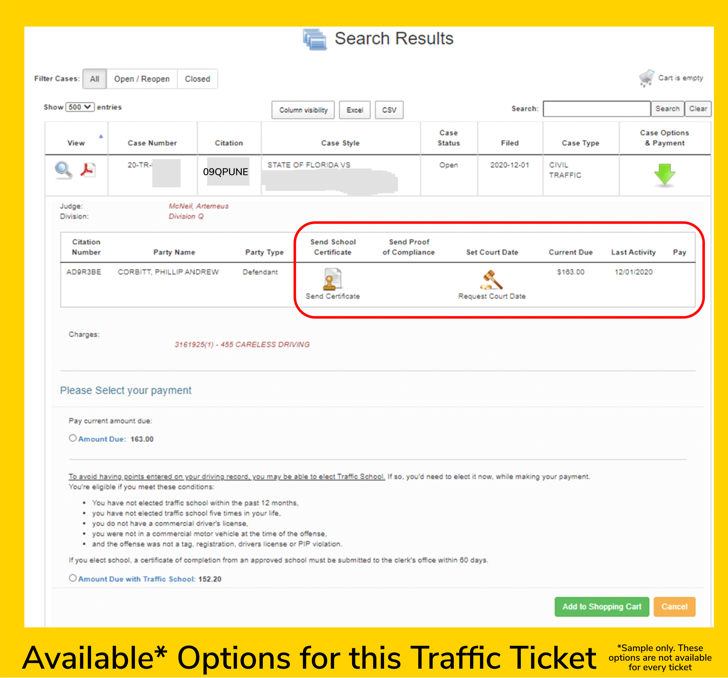
Your court summons or any correspondence you received regarding your traffic ticket should contain explicit instructions on how to fulfill your traffic school obligation. Look for details regarding:
- Deadline for Submission: This is paramount. Missing the deadline can lead to further penalties, including license suspension or additional fines.
- Method of Submission: While this article focuses on online submission, some courts may still prefer or require mail-in or in-person submissions. Always confirm the accepted method.
- Required Documentation: Beyond the certificate of completion, some courts might request a copy of your traffic citation or a sworn statement.
- Format of Submission: If submitting online, the court will specify the acceptable file formats (e.g., PDF, JPEG) and any size limitations.
- Recipient of the Certificate: You need to know whether the certificate should be sent directly to the court clerk’s office, the prosecuting attorney, or another designated entity.
Identifying Approved Traffic School Providers
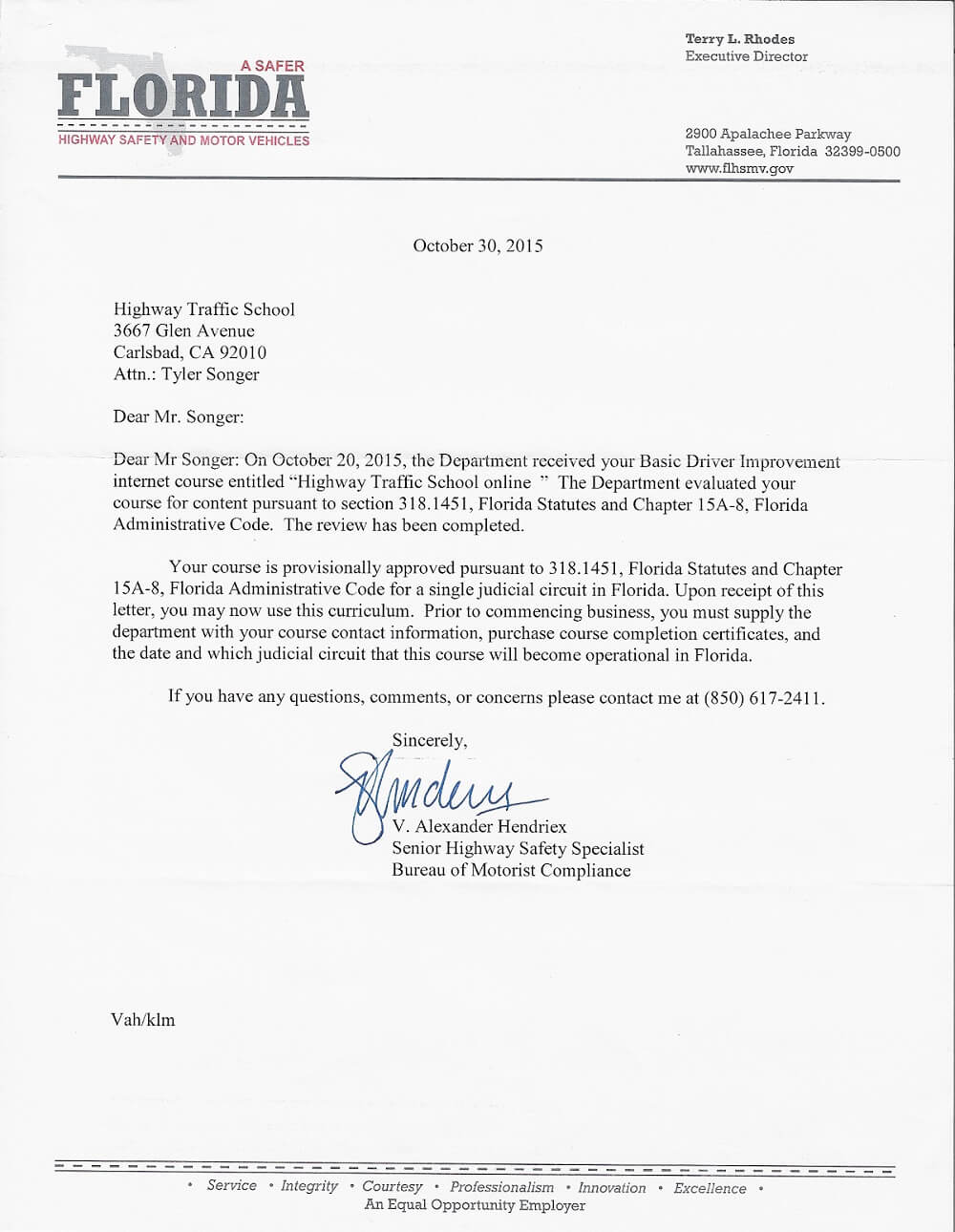
In Florida, you are generally required to complete your traffic school program through a state-approved provider. If you have already completed a course, ensure that the provider is indeed certified by the Florida Department of Highway Safety and Motor Vehicles. Most reputable online traffic schools will clearly display their certification or approval number. You can often verify this on the official website of the Florida Department of Highway Safety and Motor Vehicles. If you are still in the process of selecting a course, prioritize those that explicitly state they are approved for Florida drivers and offer online certificate generation.
Obtaining Your Certificate of Completion
Upon successfully completing your traffic school course, the provider will issue you a certificate of completion. Modern online traffic schools typically offer this certificate in a digital format, which is ideal for online submission. You can usually download it directly from your student portal on the traffic school’s website. Make sure to save this document in a secure location on your computer or cloud storage. If, for any reason, you don’t receive your certificate promptly after course completion, contact the traffic school’s customer support immediately. Some providers may allow you to request a duplicate if you lose the original.
The Online Submission Process: Step-by-Step
Once you have confirmed the court’s requirements and obtained your digital certificate of completion, you can proceed with the online submission. The exact process will depend on the platform the court uses for electronic filings. However, the general steps are often quite similar across different judicial circuits in Florida.
Accessing the Court’s E-Filing Portal
Many Florida courts have adopted electronic filing systems, often referred to as e-filing portals. These portals are designed to allow attorneys and the public to submit documents to the court electronically.
- Locate the Correct Portal: Visit the official website of the county court where your traffic case is being handled. Look for a link or section labeled “E-Filing,” “Online Services,” “File a Document,” or similar. Each county may have its own portal, or they might utilize a statewide system.
- Account Creation/Login: You may need to create an account on the e-filing portal. This usually involves providing your email address, creating a password, and agreeing to terms of service. If you have previously used the portal for other legal matters, you can likely log in with your existing credentials.
- Case Information: Once logged in, you will need to identify your specific traffic case. This typically requires your case number (also known as the citation number or court number) and possibly your name or date of birth.
- Initiating a Filing: Within your case file, there should be an option to “File a New Document” or “Submit a Filing.” Select this option.
Uploading Your Certificate of Completion
After selecting the option to file a new document, you will be guided through the process of uploading your traffic school certificate.
- Document Type Selection: The portal will likely present a dropdown menu of document types. You will need to select the appropriate category, which might be “Traffic School Certificate,” “Proof of Completion,” “Evidence,” or something similar. If you are unsure, consult the portal’s help section or contact the court clerk’s office.
- File Upload: You will then be prompted to upload your digital certificate. Click on the “Browse,” “Choose File,” or “Upload” button and navigate to the location on your computer or device where you saved your certificate.
- File Format: Ensure your certificate is saved in a format compatible with the e-filing system. As mentioned, PDF is a widely accepted format. If your certificate is in a different format (e.g., an image file like JPG or PNG), you might need to convert it to a PDF using online tools or document software.
- Confirmation: After selecting the file, the system will usually show the file name and progress of the upload. Once uploaded, you may have an option to preview the document to ensure it is the correct one.
Completing and Submitting the Filing
The final stages involve providing any necessary information and officially submitting your documents.
- Additional Information: The e-filing portal might ask for additional details, such as a brief description of the document being filed (e.g., “Traffic School Certificate of Completion for Case # [Your Case Number]”), or it might ask you to confirm that you are submitting proof of completion for a traffic infraction.
- Review and Submit: Before finalizing, carefully review all the information you have entered and the document(s) you have uploaded. Once you are satisfied that everything is correct, click the “Submit,” “File,” or “Confirm” button.
- Confirmation of Receipt: After successful submission, you should receive an electronic confirmation, often via email, and possibly a confirmation page within the portal itself. This confirmation is crucial evidence that you have fulfilled your obligation. It will typically include a filing date and time stamp, a confirmation number, and a copy of the filed document. Keep this confirmation for your records.
Alternative Online Submission Methods
While e-filing portals are becoming the standard, some courts may offer alternative online submission methods, especially for simpler matters or in cases where e-filing might be technically challenging for an individual.
Court-Specific Online Forms
Some smaller or less technologically advanced courts might provide specific online forms directly on their website. These forms often allow you to directly upload your certificate and submit your information without needing to register for a full e-filing portal account. You would typically find these forms by navigating to the traffic division or clerk of court’s section of the county’s court website.
Email Submissions (Less Common)
In rare cases, a court might permit submissions via email, particularly if it’s an informal request or if other methods are unavailable. If this is an option, ensure you receive explicit instructions on the correct email address, required subject line format, and any attachments or naming conventions for your files. However, be cautious with email submissions as they can be less secure and harder to track than dedicated e-filing systems. Always prioritize official e-filing portals when available.
Third-Party Services
Some jurisdictions might integrate with or recommend third-party services that facilitate the online submission of traffic school certificates. These services often act as intermediaries, collecting your documents and submitting them to the court on your behalf for a fee. While convenient, always verify the legitimacy and trustworthiness of any third-party service before using it.
Ensuring Successful Submission and Record Keeping
The act of submitting your certificate online is only part of the process. Ensuring it is correctly processed and maintaining proper records are vital for your peace of mind and legal compliance.
Post-Submission Verification
After submitting your certificate, it’s a good practice to follow up to ensure it has been received and processed correctly.
- Check Your Case Status: Many court websites allow you to check your case status online. Look for updates that indicate the traffic school requirement has been met or that your case is closed.
- Contact the Clerk of Court: If you don’t see any updates or are unsure, contact the clerk of court’s office for the relevant county. Have your case number ready and inquire about the status of your traffic school submission.

Maintaining Records
It is crucial to keep thorough records of all your traffic-related documentation.
- Save Digital Copies: Keep a digital copy of your traffic school certificate of completion and the confirmation email or receipt you received from the court’s e-filing system. Store these in a safe and easily accessible digital location, such as a dedicated folder on your computer or in cloud storage.
- Print Important Documents: Consider printing a hard copy of the confirmation receipt for your records, just in case of any future discrepancies or inquiries.
- Note Deadlines: Always make a note of the submission deadline and any other relevant dates in your personal calendar.
By following these steps, you can confidently navigate the online submission of your traffic school certificate in Florida. A little diligence upfront can save you from potential complications down the road, ensuring your driving record remains clear and your legal obligations are met.
LifeOutOfTheBox is a participant in the Amazon Services LLC Associates Program, an affiliate advertising program designed to provide a means for sites to earn advertising fees by advertising and linking to Amazon.com. Amazon, the Amazon logo, AmazonSupply, and the AmazonSupply logo are trademarks of Amazon.com, Inc. or its affiliates. As an Amazon Associate we earn affiliate commissions from qualifying purchases.