
Navigating the vast and intricate road networks of Texas can be an exciting part of any journey, whether you’re a resident commuting daily or a visitor exploring the Lone Star State. However, a significant portion of these roadways, particularly in major metropolitan areas, consists of toll roads designed to expedite traffic and fund infrastructure improvements. Understanding how to pay these tolls effectively is crucial to avoid unexpected fees, delays, and potential frustration. This comprehensive guide will equip you with all the essential information needed to confidently manage toll payments, ensuring a smooth and enjoyable driving experience across Texas.
Understanding the Texas Toll Road Landscape
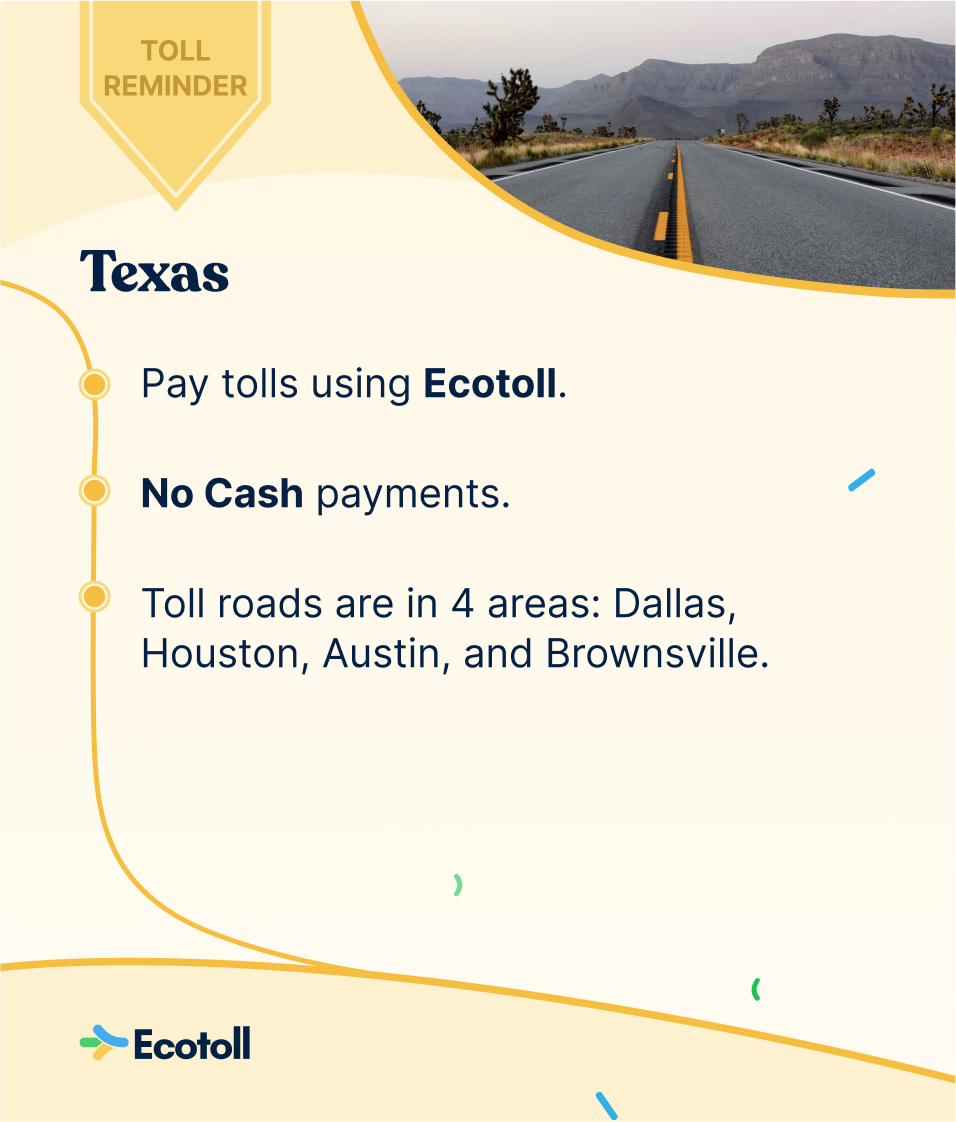
Texas’s toll road system is expansive and managed by various authorities, each with its own operational nuances. Unlike some states that still feature cash toll booths, Texas has largely transitioned to an all-electronic toll collection system. This means there are no toll booths where you can stop and pay with cash or credit cards directly. Instead, tolls are collected electronically, primarily through transponders or by mail.
The primary toll road authorities you’ll encounter include:
- North Texas Tollway Authority (NTTA): Oversees toll roads in the Dallas/Fort Worth metropolitan area, such as the Dallas North Tollway, President George Bush Turnpike, and Sam Rayburn Tollway.
- Harris County Toll Road Authority (HCTRA): Manages toll roads in the greater Houston area, including the Sam Houston Tollway and Hardy Toll Road.
- Texas Department of Transportation (TxDOT): Operates various toll segments across the state, often part of state highways like SH 130 near Austin and sections of SH 99 (Grand Parkway) in the Houston region.
- Regional Mobility Authorities (RMAs): Other localized authorities manage smaller toll road sections, typically in specific counties or regions, such as the Central Texas Regional Mobility Authority (CTRMA) in the Austin area.
Despite multiple authorities, Texas has made significant strides in interoperability, meaning a single transponder often works across all toll roads in the state and even beyond.
Electronic Toll Payment Methods
The most efficient and cost-effective way to pay tolls in Texas is through an electronic transponder. These small devices attach to your windshield and communicate wirelessly with overhead readers as you pass through tolling gantries, deducting the toll amount from a pre-funded account.
The TxTag System
The official statewide electronic toll collection system is TxTag. A TxTag transponder offers the lowest toll rates and is universally accepted on all toll roads in Texas.
- How it Works: You open a TxTag account, link it to a payment method (credit card or bank account), and pre-load it with funds. As you drive through a toll, the system detects your transponder, and the toll amount is debited from your account. When your balance gets low, it automatically replenishes.
- Benefits: Best rates, seamless travel across the state, convenient online account management, and typically no expiration date for the tag itself.
- Getting a TxTag: You can order a TxTag online through the official TxTag website, pick one up at various retail locations (like H-E-B or Randalls stores in some areas), or visit a TxTag customer service center. There’s usually a small initial deposit or purchase fee for the tag, plus a minimum pre-payment for your toll balance.
Other Compatible Transponders
Texas has achieved a high level of interoperability, meaning that transponders issued by specific toll authorities within Texas are generally accepted statewide. These include:
- EZ TAG (HCTRA): If you primarily drive in Houston, an EZ TAG might be your preferred option. It works on all Texas toll roads and is also compatible with toll roads in Kansas (K-TAG), and Oklahoma (Pikepass).
- TollTag (NTTA): For drivers primarily in Dallas/Fort Worth, the NTTA’s TollTag is a popular choice. Like TxTag and EZ TAG, it is accepted on all Texas toll roads.
It’s important to note that while these tags are interoperable within Texas, the specific toll rates might vary slightly depending on which tag you use and which authority’s road you are on, though the difference is usually negligible compared to ‘Pay By Mail’ rates.
The ‘Pay By Mail’ Alternative
If you don’t have a transponder, you can still use Texas toll roads. The system automatically photographs your vehicle’s license plate as you pass through a toll gantry. The toll authority then sends a bill to the registered owner of the vehicle. This method is known as ‘Pay By Mail’ or ‘Toll Bill’.
- How it Works: Cameras capture your license plate, and the toll authority checks state motor vehicle records to identify the vehicle’s owner. A bill for the tolls incurred, plus administrative fees, is then mailed to that address.
- Higher Rates: Be aware that ‘Pay By Mail’ rates are significantly higher than transponder rates. This is due to the administrative costs associated with identifying the owner, printing, and mailing the bill. It’s often 25-50% more expensive per toll.
- Payment Deadlines and Penalties: Toll bills typically have a due date, often 25-30 days from the mailing date. Failing to pay by the deadline can result in late fees, additional administrative penalties, and even vehicle registration holds if outstanding tolls accumulate.
- Payment Options: You can usually pay a ‘Pay By Mail’ bill online, by phone, or by mail. Make sure to have your bill number and license plate information handy.
- Avoiding Pay By Mail: While convenient for occasional users, relying on ‘Pay By Mail’ for frequent toll road use is not recommended due to the increased costs. Consider getting a transponder if you plan on using toll roads regularly.
For Visitors and Out-of-State Drivers
If you’re visiting Texas from another state or using a rental car, understanding toll payment is critical.
- Rental Cars and Tolls: Rental car companies often have their own toll programs. They may equip vehicles with transponders or have agreements with toll authorities to cover tolls and then bill you later. These programs can be convenient but often come with daily administrative fees on top of the actual tolls, which can quickly add up.
- Recommendation: Check with your rental company about their toll policies before you drive off the lot. Inquire about the fees and decide if it’s more cost-effective to use their program or, if allowed, bring your own compatible transponder (like an EZ TAG that works in Oklahoma or Kansas) or simply accept the ‘Pay By Mail’ option for occasional use, understanding the higher rates. Some savvy travelers opt to purchase a TxTag if their trip is extended or involves extensive toll road use, then simply remove it at the end of the trip and close the account.
- Out-of-State Personal Vehicles: If you’re driving your own car from out of state without a compatible transponder, you will automatically be entered into the ‘Pay By Mail’ system. Ensure your vehicle’s registration address is current so that the toll bill reaches you. It’s also a good idea to proactively check for tolls online if you know you’ve used toll roads, especially if you haven’t received a bill within a few weeks. Many toll authorities have online portals where you can look up tolls by license plate.
Tips for a Seamless Texas Toll Experience
Preparation and proactive management are key to hassle-free toll road travel in Texas.
Planning Your Route
- Use Navigation Apps: Modern navigation apps like Google Maps or Waze are invaluable for identifying toll roads. Most apps allow you to select a preference to “Avoid Tolls” if you wish to do so. This can save you from unexpected costs, though it might extend your travel time.
- Familiarize Yourself: Before embarking on a long drive, especially in major metro areas like Houston, Dallas, Austin, or San Antonio, consult maps to understand where toll roads are located. They are usually well-marked with signs indicating “Toll” or “TxTag Only” lanes.
Managing Your Transponder Account
- Auto-Replenishment: Always set up auto-replenishment for your transponder account (e.g., TxTag, EZ TAG, TollTag). This ensures your account never runs out of funds, preventing tolls from reverting to the more expensive ‘Pay By Mail’ rate.
- Keep Contact Information Current: Ensure the mailing address, email, and phone number associated with your transponder account are always up-to-date. This is crucial for receiving notifications about low balances, payment issues, or changes to the service.
- Attach Correctly: Make sure your transponder is properly affixed to your windshield according to the instructions provided. An improperly mounted tag may not be read, leading to ‘Pay By Mail’ charges.
What to Do If You Miss a Toll or Receive a Bill
- Don’t Panic: If you accidentally drive on a toll road without a transponder or receive a bill you weren’t expecting, address it promptly.
- Online Lookup: Most toll authorities (e.g., TxTag, NTTA, HCTRA) have online portals where you can search for tolls by license plate. This is useful if you suspect you’ve used a toll road but haven’t received a bill yet. Paying online quickly can sometimes help avoid late fees.
- Contact the Authority: If you have questions about a bill, dispute a charge, or need to clarify anything, contact the specific toll authority that issued the bill. Their customer service lines or online support can provide assistance. The contact information is usually listed on the toll bill itself.
In conclusion, navigating Texas’s toll roads is straightforward once you understand the electronic payment system. For regular users, obtaining a TxTag or a compatible transponder like EZ TAG or TollTag is the most economical and convenient option. For occasional travelers, the ‘Pay By Mail’ system offers flexibility, albeit at a higher cost. By planning your routes, managing your accounts diligently, and addressing any potential issues promptly, you can ensure your travels through the great state of Texas remain smooth and free of unexpected toll-related headaches. Happy travels!
LifeOutOfTheBox is a participant in the Amazon Services LLC Associates Program, an affiliate advertising program designed to provide a means for sites to earn advertising fees by advertising and linking to Amazon.com. Amazon, the Amazon logo, AmazonSupply, and the AmazonSupply logo are trademarks of Amazon.com, Inc. or its affiliates. As an Amazon Associate we earn affiliate commissions from qualifying purchases.