
Navigating the complexities of travel documentation can sometimes feel like deciphering ancient hieroglyphs. For those planning a journey to the Last Frontier, specifically with certain air carriers or for specific types of travel, locating an “Alaska ticket number” can be a crucial step in managing your itinerary. While the term itself might not be universally recognized across all airlines, it generally refers to a unique identifier associated with your flight booking, often akin to a reservation code, e-ticket number, or baggage tag number. Understanding its purpose and how to retrieve it is paramount for a seamless travel experience in Alaska.
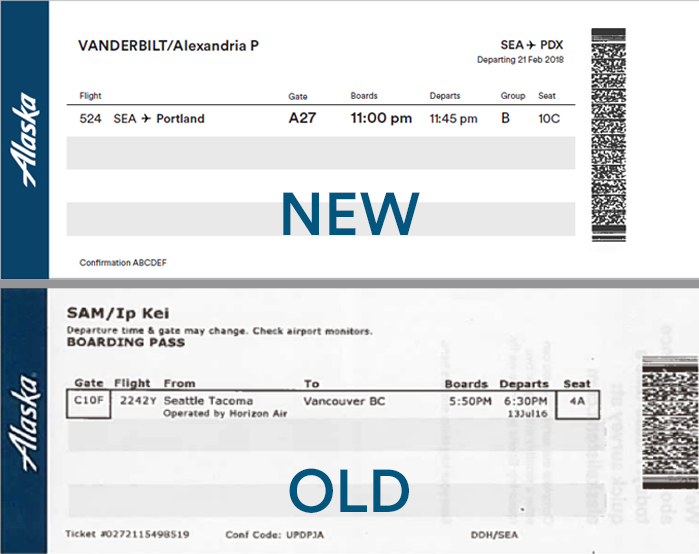
Understanding the Alaska Ticket Number
The “Alaska ticket number” isn’t a standardized industry term, but rather a contextual phrase that usually pertains to specific elements of an air travel booking. It’s important to distinguish it from other common identifiers you’ll encounter.
Differentiating Key Identifiers
- Reservation Code (PNR – Passenger Name Record): This is the most common identifier for your entire trip. It’s a six-character alphanumeric code (e.g., H7T3X2) that unlocks your booking details across the airline’s system. You use this to check in, select seats, and manage your reservation online.
- Electronic Ticket (E-Ticket) Number: This is a longer, typically 13-digit number that uniquely identifies your purchased ticket. It’s the digital equivalent of a paper ticket and is essential for all stages of your flight. This is often what people mean when they refer to a “ticket number.”
- Baggage Tag Number: This is a unique identifier for each checked bag. It starts with a three-digit airline prefix followed by a series of numbers. This is crucial for tracking your luggage if it gets misplaced.
- Frequent Flyer Number: While not directly a ticket number, your Alaska Airlines Mileage Plan number is linked to your booking and can sometimes assist in retrieving information.
When individuals ask about an “Alaska ticket number,” they are most commonly seeking their Electronic Ticket (E-Ticket) Number, as this is the definitive proof of purchase and the key to accessing ticket-specific details.
The Role of the E-Ticket Number
The e-ticket number serves as the digital receipt and proof of your purchased air travel. It contains all the details of your flight, including:
- Passenger names
- Flight origins and destinations
- Dates and times of travel
- Class of service
- Fare basis
- Payment information (though sensitive details are usually masked)
- Any special requests or notes associated with the booking
This number is vital for verifying your purchase, making changes to your reservation, requesting refunds, and for any customer service interactions with the airline.
Locating Your Alaska E-Ticket Number
Retrieving your e-ticket number is usually a straightforward process, provided you know where to look. The most common sources are your booking confirmation email, your online account with the airline, and potentially your mobile boarding pass.
The Confirmation Email
This is typically the first and most reliable place to find your e-ticket number. When you book a flight, especially with Alaska Airlines, a confirmation email is sent to the address you provided. This email will usually contain a summary of your booking and prominently display your e-ticket number.
Tips for finding it in your email:
- Subject Line: Look for subject lines like “Your Flight Confirmation,” “Booking Details,” or similar variations.
- Sender: Ensure you are looking at emails from the official airline or your travel agency.
- Keywords: Use your email’s search function and type in keywords like “ticket number,” “e-ticket,” “confirmation,” or “booking reference.”
- Attachments: Sometimes, the e-ticket details might be in a PDF attachment.
If you can’t find it, check your spam or junk mail folder, as these emails can occasionally be misdirected.
Your Online Airline Account
Most airlines, including Alaska Airlines, allow you to create an online profile. If you have an account and booked your flight while logged in, your ticket information will be readily accessible.
Steps to find it online:
- Log In: Visit the Alaska Airlines website and log in to your account.
- My Trips/Bookings: Navigate to the section that displays your upcoming or past trips. This might be called “My Trips,” “My Bookings,” “Manage Reservation,” or similar.
- Select Your Flight: Click on the specific flight you are looking for.
- View Details: Within the flight details page, you should be able to find your e-ticket number. It might be listed under a heading like “Ticket Information” or “Payment Details.”
This method is particularly useful for keeping track of all your travel arrangements in one place.
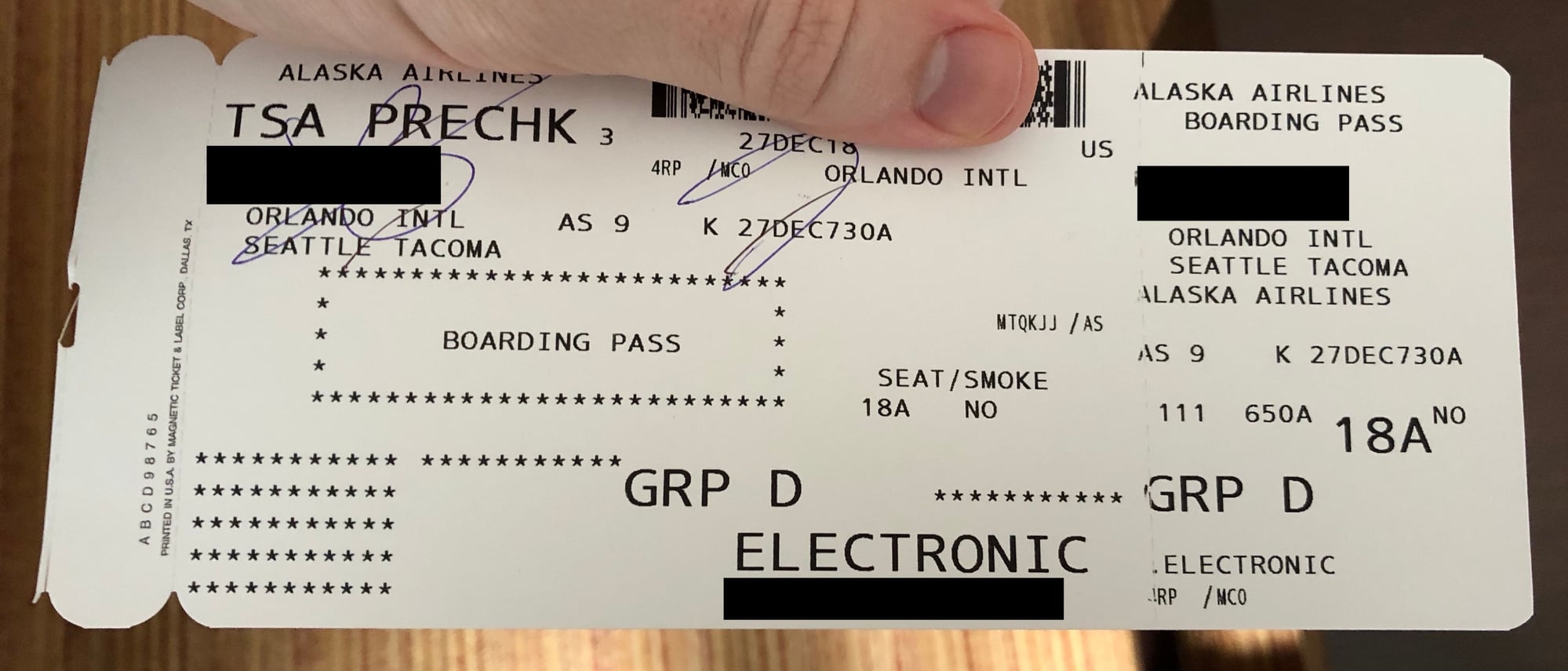
Mobile Boarding Pass
Once you check in for your flight, you may receive a mobile boarding pass delivered to your smartphone via email or the airline’s app. While the primary purpose of a boarding pass is to grant you access through security and to your gate, it often contains essential booking information, including your e-ticket number.
What to look for on your mobile boarding pass:
- QR Code: While the QR code contains your check-in data, the printed or screen-displayed details often include the ticket number.
- Text Details: Scroll through the information presented on the boarding pass. The e-ticket number is usually listed clearly.
It’s always a good practice to save a screenshot of your mobile boarding pass, especially if you anticipate poor cellular service in Alaska.
When the “Alaska Ticket Number” Refers to Baggage
In some specific travel contexts, particularly when dealing with luggage, the term “Alaska ticket number” might inadvertently refer to a baggage tag number. This is less common but worth understanding.
The Baggage Tag Identifier
When you check in luggage at the airport, each bag is issued a unique baggage tag. This tag has a barcode and a number that the airline uses to track your luggage throughout its journey.
- Format: Baggage tag numbers typically consist of a three-digit airline code followed by a longer string of numbers (e.g., 027-1234567890). For Alaska Airlines, the prefix is 027.
- Purpose: This number is crucial for retrieving your luggage at your destination and for filing a lost or delayed baggage claim.
How to Find Your Baggage Tag Number
- The Physical Tag: The most direct way to find this number is by looking at the sticker that was affixed to your bag at the check-in counter. You may have also been given a small stub of this tag with your boarding pass.
- Online Check-in/App: If you checked in online and printed your bag tags at home, or if the airline’s app provides this functionality, the baggage tag number should be available within your booking details or through a baggage tracking feature.
- Customer Service: If you cannot locate the number, you can contact Alaska Airlines customer service. They can access your booking and provide the tag numbers associated with your checked baggage, provided you can verify your identity and flight details.
Troubleshooting and Further Assistance
Occasionally, finding your ticket number might present challenges. Here are some common issues and how to resolve them.
Lost Confirmation Email
If you deleted the confirmation email or can’t find it, don’t panic. Your booking is still valid within the airline’s system.
- Contact the Airline Directly: The most effective solution is to call Alaska Airlines customer service. Provide them with as much information as you have about your booking: your name, the date of travel, origin and destination, and perhaps the credit card used for the purchase. They will be able to look up your reservation and provide you with your e-ticket number.
- Check Travel Agency Records: If you booked through a third-party travel agency (e.g., Expedia, Booking.com), contact them directly. They will have records of your booking and can resend the confirmation details.
Booking Through a Third Party
Bookings made through travel agencies or online travel aggregators can sometimes add an extra layer of complexity. While the e-ticket number will ultimately be an Alaska Airlines number, the initial point of contact for information might be the agency itself.
- Agency Confirmation: Review any confirmation emails or documents provided by the travel agency. The e-ticket number should be present there.
- Agency Customer Service: If you are unable to find the information from the agency, contact their customer support. They can assist you in retrieving the necessary details.
Changes to Your Itinerary
If you have made changes to your flight itinerary, the e-ticket number typically remains the same, but the associated flight details will be updated. The new confirmation email you receive after making changes will reflect the updated itinerary and usually the same e-ticket number. If you are unsure, always refer to the most recent communication from the airline.
Importance of Accurate Information
Ensuring you have the correct ticket number is not just about managing your booking; it’s also crucial for a smooth travel day. At the airport, your e-ticket number (or reservation code) is used at check-in kiosks, by ticketing agents, and at the gate. Having it readily available can save time and reduce stress, allowing you to focus on enjoying your adventure in the majestic landscapes of Alaska. Whether you are exploring the wilderness near Denali National Park or enjoying the vibrant culture of Juneau, a well-managed itinerary begins with accessible and accurate travel documentation.
LifeOutOfTheBox is a participant in the Amazon Services LLC Associates Program, an affiliate advertising program designed to provide a means for sites to earn advertising fees by advertising and linking to Amazon.com. Amazon, the Amazon logo, AmazonSupply, and the AmazonSupply logo are trademarks of Amazon.com, Inc. or its affiliates. As an Amazon Associate we earn affiliate commissions from qualifying purchases.