
For residents of the sprawling Texas, the convenience of managing essential documents online is a significant advantage, especially when dealing with something as crucial as a driver’s license. Whether you’re planning a road trip across the United States, moving to a new city like Dallas or Houston, or simply enjoying the freedom of the open road, a valid driver’s license is indispensable. The ability to renew your Texas driver’s license from the comfort of your home, or even from a hotel room during your travels, saves invaluable time and effort. This comprehensive guide will walk you through the process of renewing your Texas driver’s license online, ensuring you stay compliant and your journeys remain uninterrupted.
The Convenience of Online Renewal for Texans
In a state as vast and diverse as Texas, where distances between major urban centers like Austin, San Antonio, and rural communities can be immense, the option of online services is more than just a luxury—it’s a practical necessity. Renewing your driver’s license online through the Texas Department of Public Safety (DPS) portal streamlines a process that traditionally involved queues, paperwork, and travel to a physical office. This online facility aligns perfectly with a modern lifestyle, enabling individuals to manage their affairs efficiently, leaving more time for travel, leisure, or pursuing career opportunities. It’s an ideal solution for those balancing busy work schedules, family commitments, or a life on the go, where every minute saved can be reinvested into more enriching experiences.
The digital transformation of government services reflects a commitment to enhancing citizen convenience and adapting to contemporary living patterns. For globetrotters, business travelers, or even digital nomads who call Texas home but might be exploring destinations far and wide, online renewal offers unparalleled flexibility. There’s no need to cut short a fascinating cultural immersion in another country or interrupt a crucial business trip to return home for administrative tasks. As long as you have internet access and meet the specific criteria, your driver’s license renewal can be completed seamlessly, allowing you to maintain your focus on your travel adventures or professional endeavors.
Eligibility Requirements: Who Can Renew Online?
While the online renewal system is incredibly convenient, it’s not universally applicable to all Texas license holders. The Texas Department of Public Safety has established specific eligibility criteria to ensure the security and accuracy of the renewal process. Before you even begin, it’s crucial to confirm whether you qualify for online renewal. Meeting these requirements will determine if you can leverage this efficient digital pathway or if you’ll need to consider alternative methods.
Here are the primary conditions you must meet to renew your Texas driver’s license online:
- Age Restriction: You must be between 18 and 79 years old. Drivers aged 80 and over typically need to renew in person to undergo a mandatory vision test and potentially other assessments.
- Expiration Status: Your driver’s license or identification card must either be valid or have expired for less than two years. If it has been expired for two years or more, you’ll generally need to apply for a new license in person.
- Citizenship/Residency Status: You must be a U.S. citizen or a permanent resident. Individuals with temporary lawful presence status often have different renewal procedures that require in-person verification.
- Last Renewal Method: In most cases, your last renewal must have been conducted in person at a DPS office. This “every other time” rule helps ensure periodic in-person verification and updated photographs.
- No License Status Changes: You should not have made any changes to your name (e.g., due to marriage or divorce) since your last renewal. Address changes are generally permissible online.
- No Outstanding Issues: Your driving privilege must not be suspended, revoked, or canceled, and you must not have any outstanding traffic tickets, warrants, or unresolved enforcement actions. Any such issues must be resolved before renewal.
- Vision Requirement: You must certify that your vision has not changed since your last renewal and that you can pass the vision test (or provide proof of a recent eye exam if required).
- Commercial Driver’s License (CDL): The online renewal process is typically for non-commercial driver’s licenses. CDL holders often have different, more stringent renewal requirements.
Understanding these points upfront will save you time and potential frustration. If you meet all these criteria, you’re well-positioned to take advantage of the seamless online renewal process.
Your Step-by-Step Guide to Online Renewal
Once you’ve confirmed your eligibility, the online renewal process for your Texas driver’s license is surprisingly straightforward. It’s designed to be user-friendly, guiding you through each stage with clear instructions. Preparing the necessary information beforehand will ensure a smooth and quick experience, allowing you to get back to planning your next travel adventure or enjoying your daily life without unnecessary delays.
What You’ll Need Before You Start
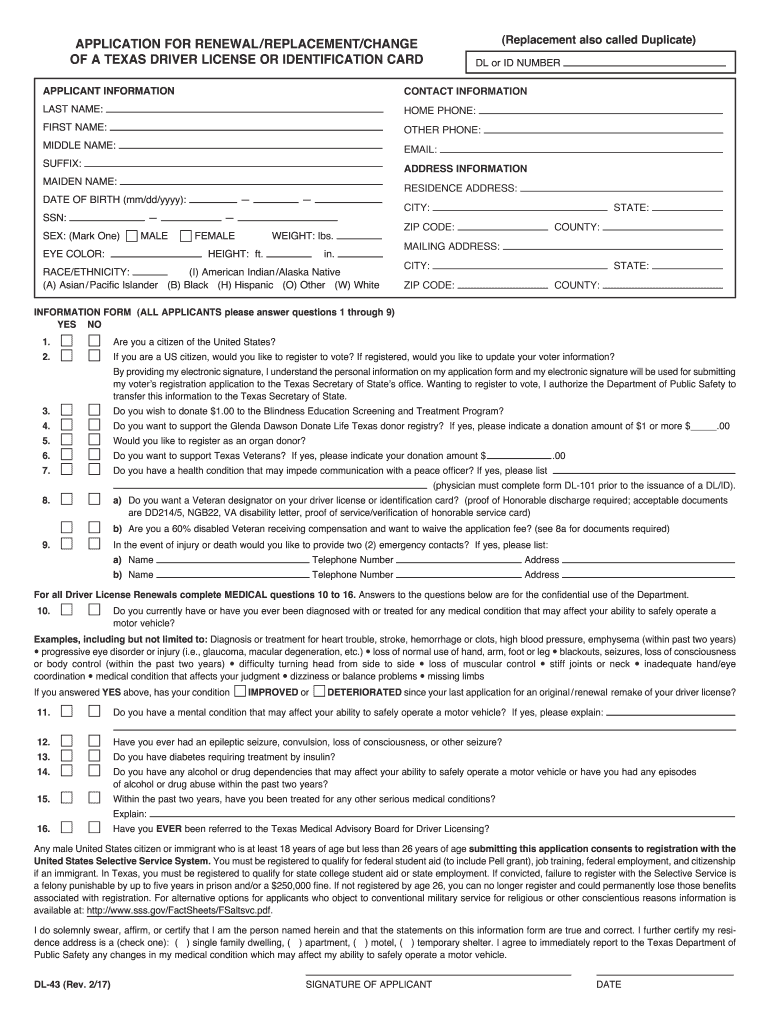
Before you open your browser and navigate to the DPS website, gather the following essential pieces of information and items. Having everything ready will prevent interruptions and make the process much more efficient.
- Current Texas Driver’s License or ID Card: You’ll need your existing license number.
- Date of Birth: Your full date of birth is required for verification.
- Last Four Digits of Your Social Security Number: This is a crucial identifier for verifying your identity.
- Valid Payment Method: A major credit card (Visa, MasterCard, Discover, American Express) or debit card will be needed to pay the renewal fee. Ensure it has sufficient funds and is linked to a valid billing address.
- Printer (Optional but Recommended): While not strictly necessary to complete the online process, it’s highly recommended to have access to a printer to print your temporary driver’s license. This temporary document is valid immediately and serves as your proof of driving privilege until your new card arrives in the mail.
- Current Email Address: You’ll likely receive confirmation emails and updates regarding your renewal status.
- Internet Access and a Reliable Device: A stable internet connection and a computer, tablet, or smartphone are essential for navigating the online portal.
Having these items at your fingertips will significantly streamline your online renewal journey.
Navigating the Online Portal
With your necessary documents and information ready, you can now proceed to the Texas Department of Public Safety’s online services portal. The website is intuitive, but following these steps will guide you through the process efficiently:
- Access the DPS Online Services: Open your web browser and go to the official Texas Department of Public Safety website. Look for the “Driver License & ID” section or a direct link for “Online Services” or “Renew My Driver License.”
- Initiate Renewal: Click on the option to renew your driver’s license. You will typically be prompted to read and agree to the terms and conditions for online services.
- Enter Personal Information: You’ll be asked to input your driver’s license number, date of birth, and the last four digits of your Social Security Number. This information is used to verify your identity and pull up your driver record.
- Confirm Eligibility: The system will automatically check if you meet the eligibility criteria discussed earlier. If you do not qualify for online renewal, it will inform you and often direct you to alternative methods.
- Update Address (If Needed): If you’ve moved within Texas since your last renewal, this is the time to update your mailing address. Ensure the address is accurate to guarantee your new license is delivered correctly.
- Answer Vision Questions: You will be required to certify that your vision meets the legal requirements for driving. This usually involves answering a few questions about your eyesight, such as whether you wear corrective lenses while driving and if your vision has changed significantly.
- Review and Confirm: Before proceeding to payment, you’ll be presented with a summary of all the information you’ve provided. Carefully review everything for accuracy, especially your mailing address.
- Make Payment: Enter your credit or debit card details to pay the renewal fee. The system will provide a secure payment gateway. Once the payment is successful, you will receive a confirmation.
- Print Temporary License: After successful payment, you will typically have the option to print a temporary driver’s license. This document is crucial as it serves as your legal proof of driving privilege until your permanent card arrives in the mail. Keep it with you whenever you drive.
- Await New Card: Your new permanent driver’s license card will be mailed to the address you provided. The delivery time can vary, but it usually arrives within 2-3 weeks. If you haven’t received it within that timeframe, you should contact the Texas Department of Public Safety for assistance.
By following these steps, you can confidently navigate the online renewal process and ensure your Texas driver’s license remains valid, keeping you on the road for all your travel and lifestyle needs.
When Online Renewal Isn’t an Option
Despite the convenience of online services, there are specific scenarios where renewing your Texas driver’s license online simply isn’t an option. These situations are often in place to ensure identity verification, address specific legal requirements, or accommodate changes that necessitate a physical presence. Understanding these circumstances is just as important as knowing how to renew online, as it helps you plan accordingly and avoid last-minute stress. For those whose lifestyles involve frequent travel or relocation, being aware of these limitations can help in scheduling visits to a DPS office during opportune times when back in Texas.
Common reasons why you might not be able to renew online include:
- Age 80 or Older: As mentioned, drivers in this age group are generally required to renew in person to complete a mandatory vision test and sometimes other assessments.
- First-Time Renewal in Texas: Your first renewal after obtaining your initial Texas license often needs to be done in person.
- Need for a New Photo: If your appearance has significantly changed or if it’s time for an updated photograph (which typically happens every few renewals), you’ll need to visit a DPS office.
- Name Change: If you’ve legally changed your name (e.g., due to marriage, divorce, or a court order), this cannot be processed online. You’ll need to present official documentation in person.
- Non-U.S. Citizen/Temporary Lawful Presence: Individuals who are not U.S. citizens or permanent residents, and those with temporary lawful presence, often have specific requirements that necessitate an in-person visit for verification of immigration documents and eligibility.
- License Expired for More Than Two Years: If your license has been expired for an extended period, it’s considered lapsed, and you’ll typically need to apply for a new license, which includes a trip to the DPS and potentially re-taking tests.
- Specific Medical Conditions: Certain medical conditions that could affect your ability to drive safely might require an in-person assessment or submission of medical forms.
- Previous Online Renewal: If your last renewal was conducted online, you might be required to renew in person this time to alternate between online and in-person visits.
Alternative Renewal Methods
If you find yourself in a situation where online renewal is not an option, don’t fret. The Texas Department of Public Safety provides alternative methods to ensure all eligible drivers can renew their licenses. These methods, while requiring a bit more effort than a few clicks, are still designed to be as efficient as possible.
- In-Person Renewal: This is the most common alternative and often the default for those who don’t meet online eligibility.
- Schedule an Appointment: To minimize wait times, especially in bustling metropolitan areas like Dallas, Houston, Austin, or San Antonio, it is highly recommended to schedule an appointment online through the DPS website.
- Gather Documents: You’ll need proof of identity (e.g., U.S. passport, birth certificate), proof of Social Security Number, proof of Texas residency, and possibly proof of lawful presence (if not a U.S. citizen). Check the DPS website for a complete list of acceptable documents for renewal.
- Visit a DPS Office: Arrive at your scheduled time with all your documents. You will undergo a vision test, have your photo taken, and pay the renewal fee. You’ll receive a temporary license immediately, and your new card will be mailed to you.
- Renewal by Mail: Some individuals may be eligible to renew by mail, though this option is typically limited to specific circumstances, such as being temporarily out of state or country.
- Check Eligibility: Review the DPS website carefully to determine if you qualify for mail-in renewal.
- Receive a Renewal Notice: If eligible, you might receive a renewal notice in the mail with specific instructions and forms.
- Complete and Mail Forms: Fill out the required forms, enclose the necessary documents (often copies, not originals), and include payment for the renewal fee. Send everything to the designated DPS address.
- Processing Time: Mail renewals can take longer to process than online or in-person methods, so plan well in advance of your license’s expiration date.
Regardless of the method you choose, proactive planning is key to ensuring your driver’s license remains current. An expired license can lead to legal complications, insurance issues, and definitely put a damper on any spontaneous road trips or travel plans.
Important Considerations and Common Queries
Renewing your driver’s license, even online, often brings up a few common questions and concerns. Addressing these proactively can further simplify the process and give you peace of mind. For those whose lifestyles are dynamic, encompassing frequent travel, temporary moves, or even planning for long-term stays elsewhere, understanding the nuances of license renewal in Texas is essential for maintaining seamless mobility.

Fees, Processing, and Staying Current
- Renewal Fees: The cost to renew a Texas driver’s license can vary slightly based on the type of license (e.g., standard driver’s license vs. state ID). The fee is clearly displayed during the online renewal process. It’s important to remember that these fees are non-refundable once the transaction is complete. Always check the official Texas Department of Public Safety website for the most current fee schedule.
- Processing Time for New Card: After completing your online renewal, your new physical driver’s license card typically arrives by mail within 2 to 3 weeks. During peak times or due to unforeseen circumstances, this could be longer. Always carry your temporary paper license with you until the new card arrives. If you haven’t received your card after a month, it’s advisable to contact the DPS customer service.
- Expiration Date: The online system usually renews your license for another six years from its current expiration date. Keep track of this date and consider setting a reminder well in advance, perhaps 2-3 months before expiration, to give yourself ample time to complete the renewal process, especially if you anticipate being out of state or country.
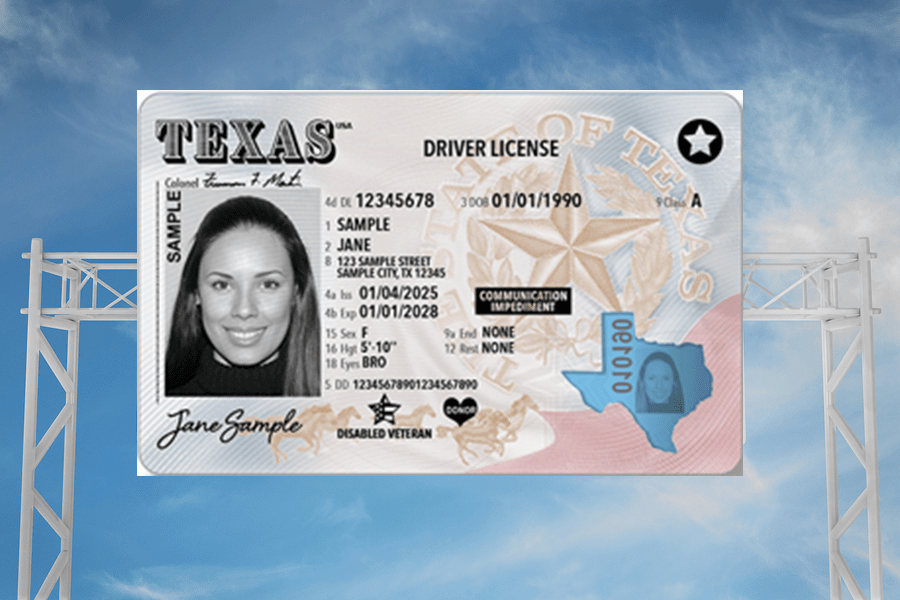
- REAL ID Compliance: Texas driver’s licenses are generally REAL ID compliant, meaning they can be used for federal purposes like boarding domestic flights. When renewing, especially in person, ensure your documentation supports REAL ID requirements if this is important for your travel plans. The star symbol on your license indicates REAL ID compliance.
- Updating Information: While address changes are usually handled during online renewal, any other significant changes, like a name change or updating medical information, will almost certainly require an in-person visit.
- Lost Temporary License: If you lose your temporary license before your permanent card arrives, contact the DPS immediately. They can often provide instructions on how to obtain another temporary document or verify your driving status.
Renewing your driver’s license in Texas online is a testament to the state’s commitment to modern, efficient government services. This digital convenience offers a significant advantage for Texas residents, particularly those who lead dynamic lifestyles, from dedicated travelers exploring new destinations to professionals navigating the demands of remote work or frequent business trips. By understanding the eligibility criteria, preparing your documents, and following the clear steps outlined, you can ensure your driving privilege remains valid with minimal fuss. This allows you to focus on the adventures that await, the new experiences to be had, and the freedom that a valid driver’s license provides, whether you’re cruising through the Hill Country, exploring the vibrant cultural scenes of Austin or San Antonio, or venturing beyond state lines. Keep your license current, and keep exploring!
LifeOutOfTheBox is a participant in the Amazon Services LLC Associates Program, an affiliate advertising program designed to provide a means for sites to earn advertising fees by advertising and linking to Amazon.com. Amazon, the Amazon logo, AmazonSupply, and the AmazonSupply logo are trademarks of Amazon.com, Inc. or its affiliates. As an Amazon Associate we earn affiliate commissions from qualifying purchases.