
Losing your Texas driver’s license can be a significant inconvenience, especially when you’re planning a trip or simply navigating daily life. Fortunately, the Texas Department of Public Safety (DPS) has streamlined the process for replacing a lost, stolen, or damaged license, making it possible to handle much of it online. This guide will walk you through the steps, ensuring you can get back on the road with a valid ID as smoothly as possible. While not all replacements can be entirely completed online, the initial steps and eligibility checks are often available through the digital portal, significantly reducing the need for in-person visits.
Understanding the Eligibility for Online Replacement
The Texas DPS offers online services for renewing or replacing driver’s licenses and identification cards for eligible individuals. Understanding these eligibility criteria is crucial to determine if you can proceed with the online application for a replacement.
Who Can Apply Online?
Generally, individuals who are eligible to replace their license online must meet specific criteria:
- Current Texas Driver’s License Holder: You must have a valid or recently expired Texas driver’s license. If your license has been expired for more than two years, you may not be eligible for online services.
- No Changes in Personal Information: Your legal name, date of birth, or gender must not have changed since your last license was issued. If any of these details have changed, you will likely need to visit a driver license office in person.
- No New Restrictions or Endorsements: You cannot be requesting to add or remove any medical or other restrictions, or add new endorsements (like motorcycle or commercial driver’s license endorsements) online.
- Not a Commercial Driver’s License (CDL): While CDLs can be renewed online in some cases, replacing a lost CDL often requires an in-person visit.
- Not a Provisional or Hardship License Holder: These types of licenses typically require in-person renewal or replacement.
- Not Requiring a New Photo: If you are due for a new photograph (usually required every two renewal cycles), you will need to visit a Texas driver license office. The DPS system will indicate if a new photo is required.
- No Outstanding Legal Issues: There should be no outstanding warrants or legal holds on your record that would prevent renewal or replacement.
Reasons for Replacement
The online portal is designed to address common reasons for needing a new license:
- Lost License: This is the most frequent reason for needing a replacement.
- Stolen License: If your license was stolen, reporting it to law enforcement may be advisable, and you can then proceed with the replacement process.
- Damaged License: If your license is unreadable, torn, or otherwise damaged, an online replacement might be an option.
If you do not meet these criteria, the online system will usually inform you during the initial process, guiding you to the next steps, which often involve scheduling an appointment at a local Texas DPS driver license office.
The Online Replacement Process: Step-by-Step
The Texas DPS website is the central hub for accessing online services. The process is designed to be user-friendly, but it requires attention to detail.
Step 1: Visit the Official Texas DPS Website
Navigate to the official Texas Department of Public Safety website. Look for the “Driver Licenses” or “Online Services” section. You will likely find a link specifically for “Renew or Replace a Driver License.” It is crucial to use the official DPS website to avoid phishing scams or fraudulent sites.
Step 2: Create or Log In to Your Account
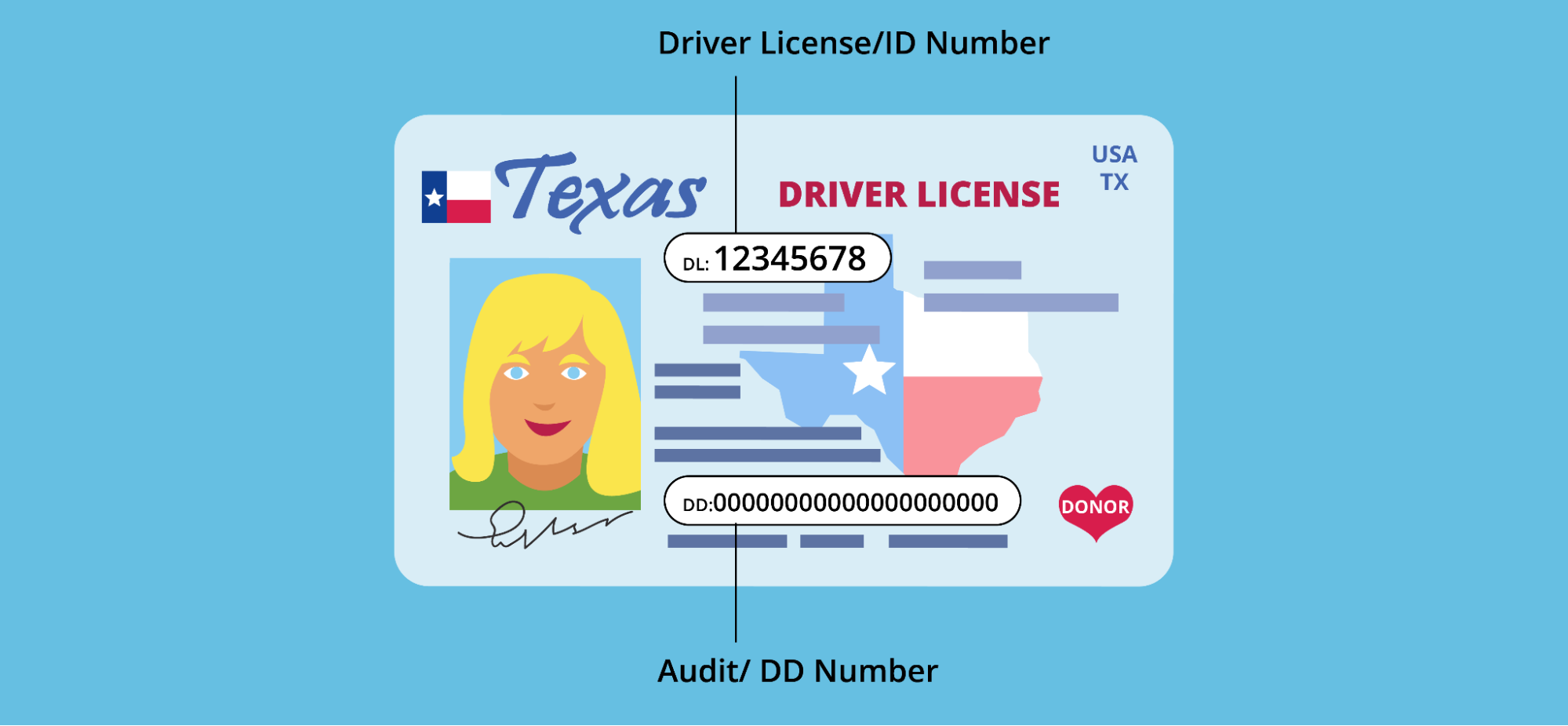
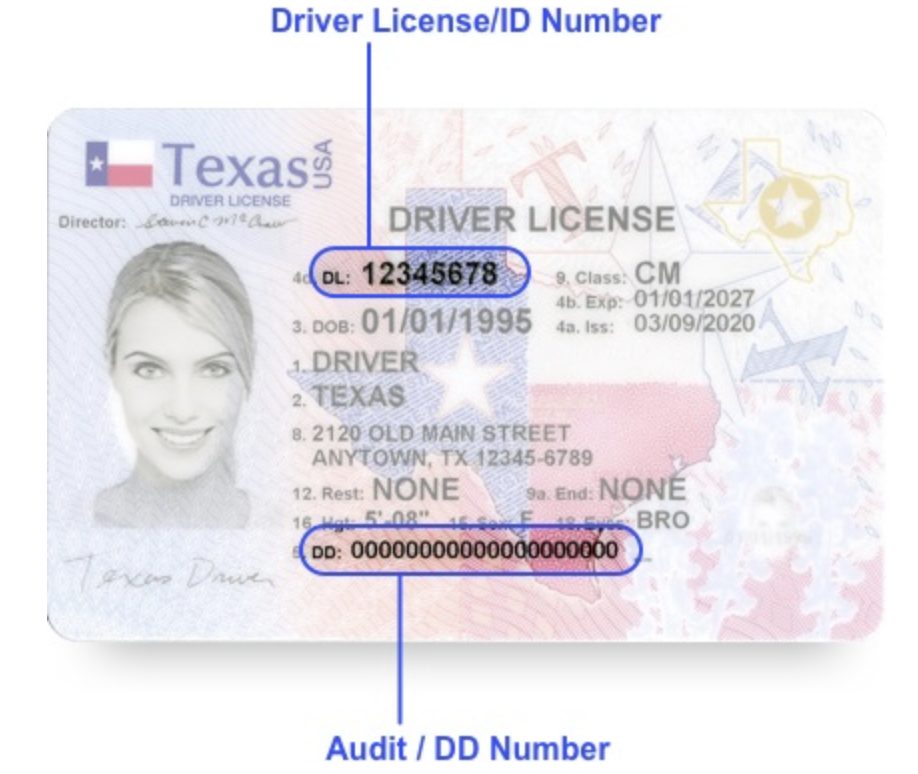
Most online services require users to create an account or log in if they have an existing one. This helps secure your personal information and track your transactions. You will typically need to provide some identifying information, such as your driver’s license number, date of birth, and Social Security number, to verify your identity.
Step 3: Select the “Replace Driver License” Option
Once logged in, you will see various options. Choose the option to “Replace a Driver License.” The system will then guide you through a series of questions to confirm your eligibility for an online replacement.
Step 4: Provide Necessary Information and Verifications
The online system will ask for details to verify your identity and confirm that you meet the eligibility requirements. This may include:
- Driver’s License Number: Your current or most recent Texas driver’s license number.
- Personal Identifiers: Information such as your date of birth, Social Security number, and possibly your mother’s maiden name or other security questions.
- Address Verification: You will need to confirm your mailing address. This is where your new license will be sent. Ensure this address is current and accurate.
- Affirmation of Eligibility: You will likely need to digitally sign an affirmation stating that you meet all the eligibility requirements for online replacement and that the information you provided is accurate.
Step 5: Pay the Required Fees
There is a fee associated with replacing a lost driver’s license. The online system will display the current fee and provide secure payment options, typically accepting major credit and debit cards. Keep a record of your transaction for your reference.
Step 6: Review and Confirm Your Order
Before finalizing the process, you will have an opportunity to review all the information you have entered, including your address and payment details. Ensure everything is correct. Once you confirm, your replacement request will be submitted.
Step 7: Receive Your Temporary License and New License
Upon successful completion of your online application and payment, you will typically be able to print a temporary driver’s license or identification card. This temporary document is valid for a specified period (usually 60-90 days) and serves as your legal identification until your permanent card arrives in the mail. Your new driver’s license will be mailed to the address you provided and should arrive within a few weeks. If you do not receive your new license within the expected timeframe, you may need to contact the Texas DPS for assistance.
What to Do If You Are Not Eligible for Online Replacement
If your circumstances do not allow for an online replacement, it is important to know the alternative procedures to obtain a new Texas driver’s license. The Texas DPS has a network of driver license offices across the state, and planning your visit effectively can minimize wait times.
Visiting a Driver License Office
For individuals who are not eligible for online replacement, visiting a Texas driver license office is the necessary next step. This typically applies to situations such as:
- Name, Date of Birth, or Gender Changes: If any of your identifying information has changed, you must present original or certified documents (like a marriage certificate or court order) to update your record.
- Requiring a New Photograph: As mentioned, if the system indicates you need a new photo, an in-person visit is mandatory.
- CDL Replacements or Changes: Most CDL-related transactions require an in-person visit to ensure compliance with federal regulations.
- Provisional or Hardship License Holders: These license types have specific in-person requirements.
- Out-of-State Transfers: If you are transferring a license from another state and it has been lost or stolen, an in-person visit is typically required.
Preparing for Your In-Person Visit
To ensure a smooth experience at a driver license office, follow these preparation steps:
- Schedule an Appointment: Many Texas DPS offices allow or require appointments. Visit the Texas DPS website to find the nearest office and book your appointment online. This can save you significant waiting time.
- Gather Required Documents: You will need to bring specific documentation to prove your identity and residency. This typically includes:
- Proof of Identity: An original or certified copy of your birth certificate, U.S. passport, or other acceptable forms of identification.
- Proof of Social Security Number: Your Social Security card or an official document showing your SSN.
- Proof of Texas Residency: Two utility bills, bank statements, or lease agreements dated within a certain timeframe, showing your current Texas address.
- Evidence of Legal Presence: If you are not a U.S. citizen, you will need documentation proving your legal presence in the United States.
- Lost License Information: If your license was stolen, it is advisable to have a police report.
- Complete Necessary Forms: You may be able to download and complete some application forms from the Texas DPS website before your appointment to save time at the office.
- Be Prepared for Fees and Photo: You will need to pay the replacement fee at the office, and a new photograph will be taken.
By understanding the eligibility requirements and preparing adequately for either an online application or an in-person visit, you can efficiently replace your lost Texas driver’s license and resume your travels and daily activities without unnecessary delay. The Texas DPS aims to provide accessible services, and leveraging their online resources is the first step to a swift resolution.
LifeOutOfTheBox is a participant in the Amazon Services LLC Associates Program, an affiliate advertising program designed to provide a means for sites to earn advertising fees by advertising and linking to Amazon.com. Amazon, the Amazon logo, AmazonSupply, and the AmazonSupply logo are trademarks of Amazon.com, Inc. or its affiliates. As an Amazon Associate we earn affiliate commissions from qualifying purchases.