
Updating your address with BlueCross BlueShield of Alabama is a straightforward process designed to ensure you receive important communications, including explanation of benefits statements, policy updates, and any relevant enrollment information. Maintaining accurate contact details is crucial for seamless healthcare management and prevents potential disruptions in service or communication flow. This guide will walk you through the various methods available to update your address with BlueCross BlueShield of Alabama, catering to different preferences and accessibility needs. Whether you prefer online self-service, direct phone contact, or a written submission, we’ve got you covered.

Understanding the Importance of an Accurate Address
Your physical address serves as the primary point of contact for BlueCross BlueShield of Alabama to send you vital documents. These can include:
- Explanation of Benefits (EOBs): These detailed statements outline the services you received, how much BlueCross BlueShield of Alabama paid, and what your responsibility is. Accurate address ensures these reach you promptly for review and potential dispute resolution.
- Annual Enrollment Information: If you are part of an employer-sponsored plan or have an individual policy, you will receive information regarding annual enrollment periods. This includes details about plan options, premium changes, and deadlines for making adjustments.
- Policy Updates and Notices: BlueCross BlueShield of Alabama may send out notifications about changes to your policy terms, network updates, or new services.
- Identification Cards: While most new ID cards are now digitally accessible, in some cases, physical cards or replacement cards may be mailed to your registered address.
- Healthcare Provider Communications: Sometimes, healthcare providers may need to send information to your insurer on your behalf, and an incorrect address can lead to delays or miscommunication.
Failing to update your address can result in missed critical information, leading to potential financial penalties, loss of coverage, or difficulties in accessing healthcare services. Proactively managing your contact information with BlueCross BlueShield of Alabama is a key component of responsible health insurance management.
Method 1: Online Self-Service Portal
The most convenient and often the fastest method to update your address with BlueCross BlueShield of Alabama is through their secure online portal. This self-service option empowers you to manage your account details at your own pace, anytime and anywhere.
Accessing Your Member Portal
- Navigate to the Official Website: Open your web browser and go to the official BlueCross BlueShield of Alabama website.
- Locate the Member Login: Look for a prominent “Login,” “Member Login,” or “My Account” button, typically found in the top right corner of the homepage.
- Log In to Your Account: You will need to enter your username and password. If you haven’t registered for online access before, you will need to complete the registration process. This usually requires your member ID number, date of birth, and other identifying information.
- Update Profile Information: Once logged in, navigate to your “Profile,” “Account Settings,” or “Personal Information” section. Here, you should find an option to edit your contact details, including your street address, city, state, and zip code.
- Enter New Address: Carefully enter your new, correct address in the designated fields. Ensure accuracy to avoid any errors.
- Save Changes: After entering your new address, be sure to click the “Save,” “Update,” or “Submit” button to confirm your changes. You may receive a confirmation message or an email indicating that your address has been successfully updated.
Tips for Online Updates
- Use a Secure Network: Always access your online accounts, especially those involving personal or financial information, from a secure and trusted internet connection.
- Keep Login Credentials Safe: Protect your username and password from unauthorized access.
- Verify Updates: After saving your changes, it’s a good practice to log out and then log back in to ensure the updated information is displayed correctly. You can also check for a confirmation email from BlueCross BlueShield of Alabama.
Method 2: Phone Support
If you prefer speaking with a representative or encounter difficulties with the online portal, contacting BlueCross BlueShield of Alabama directly via phone is another reliable method.
Contacting Member Services
- Find the Member Services Number: The member services phone number is typically found on the back of your BlueCross BlueShield of Alabama insurance card. You can also find it on their official website, usually in the “Contact Us” section.
- Call and Navigate the IVR System: When you call, you will likely interact with an automated Interactive Voice Response (IVR) system. Listen carefully to the prompts and select the option related to managing your account or updating personal information.
- Speak with a Representative: You may need to press a specific number to speak with a live customer service agent. Be prepared to provide your member ID number and verify your identity by answering security questions (e.g., date of birth, Social Security number, or policy details).
- Request Address Update: Clearly state that you need to update your mailing address. Provide your new full address, including street name, number, apartment or suite number (if applicable), city, state, and zip code.
- Confirm Changes: The representative will confirm your new address with you. It’s essential to repeat it back to them to ensure accuracy. They should also inform you about when the change will take effect.
- Request Confirmation: You may wish to ask for a confirmation number for your records or inquire if they will be sending a written confirmation via mail.
When to Choose Phone Support

- Complex Situations: If you have a unique circumstance or multiple policy changes to discuss, speaking with a representative can be more effective.
- Assistance Needed: If you are not comfortable with online platforms or require step-by-step guidance, phone support is a great option.
- Urgent Updates: In some cases, a phone call might be necessary for immediate address changes, especially if you are expecting time-sensitive mail.
Method 3: Written Correspondence
While less common for simple address updates, submitting a written request is a viable option, particularly for those who prefer formal documentation or cannot access online or phone services.
Preparing Your Written Request
-
Gather Necessary Information: Before writing your letter, have the following information readily available:
- Your full name
- Your BlueCross BlueShield of Alabama member ID number
- Your date of birth
- Your old address
- Your new, complete mailing address
- Your contact phone number and email address (optional, but recommended)
-
Draft Your Letter: Write a clear and concise letter requesting the address update. Include all the gathered information.
-
Example Wording:
“To Whom It May Concern,I am writing to formally request an update to my mailing address on file with BlueCross BlueShield of Alabama. My member ID number is [Your Member ID Number], and my date of birth is [Your Date of Birth].
My previous address on file was:
[Your Old Street Address] [Your Old City, State, Zip Code]My new mailing address effective immediately is:
[Your New Street Address] [Your New City, State, Zip Code]Please update my records accordingly. I would appreciate a confirmation of this change at your earliest convenience.
Sincerely,
[Your Full Name]”
-
-
Send Your Letter: Mail your letter to the appropriate address for member services or correspondence. This address can typically be found on your insurance card or the BlueCross BlueShield of Alabama website. Using certified mail with a return receipt requested can provide proof of delivery.
Considerations for Written Updates
- Processing Time: Written requests generally take longer to process compared to online or phone updates. Allow ample time for your request to be received and processed.
- Documentation: Keep a copy of the letter you send and any proof of mailing (like a certified mail receipt) for your personal records.
- Follow-Up: If you do not receive confirmation within a reasonable timeframe (e.g., 2-3 weeks), follow up with a phone call or by checking your online account.
Ensuring Your Information is Current for Future Needs
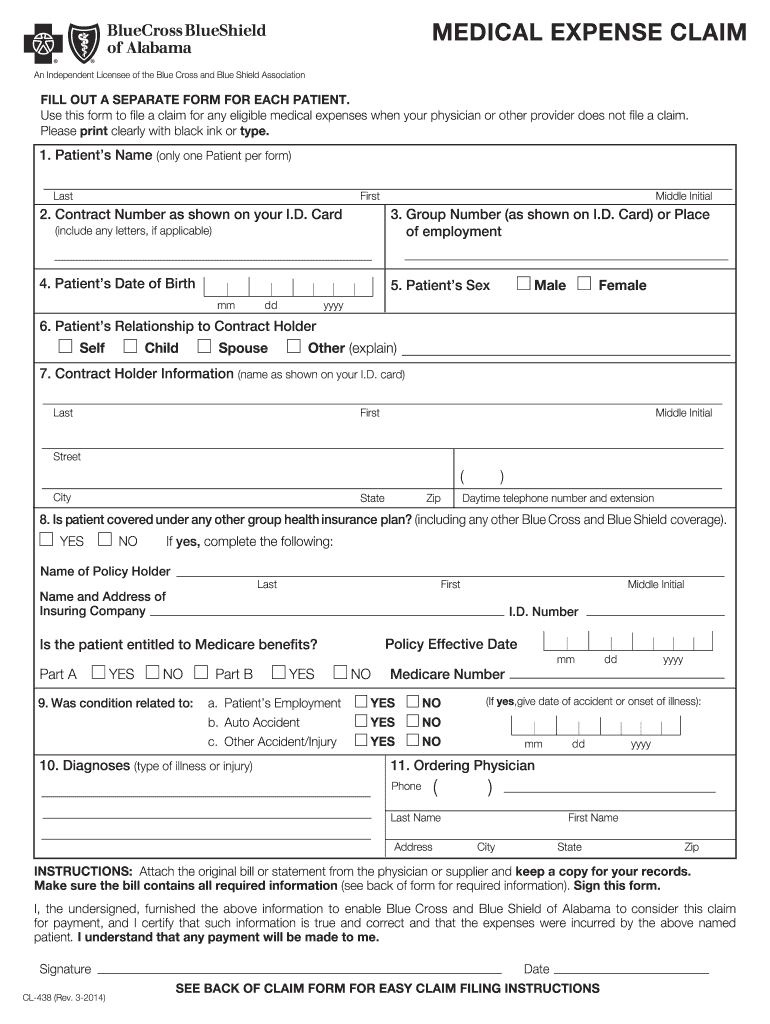
Beyond simply updating your address, it’s always prudent to periodically review all your contact and personal information on file with BlueCross BlueShield of Alabama. This proactive approach ensures that your healthcare coverage continues to function smoothly and that you remain well-informed about your benefits and any changes that may affect your plan.
What Else to Check
- Phone Number: Verify that your primary phone number is up-to-date. This is often used for urgent notifications or verification purposes.
- Email Address: Ensure your email address is current. Many insurers now send electronic notifications and links to EOBs via email. This can be an environmentally friendly and efficient way to receive information.
- Emergency Contact Information: If applicable, review or update any emergency contact details you have provided.
- Dependent Information: If you have dependents covered under your plan, ensure their information, including any address changes if they are no longer living at your primary residence, is also accurate.
By diligently maintaining your contact information with BlueCross BlueShield of Alabama, you are taking a significant step in managing your healthcare effectively and ensuring that you receive all essential communications promptly. Whether you choose the convenience of online self-service, the direct interaction of phone support, or the formality of written correspondence, keeping your address current is a vital part of your membership.
LifeOutOfTheBox is a participant in the Amazon Services LLC Associates Program, an affiliate advertising program designed to provide a means for sites to earn advertising fees by advertising and linking to Amazon.com. Amazon, the Amazon logo, AmazonSupply, and the AmazonSupply logo are trademarks of Amazon.com, Inc. or its affiliates. As an Amazon Associate we earn affiliate commissions from qualifying purchases.