
The allure of seamless connectivity while traveling is undeniable. Whether you’re checking into a bustling metropolis like New York City or a secluded Maldives resort, the promise of free Wi-Fi is a welcome amenity. However, beneath the surface of convenience lies a potential minefield of security risks. Understanding the vulnerabilities of hotel Wi-Fi networks is crucial for protecting your sensitive data and ensuring a secure digital experience during your stay.
The Hidden Risks of Public Wi-Fi
Hotel Wi-Fi, at its core, is a form of public Wi-Fi. While hotels strive to offer a reliable connection, the inherent nature of these shared networks makes them more susceptible to security threats than a private, password-protected network at home or in a dedicated office. The convenience comes at a cost – a potential reduction in your online privacy and security.
Man-in-the-Middle Attacks
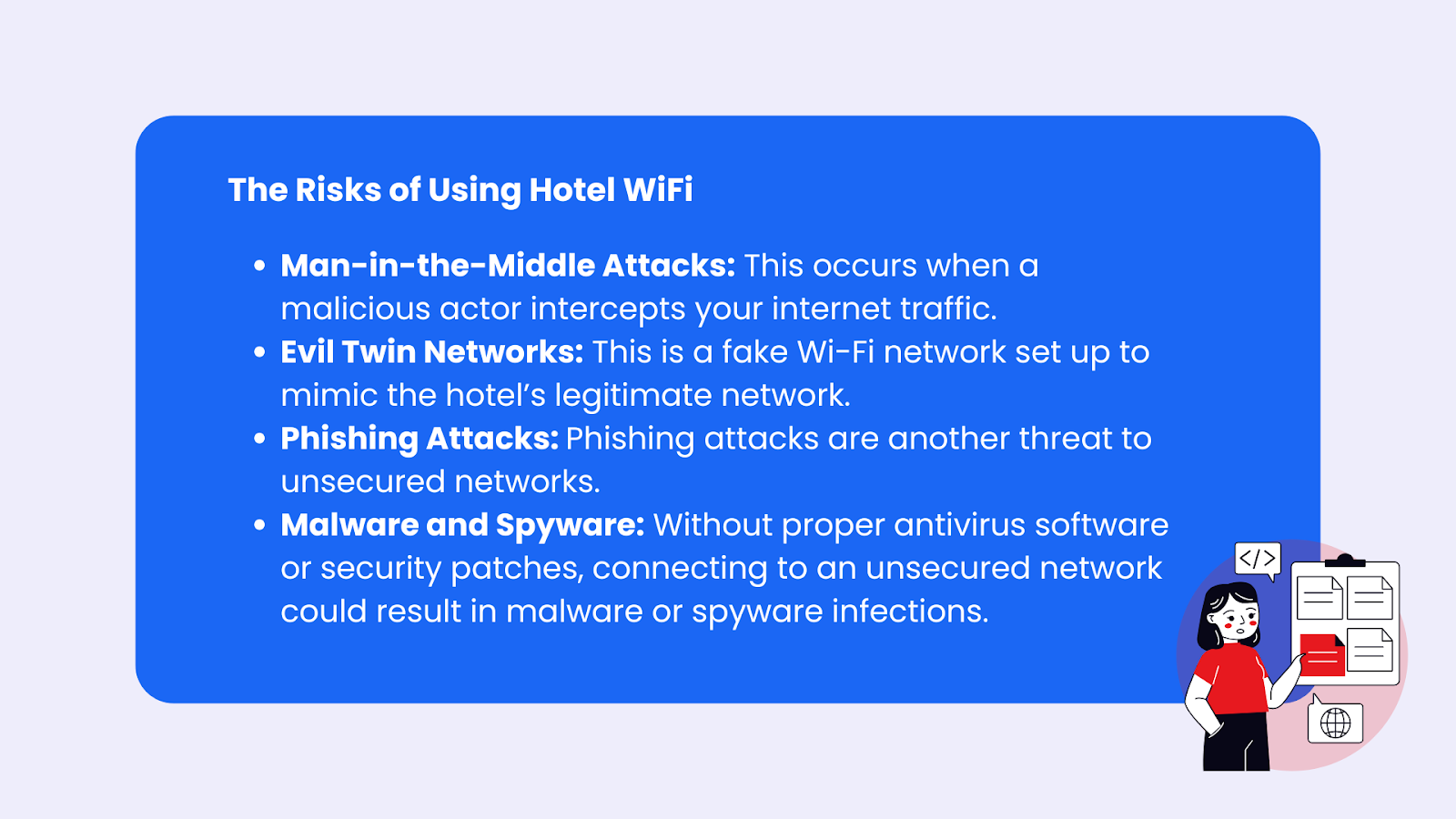
One of the most common threats on public Wi-Fi networks is the “man-in-the-middle” (MITM) attack. In this scenario, a malicious actor positions themselves between your device and the internet connection. They can intercept, read, and even modify the data you send and receive without your knowledge. This means that anything you do online – from checking your bank balance to sending personal emails – could be compromised. Imagine a hacker lurking in the lobby of the Hilton Garden Inn in London, siphoning off your login credentials as you book a theater show.
Unsecured Networks and Rogue Hotspots
Many hotel Wi-Fi networks are either unsecured (no password required) or use a simple, widely known password. This low barrier to entry makes it easy for anyone to connect, including individuals with malicious intent. Furthermore, attackers can set up “rogue” Wi-Fi hotspots that mimic legitimate hotel networks. These fake networks often have names similar to the official hotel Wi-Fi (e.g., “Grand Hyatt Free WiFi” instead of “Grand Hyatt Guest Network”). When unsuspecting guests connect to these rogue hotspots, their data is routed through the attacker’s equipment, making it ripe for interception.
Malware Distribution
Public Wi-Fi networks can also be used as a conduit for distributing malware. Hackers can exploit vulnerabilities in your device’s software or trick you into downloading malicious files by posing as legitimate software updates or enticing you with fake downloads. Once malware is on your device, it can steal data, monitor your activity, or even take control of your device.
Snooping and Eavesdropping
Even without sophisticated attacks, basic snooping is a concern. On an unsecured network, it’s relatively easy for someone on the same network to see which websites you are visiting and potentially capture unencrypted traffic. This is particularly risky if you’re accessing websites that don’t use HTTPS, as the data transmitted is sent in plain text.
Protecting Your Data While Using Hotel Wi-Fi
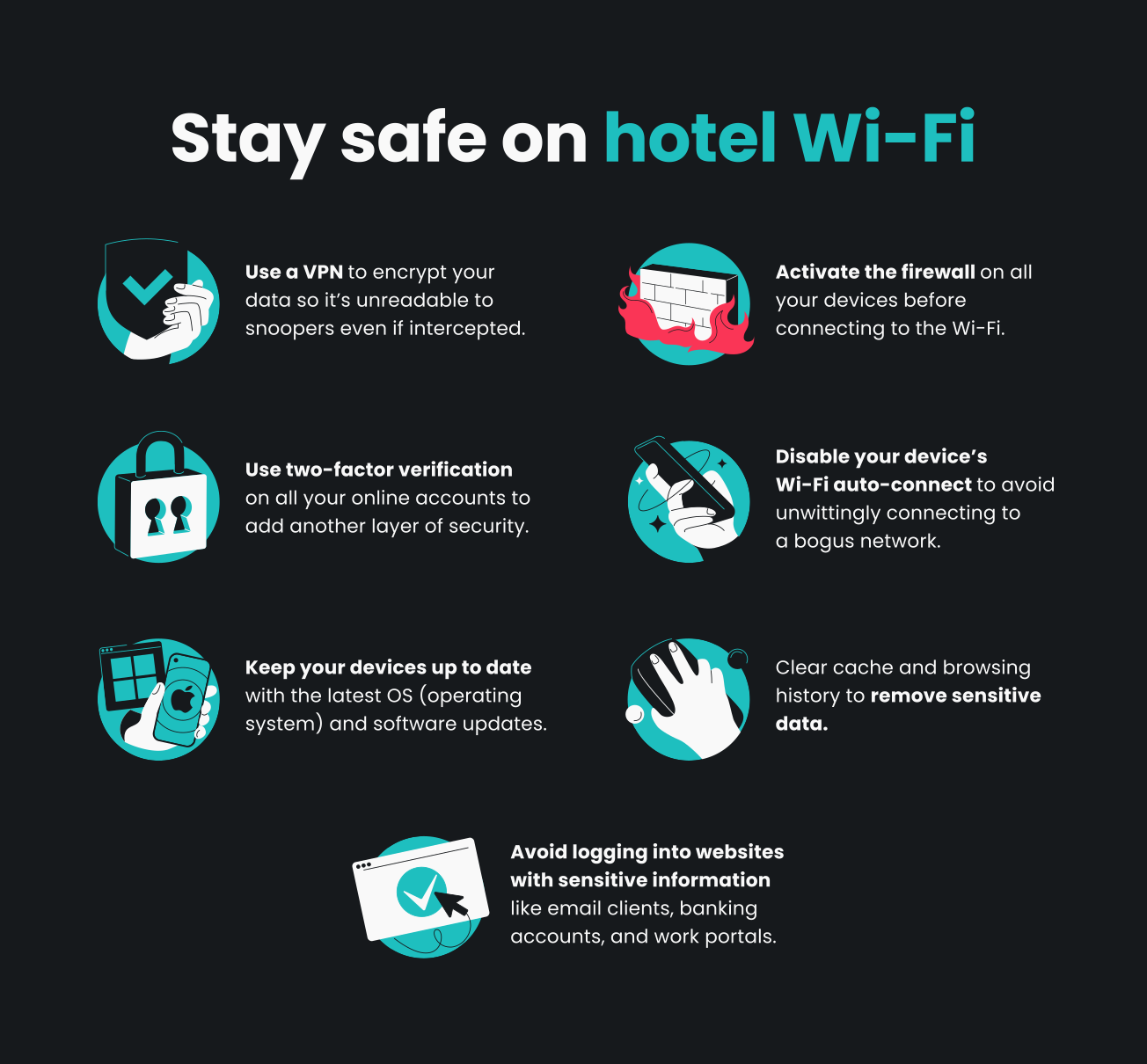
Fortunately, there are proactive steps you can take to mitigate these risks and enjoy the convenience of hotel Wi-Fi with greater peace of mind. The key lies in understanding the potential threats and implementing robust security measures.
Utilize a Virtual Private Network (VPN)
The single most effective tool for securing your hotel Wi-Fi connection is a Virtual Private Network (VPN). A VPN encrypts all your internet traffic, creating a secure tunnel between your device and a remote server operated by the VPN provider. This encryption renders your data unreadable to anyone who might try to intercept it, including malicious actors on the hotel’s network.
How VPNs Work
When you connect to a VPN, your internet traffic is routed through an encrypted server. This not only shields your data from prying eyes on the local network but also masks your IP address, making it harder to track your online activity. Many reputable VPN providers offer apps for various devices, making it easy to connect with just a few clicks. Investing in a reliable VPN service is a small price to pay for significantly enhanced online security, especially when traveling to places like Paris or exploring the attractions in Tokyo.
Choosing a Reputable VPN
When selecting a VPN, look for providers with strong encryption protocols (like OpenVPN or WireGuard), a strict no-logs policy, and a wide network of servers. Avoid free VPN services, as they often have questionable security practices, slow speeds, and may even sell your data.
Ensure Your Connections are Encrypted (HTTPS)
Always look for “HTTPS” in the web address bar and a padlock icon before entering any sensitive information on a website. HTTPS (Hypertext Transfer Protocol Secure) uses encryption to protect the data exchanged between your browser and the website. While many websites now default to HTTPS, some older sites or internal portals might not. If a website doesn’t use HTTPS, avoid entering personal or financial information on it, especially on public Wi-Fi. This is a basic but vital step, whether you’re checking emails at the Hyatt Regency Chicago or browsing travel blogs from your room in Rome.
Keep Your Devices Updated and Secured
Software updates often include crucial security patches that fix vulnerabilities exploited by hackers. Ensure your operating system, web browser, and any security software on your laptop, smartphone, or tablet are always up to date. Enable firewalls and antivirus software, and ensure they are running and updated. This adds an essential layer of defense, regardless of the network you’re connected to.
Disable File Sharing
When connecting to a new network, your operating system may prompt you to choose between public and private networks. Always select “public” for hotel Wi-Fi. This setting typically disables network discovery and file sharing, preventing other users on the network from seeing your computer or accessing your files. Manually check your device settings to ensure file sharing is turned off.
Use Two-Factor Authentication (2FA)
Wherever possible, enable two-factor authentication for your online accounts, especially for email, banking, and social media. 2FA requires you to provide two forms of identification to log in, such as a password and a code sent to your phone. This significantly increases the security of your accounts, even if your password is compromised. Imagine the peace of mind knowing that even if a hacker intercepts your login for your Chase Bank account while you’re at the Marriott Marquis Washington DC, they still can’t access it without your phone.
Avoid Sensitive Transactions
If possible, refrain from conducting highly sensitive transactions, such as online banking or making major purchases, on hotel Wi-Fi. If you must, ensure you are using a VPN and HTTPS connections. It’s often safer to wait until you have access to a more secure network or to use your cellular data if your plan allows.
Beyond the Wi-Fi: General Hotel Security Tips
While securing your Wi-Fi connection is paramount, a holistic approach to digital safety while traveling extends beyond just the network.
Secure Your Devices
Physically secure your devices when you’re away from your room. Use strong PINs or biometric locks on your phone and laptop. Don’t leave your devices unattended in public areas of the hotel, such as the lobby or business center. If your hotel offers a safe, use it for your valuable electronics when you’re out exploring Machu Picchu or enjoying the nightlife in Berlin.
Be Wary of Hotel Staff and Information
While most hotel staff are trustworthy, it’s prudent to be cautious about sharing personal information. Never give your room number aloud in public, and be discreet when discussing your travel plans or personal details.
Consider Using Cellular Data
If your mobile carrier offers a robust international data plan or if you’re in a country with affordable local SIM cards, using your cellular data can often be a more secure alternative to public Wi-Fi for sensitive tasks. While potentially more expensive, the security and reliability can be worth the investment, especially when you’re working remotely from a charming cafe in Florence.
Conclusion: Informed Connectivity is Key
Hotel Wi-Fi offers undeniable convenience for travelers, but it’s essential to approach its use with a healthy dose of caution and a commitment to digital security. By understanding the risks associated with public networks and implementing proactive measures like using a VPN, ensuring encrypted connections, and keeping your devices secure, you can significantly reduce your vulnerability to cyber threats. Travel smart, stay connected securely, and enjoy your journey with peace of mind.
LifeOutOfTheBox is a participant in the Amazon Services LLC Associates Program, an affiliate advertising program designed to provide a means for sites to earn advertising fees by advertising and linking to Amazon.com. Amazon, the Amazon logo, AmazonSupply, and the AmazonSupply logo are trademarks of Amazon.com, Inc. or its affiliates. As an Amazon Associate we earn affiliate commissions from qualifying purchases.