
In today’s interconnected world, the ability to stay online, even at 35,000 feet, has become less of a luxury and more of an expectation for many travelers. For passengers considering or preparing for a journey with Alaska Airlines, the question of in-flight Wi-Fi availability is a common and critical one. The good news is, yes, Alaska Airlines does offer Wi-Fi on the vast majority of its fleet, allowing passengers to remain productive, entertained, or simply connected throughout their flight. However, understanding the nuances of their service—including its availability, cost, and performance—is key to setting realistic expectations and maximizing your in-flight digital experience.

Navigating Connectivity in the Skies with Alaska Airlines
Alaska Airlines has consistently invested in enhancing the passenger experience, and in-flight connectivity is a significant part of that commitment. Recognizing the diverse needs of modern travelers, from business professionals needing to respond to emails to leisure passengers wanting to stream content or chat with loved ones, the airline has equipped most of its aircraft with robust Wi-Fi capabilities. This effort ensures that the journey itself can be as connected and comfortable as the destination.
The Wi-Fi Landscape on Alaska Airlines
The Wi-Fi service on Alaska Airlines is primarily powered by two leading providers: Gogo (now part of Intelsat for satellite services) and Viasat. The specific provider and the type of service available can vary depending on the aircraft type and its routing. Many of the newer aircraft and those recently retrofitted feature Viasat satellite-based Wi-Fi, known for its significantly faster speeds and greater bandwidth, often capable of supporting streaming services. Older aircraft, or those that haven’t yet been upgraded, typically feature Gogo’s air-to-ground or older satellite systems.
While the aim is fleet-wide coverage, there might be a rare instance where a particular aircraft, especially older regional jets or those undergoing maintenance, does not offer Wi-Fi. It’s always a good practice to check the specific flight details or the airline’s website closer to your departure for the most up-to-date information regarding Wi-Fi availability on your specific flight. Generally, however, passengers flying on Alaska Airlines can expect to find internet access available, whether they’re flying from Seattle-Tacoma International Airport or another hub.
Understanding Alaska Airlines’ Wi-Fi Service: Cost and Performance
Beyond mere availability, the cost and expected performance of in-flight Wi-Fi are crucial considerations for travelers. Alaska Airlines structures its Wi-Fi offerings to provide options that cater to different connectivity needs and budgets, though it’s important to manage expectations regarding speed and reliability compared to ground-based internet.
Pricing Structure and Packages
Alaska Airlines generally offers Wi-Fi at a flat rate for the duration of the flight, regardless of whether it’s provided by Gogo or Viasat. The typical cost for an entire flight is around $8, a price point that makes it one of the more affordable options among major U.S. carriers. This single-price model simplifies the purchasing process, eliminating confusing tiers based on data usage or speed.
Payment is typically handled through a secure portal accessible once you connect to the in-flight Wi-Fi network. You can pay using major credit cards. Unlike some airlines, Alaska Airlines does not generally offer free basic browsing or messaging services as a standard feature, though this can sometimes be part of promotional offers or loyalty benefits. The $8 fee grants access to the full capabilities of the system available on that particular aircraft for the duration of your flight.
What to Expect from In-Flight Wi-Fi Performance
The performance of in-flight Wi-Fi, especially on an aircraft utilizing satellite technology, can vary significantly. While Viasat systems are known for offering speeds comparable to home broadband, capable of supporting high-definition streaming on platforms like Netflix, Hulu, or YouTube, older Gogo systems might offer more modest speeds. On these older systems, passengers can generally expect sufficient bandwidth for essential tasks such as checking emails, browsing news websites, using social media, and sending instant messages.
However, even with the faster Viasat systems, several factors can influence the actual speed you experience:
- Number of Users: The more passengers connected to the Wi-Fi network, the more the bandwidth is shared, potentially leading to slower speeds for everyone.
- Aircraft Location: Satellite coverage can vary, particularly over oceans or remote areas, which might lead to intermittent service or reduced speeds.
- Weather Conditions: Severe weather can occasionally interfere with satellite signals.
- Application Usage: Bandwidth-intensive applications like large file downloads, video conferencing, or continuously active streaming can consume significant resources and may not perform optimally, even on faster systems. Using a VPN can also sometimes impact speeds due to the encryption overhead.

For critical business tasks or uninterrupted entertainment, it’s always advisable to download any necessary documents, movies, or shows to your device before departure as a backup.
Connecting to Alaska Airlines’ Wi-Fi: A Step-by-Step Guide
Getting online on an Alaska Airlines flight is a straightforward process designed to be user-friendly. By following a few simple steps, you can quickly connect and start enjoying your in-flight internet access.
Simple Steps to Get Online
- Enable Wi-Fi on Your Device: Once the aircraft reaches cruising altitude and the “fasten seatbelt” sign is off, ensure your smartphone, tablet, or laptop has its Wi-Fi enabled.
- Select the In-Flight Network: Search for available Wi-Fi networks. The network name will typically be “AlaskaWiFi” or something similar. Select it to connect.
- Launch Your Browser: Open your preferred web browser (e.g., Chrome, Safari, Firefox). Most systems will automatically redirect you to the Alaska Airlines Wi-Fi portal. If not, you can try navigating to a common website like
www.google.comto trigger the portal. - Purchase Your Pass: On the Wi-Fi portal, you will see the option to purchase internet access for your flight. Follow the prompts to enter your payment information (credit card details).
- Connect and Enjoy: Once your payment is processed, you’ll be connected to the internet. You can then close the portal and use your device as normal.
Troubleshooting Tips for Smooth Connectivity
While the connection process is generally smooth, you might occasionally encounter minor issues. Here are some troubleshooting tips:
- Restart Your Device’s Wi-Fi: Turn off your device’s Wi-Fi, wait a few seconds, and then turn it back on.
- Try a Different Browser: Sometimes, specific browser settings or extensions can interfere with the portal. Try opening a different web browser.
- Clear Browser Cache: Clearing your browser’s cache and cookies can sometimes resolve redirection issues to the Wi-Fi portal.
- Check Flight Attendant: If you’re still unable to connect after trying these steps, or if the system indicates an outage, don’t hesitate to politely inform a flight attendant. They may be able to provide updates on system status or offer further assistance.
- Power Cycle: In rare cases, turning your device completely off and on again can resolve persistent connectivity problems.
Maximizing Your In-Flight Digital Experience
To make the most of your connected journey with Alaska Airlines, a little preparation and mindful usage can go a long way. This ensures you get the best possible value and experience from the service.
Pre-Flight Preparation for Digital Journeys
Smart planning before you even step foot on the plane can significantly enhance your digital experience.
- Download Content: Before you fly, download any movies, TV shows, music, podcasts, or e-books you plan to enjoy. Platforms like Netflix, Hulu, Spotify, and Apple Music often allow offline downloads. This minimizes reliance on in-flight Wi-Fi for entertainment, preserving bandwidth for other uses.
- Charge Devices: Ensure all your electronic devices are fully charged. While many Alaska Airlines aircraft offer in-seat power outlets, they might not always be available or functional at every seat.
- Update Apps: Update all your essential apps before your flight. App updates can consume significant data, and doing this on the ground prevents slow downloads or unexpected background usage in the air.
- Organize Files: If you plan to work, organize your documents and files in cloud storage that can be accessed offline, or save them directly to your device.
Best Practices for Using In-Flight Wi-Fi
Once connected, adopting a few best practices will help you manage your usage effectively and maintain a smooth connection.
- Prioritize Tasks: If you have multiple tasks, prioritize the most important ones. For example, send urgent emails before engaging in casual browsing.
- Limit Background Data: Many apps continue to refresh and consume data in the background. Close unnecessary applications and disable automatic updates or cloud syncing while connected to in-flight Wi-Fi, especially on systems with lower bandwidth. On Apple and Android devices, you can often restrict background data usage in settings.
- Security Considerations: In-flight Wi-Fi, like any public network, may not be entirely secure. Avoid conducting sensitive transactions or accessing highly confidential information without a secure connection, such as a trusted VPN.
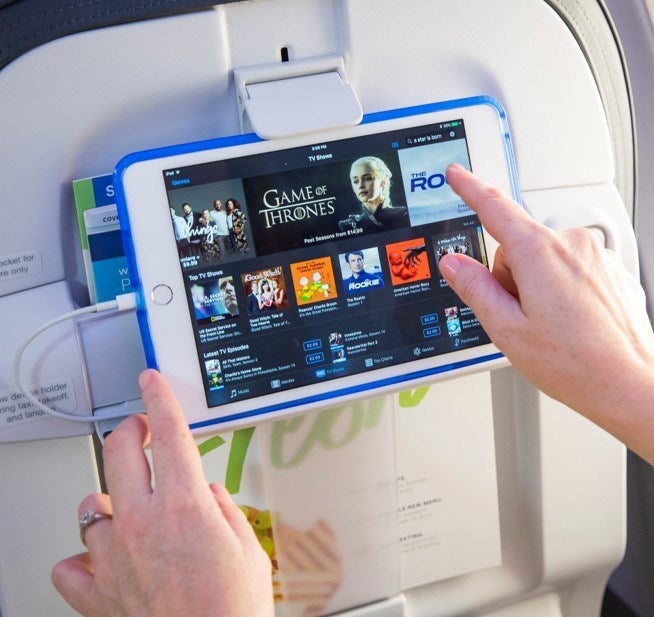
- Leverage Free Entertainment: Alaska Airlines offers Alaska Beyond Entertainment, a free streaming service accessible via your own device, even without purchasing Wi-Fi. It provides a selection of movies and TV shows, so consider using this for entertainment to save Wi-Fi bandwidth for other purposes.
The Future of Connectivity on Alaska Airlines
Alaska Airlines continues to enhance its in-flight connectivity. The trend is clear: faster, more reliable, and more ubiquitous Wi-Fi. With ongoing fleet upgrades and partnerships with providers like Viasat for their next-generation Wi-Fi solutions, passengers can anticipate an even more seamless and high-performance internet experience in the years to come. These advancements are aimed at closing the gap between ground-based and in-flight internet speeds, making the dream of truly uninterrupted digital life on an airplane a reality. Travelers on Alaska Airlines can confidently look forward to staying connected throughout their aerial journeys, ensuring productivity, entertainment, and communication remain within reach.
LifeOutOfTheBox is a participant in the Amazon Services LLC Associates Program, an affiliate advertising program designed to provide a means for sites to earn advertising fees by advertising and linking to Amazon.com. Amazon, the Amazon logo, AmazonSupply, and the AmazonSupply logo are trademarks of Amazon.com, Inc. or its affiliates. As an Amazon Associate we earn affiliate commissions from qualifying purchases.