
It’s a common, if bewildering, scenario: you’re planning your next adventure to a bustling city or a serene beach, only to find your smartphone convinced you’re thousands of miles away, perhaps deep in the heart of Texas. This digital misplacement can be more than just an amusing anomaly; it can disrupt travel plans, affect local searches, and even impact your digital security. From struggling to book a hotel in your actual location to missing out on nearby attractions, a phone that believes you’re enjoying barbecue in Austin when you’re actually admiring the Eiffel Tower in Paris presents a peculiar challenge in our increasingly connected world.

Understanding why your phone might have decided to relocate you virtually to the Lone Star State involves delving into the intricate world of location services, data triangulation, and the digital breadcrumbs we leave behind. This phenomenon often stems from a complex interplay of hardware, software, network configurations, and even your own past travel habits. This article explores the multifaceted reasons behind such geographical glitches, their implications for modern travelers and daily life, and how to set your digital compass straight.
The Digital Compass Gone Astray: Understanding Location Services
Modern smartphones employ a sophisticated array of technologies to pinpoint your location, far beyond the simple GPS chip. When your device reports you’re in Texas when you’re clearly not, it’s usually one or more of these systems misfiring, or prioritizing incorrect data points. This digital confusion can lead to a host of inconveniences, from receiving weather alerts for Dallas while you’re in Florida to travel apps refusing to acknowledge your actual whereabouts.
GPS, Wi-Fi, and Cell Towers: A Trio of Trouble
The primary method for location tracking is the Global Positioning System (GPS). Your phone’s GPS receiver communicates with satellites orbiting the Earth to calculate its precise coordinates. While incredibly accurate outdoors, GPS can struggle indoors, in dense urban environments (the “urban canyon” effect), or when satellite signals are obstructed. If your GPS signal is weak or unavailable, your phone relies on other methods, which are inherently less precise.
This is where Wi-Fi and cellular triangulation come into play. Your phone constantly scans for nearby Wi-Fi networks and cellular towers. Each Wi-Fi network has a unique MAC address, and many public networks, like those found in Starbucks or a Hilton hotel, are geotagged in vast databases maintained by companies like Google and Apple. If your phone detects a Wi-Fi network that was once physically located in Texas but has since been moved (a rare but possible scenario), or if its database entry is simply outdated or incorrect, your device might mistakenly assume you’re still near that original Texas location. Similarly, cellular triangulation estimates your position based on the signal strength and timing from multiple cell towers. If your phone connects to a tower whose location data is inaccurate or if its data is being routed through a central hub located in Texas by your carrier (Verizon, AT&T, T-Mobile, etc.), this could also lead to a misidentification of your geographic position. These non-GPS methods, while helpful for supplementing location data, introduce a margin of error that can sometimes be significant enough to land you in a different state.
IP Addresses and the Virtual Journey to the Lone Star State
Beyond hardware-based location, your phone’s location can also be determined by its IP address. An IP address is a unique numerical label assigned to every device connected to a computer network, identifying it and allowing it to communicate with other devices. When you connect to the internet, your IP address reveals information about your internet service provider (ISP) and, more broadly, your general geographic location.
This geolocation by IP address is how many websites and services, including those for travel booking, content streaming, and localized advertising, understand your location without directly accessing your device’s GPS. However, IP address databases are not always perfectly accurate. They are often updated less frequently than physical location databases, and an IP address assigned to you could be registered to an ISP’s data center or a network gateway located in Texas, even if you’re physically in California or halfway across the globe. This is particularly common if you’re using public Wi-Fi in a hotel, airport, or cafe, where the network’s internet traffic might be routed through a central server farm in a distant location. Sometimes, these databases can even have outright errors, associating an IP address with an incorrect physical location, thus giving your phone a virtual passport to the Lone Star State without you ever leaving your couch. This invisible routing can significantly impact how your device’s location is perceived by online services, leading to a frustrating discrepancy between your actual and reported whereabouts.
Past Journeys, Persistent Data: When Travel Lingers Digitally
Our digital footprints are more enduring than we often realize. Every trip, every hotel stay, every new Wi-Fi connection leaves behind a trail of data that can, under certain circumstances, confuse our devices and their location services. This digital residue is particularly relevant when our phones misidentify our current location, sometimes anchoring us to a past destination like Texas. This phenomenon highlights the intricate relationship between our travel history and the technology we rely on for navigation and localized services.
The Ghost of Wi-Fi Past: Hotel Networks and Geolocation
Think about your last business trip to Houston or a family vacation to San Antonio. You likely connected to numerous Wi-Fi networks: at your hotel (e.g., a Marriott resort or a Grand Hyatt Hotel), local cafes, or tourist attractions. When you connect to these networks, your phone remembers them. It stores information about the network’s name (SSID) and its MAC address, along with, in some cases, the approximate geographic coordinates where it last encountered that network.
The problem arises when your phone encounters a network with a similar or identical SSID, or if the database used by your device or its apps (like Google Maps or Apple Maps) has outdated or incorrect information for a particular network. For instance, if you once connected to a Wi-Fi network named “Guest Wi-Fi” at a hotel in Dallas, and then connect to another “Guest Wi-Fi” network at a different location, your phone might try to use the stored data from the Dallas network to help determine your current position, especially if GPS signals are weak. This ghost of Wi-Fi past can essentially trick your phone into thinking it’s back in Texas, even if you’re physically thousands of miles away. Furthermore, some routers and Wi-Fi access points are reused or moved, and if the global Wi-Fi location databases aren’t updated quickly enough, your device might latch onto old, incorrect geodata associated with that hardware. This lingering digital memory from previous travels can create persistent location errors, impacting everything from local restaurant recommendations to emergency service routing.
VPNs and Proxies: The Intentional Misdirection
While many location discrepancies are accidental, sometimes the journey to Texas is a deliberate, albeit unnoticed, act of digital redirection. Virtual Private Networks (VPNs) and proxy servers are tools designed to enhance online privacy and security, or to bypass geo-restrictions on content. They achieve this by routing your internet traffic through a server located elsewhere, making it appear as though you are browsing from that server’s location rather than your actual physical spot.
If you have a VPN enabled on your phone, or if your network administrator at work or a public Wi-Fi provider uses a proxy, your phone’s IP address will reflect the location of that server. Many VPN providers have server farms across the United States, and it’s quite possible that one of their default or auto-selected servers is located in a major Texas city like Houston or San Antonio. For example, if you’re trying to access region-locked content in Europe and your VPN automatically connects you to the fastest available U.S. server, which happens to be in Dallas, your phone’s apparent location will be Dallas for any service that relies on IP address geolocation. This intentional obfuscation of your true location is beneficial for privacy but can be confusing when you expect location-based services to work accurately for your physical spot. The key difference here is that the phone isn’t “thinking” it’s in Texas due to an error, but rather it’s faithfully reporting the location of the VPN server it’s connected to. Checking your VPN settings or disabling it temporarily is often a quick fix for this particular brand of geographical confusion.
The Ripple Effect: How Misplaced Location Impacts Your Lifestyle and Travel
A phone that’s lost its geographical bearings can have a surprisingly broad impact on your daily life, especially for those who travel frequently or rely heavily on location-based services. From minor inconveniences to significant disruptions, the ripple effect of a misplaced digital identity can be felt across various aspects of modern living, influencing everything from spontaneous outings to meticulously planned itineraries.
From Booking Blunders to Local Landmark Lapses
Imagine trying to book a hotel for an upcoming trip to New York on Expedia or Booking.com, only to have the app stubbornly suggest accommodations in Houston or Austin. This can lead to booking blunders, where default search parameters automatically shift to your phone’s perceived location, forcing you to manually correct everything. For travelers on a tight schedule, this extra step can be frustrating and time-consuming. Similarly, trying to hail a ride-share service like Uber or Lyft becomes a logistical nightmare if the app thinks you’re hundreds or thousands of miles away, making it impossible to request a pickup from your actual location.
Beyond booking, a misaligned location can hamper your ability to explore and enjoy local tourism. If you’re physically in Miami but your phone believes you’re near the Alamo in San Antonio, apps designed to help you discover local attractions, restaurants, or events will fail. You’ll miss out on recommendations for nearby landmarks, local culture, and authentic food experiences that are central to enriching any trip. Instead, you might receive suggestions for tourist attractions in Texas, like Space Center Houston or the Sixth Floor Museum in Dallas, which are entirely irrelevant to your current physical location. This can diminish the overall travel experience, making it harder to immerse yourself in the destination you’re actually visiting.
Furthermore, issues can extend to personalized advertisements, local news, weather forecasts, and even emergency services. If you needed to call for assistance, your phone might provide your perceived Texas location, potentially delaying critical help. Financial services and banking apps might also flag transactions as suspicious if they originate from an unexpected geographic location, leading to account freezes or security alerts. In essence, a phone convinced you’re in Texas can severely limit the utility and convenience that modern technology promises, transforming the ease of digital living into a series of minor battles against a digitally stubborn device.
Rectifying the Error: Getting Your Digital Bearings Straight
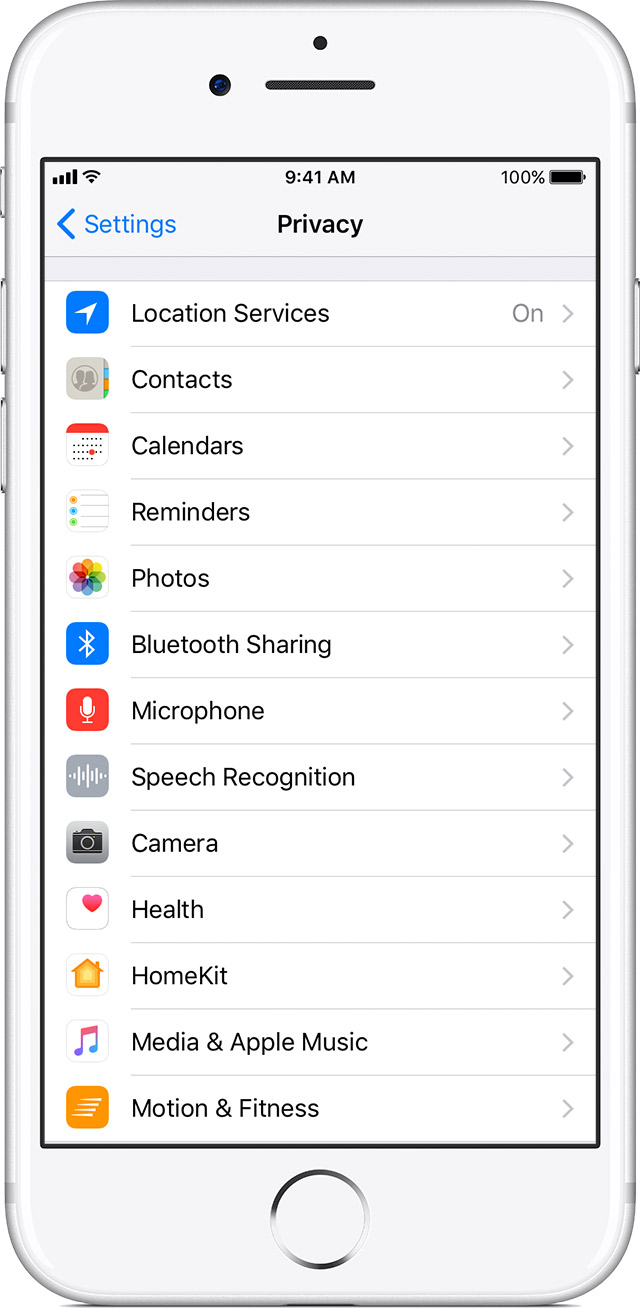
Fortunately, a few troubleshooting steps can often correct your phone’s digital compass. The first and simplest step is to restart your device. A fresh reboot can often clear temporary glitches in location services and force your phone to re-acquire its position from scratch. If that doesn’t work, review your location settings. Ensure that location services are enabled for the apps that need them and consider resetting your phone’s location and privacy settings, which will prompt apps to request location access again.
Another crucial step is to check your Wi-Fi settings. If your phone is stubbornly clinging to an old Wi-Fi network that it associates with Texas, “forget” that network in your settings. This forces your phone to connect to the current, physically accurate Wi-Fi signal available. If you suspect an IP address issue, especially if you’re using a VPN, temporarily disable the VPN to see if your location corrects itself. If it does, you may need to choose a different server location within your VPN app or update the app itself. For more persistent problems, toggling airplane mode on and off can sometimes reset network connections and force a re-evaluation of your location. In extreme cases, if the issue persists across multiple apps and networks, you might need to recalibrate your phone’s internal compass or, as a last resort, consider a factory reset, though this should be done only after backing up all your data. Keeping your device’s operating system and all apps updated is also key, as software updates often include patches for location service bugs and improved database accuracy.

Navigating the Digital World: Preventing Future Geographic Glitches
Preventing your phone from embarking on an unscheduled virtual trip to Texas largely involves proactive management of its location settings and a general awareness of how different technologies contribute to your digital whereabouts. For frequent travelers and those who rely heavily on precise location data, these practices become an essential part of a smooth journey, whether it’s for luxury travel or a budget-friendly family trip.
Firstly, regularly review and manage your device’s location permissions for individual apps. Grant location access only to apps that genuinely need it. This not only enhances your privacy but also reduces the chances of a rogue app misreporting your position. For example, Airbnb might need your location when searching for nearby stays, but a simple game likely doesn’t. Secondly, be mindful of your Wi-Fi connections. If you travel extensively, occasionally “forgetting” old Wi-Fi networks in your phone’s settings can prevent your device from clinging to outdated geographical data points. This is particularly relevant for those who frequent various hotels and public hotspots, which might occasionally use similar network names across different properties, like a “Guest Wi-Fi” at a Marriott in Houston versus one in New York.
Thirdly, when using a VPN, understand its implications for location services. While a VPN enhances privacy, it will intentionally obscure your physical location from many online services. If you need accurate local information or to use location-sensitive apps, you may need to temporarily disable your VPN or select a server location that matches your current physical presence. Finally, ensure your device’s operating system and all your apps are always up to date. Software developers constantly refine location services, update Wi-Fi databases, and patch bugs that could lead to geographical errors. By staying updated, you leverage the latest improvements in geolocation technology. By taking these proactive steps, you can help ensure your phone’s digital compass points accurately to your current adventures, whether you’re exploring famous places in Asia, admiring architecture in Europe, or enjoying local culture and food right in your own backyard, rather than perpetually believing you’re cheering at AT&T Stadium.
LifeOutOfTheBox is a participant in the Amazon Services LLC Associates Program, an affiliate advertising program designed to provide a means for sites to earn advertising fees by advertising and linking to Amazon.com. Amazon, the Amazon logo, AmazonSupply, and the AmazonSupply logo are trademarks of Amazon.com, Inc. or its affiliates. As an Amazon Associate we earn affiliate commissions from qualifying purchases.