
Navigating the administrative aspects of relocating within the Lone Star State can often feel like charting a new territory, especially when it comes to official documentation like your driver’s license. While not as glamorous as planning a road trip through the Big Bend National Park or booking a suite at a luxury resort in Austin, ensuring your Texas driver’s license reflects your current address is a crucial step in establishing your residency and maintaining compliance with Texas law. This process, while seemingly minor, is fundamental for a smooth transition and for ensuring you receive important legal notices, such as traffic citations or renewal reminders, at your new home. This guide will provide a comprehensive walkthrough of how to update your address on your Texas driver’s license, covering the different methods available and what you’ll need to complete the task efficiently.
Understanding the Requirements and Options
The Texas Department of Public Safety (DPS), the agency responsible for issuing driver’s licenses, mandates that all license holders update their address within 30 days of moving. This requirement ensures that your license remains a valid form of identification and that the DPS has your most current contact information. Fortunately, Texas offers several convenient methods for updating your address, catering to various preferences and circumstances. Whether you prefer the speed and convenience of online services, the direct interaction of visiting a physical location, or the simplicity of a mail-in option, there’s a pathway for everyone.
Online Address Change
For many residents, the most straightforward and efficient way to update their address is through the Texas DPS online portal. This method is available 24/7, allowing you to make the change at your convenience without needing to take time off work or wait in line.
Eligibility for Online Updates
To be eligible for an online address change, you generally must meet a few criteria. Typically, this service is for individuals who are not seeking to change any other information on their license, such as their name or date of birth. You must also have a current, valid Texas driver’s license or identification certificate. The DPS website provides specific eligibility requirements, so it’s always advisable to check the latest guidelines before proceeding.
The Online Process
- Visit the Texas DPS Website: Navigate to the official Texas Department of Public Safety website. Look for the “Driver’s License” section and then find the “Change of Address” or “Online Services” link.
- Create or Log In to Your Account: You may need to create a new online account with the DPS or log in if you already have one. This account serves as your secure gateway to various online services.
- Enter Your Information: You will be prompted to enter your driver’s license number, date of birth, and your new mailing and residential addresses. Ensure accuracy in all entries to avoid any processing delays.
- Review and Confirm: Before submitting, carefully review all the information you’ve entered. Verify that your old address and new address are correct.
- Submit Your Request: Once you are confident that all details are accurate, submit your address change request. You should receive a confirmation email or a confirmation page to print.
It is important to note that changing your address online does not automatically generate a new physical driver’s license with the updated address. Your existing license remains valid for identification purposes. If you wish to receive a new license with your updated address printed on it, you will need to request a duplicate license, which usually incurs a fee.
In-Person Address Change
For those who prefer a more personal interaction or who cannot complete the process online, visiting a Texas DPS driver’s license office is a viable option. This method allows for immediate verification of your information and the opportunity to ask questions directly to a DPS representative.
Locating a Driver’s License Office
You can find the nearest Texas DPS driver’s license office by using the online office locator tool available on the DPS website. It’s recommended to check the office hours and any specific appointment requirements before your visit. Some offices may require appointments, especially during peak times.
What to Bring
When visiting a driver’s license office, ensure you bring the following:
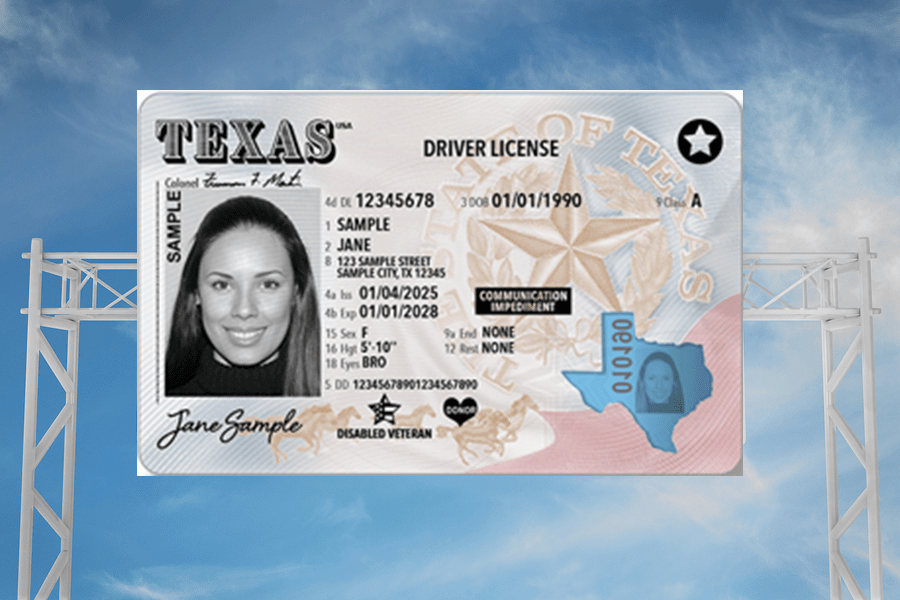
- Proof of Identity: Your current Texas driver’s license or Texas identification card.
- Proof of New Address: This can be a utility bill, lease agreement, bank statement, or any official mail showing your new residential address. The document should be recent (typically within the last 60-90 days) and clearly display your name and new address.
- Social Security Card: While not always required for an address change, it’s a good idea to have it with you as it may be needed for other driver’s license-related transactions.
The In-Person Process
- Visit the Office: Arrive at the DPS driver’s license office at your scheduled appointment time or during their operating hours.
- Obtain a Number/Queue: Take a number or follow the designated queue system.
- Speak with a Representative: When your number is called, approach the counter and inform the DPS representative that you wish to change the address on your driver’s license.
- Provide Documentation: Present your identification and proof of your new address. The representative will verify your information.
- Update Your Record: The representative will update your address in the DPS system.
- Request a Duplicate License (Optional): If you wish to receive a new physical driver’s license with your updated address, you can request a duplicate license at this time. Be prepared to pay the applicable fee.
The advantage of changing your address in person is that you can often walk away with a temporary paper license reflecting your new address, and receive your updated plastic card in the mail within a few weeks.
Mail-In Address Change
While less common and typically slower, a mail-in option for changing your address on your driver’s license is also available for certain situations. This method is best suited for individuals who are unable to access online services or visit an office and need to update their address without requesting a duplicate license immediately.
When to Use the Mail-In Option
This option is primarily for updating your address in the DPS system without obtaining a new card. If you require a new physical license with the updated address, you will still need to follow up with an online request for a duplicate or an in-person visit.
How to Request a Mail-In Change
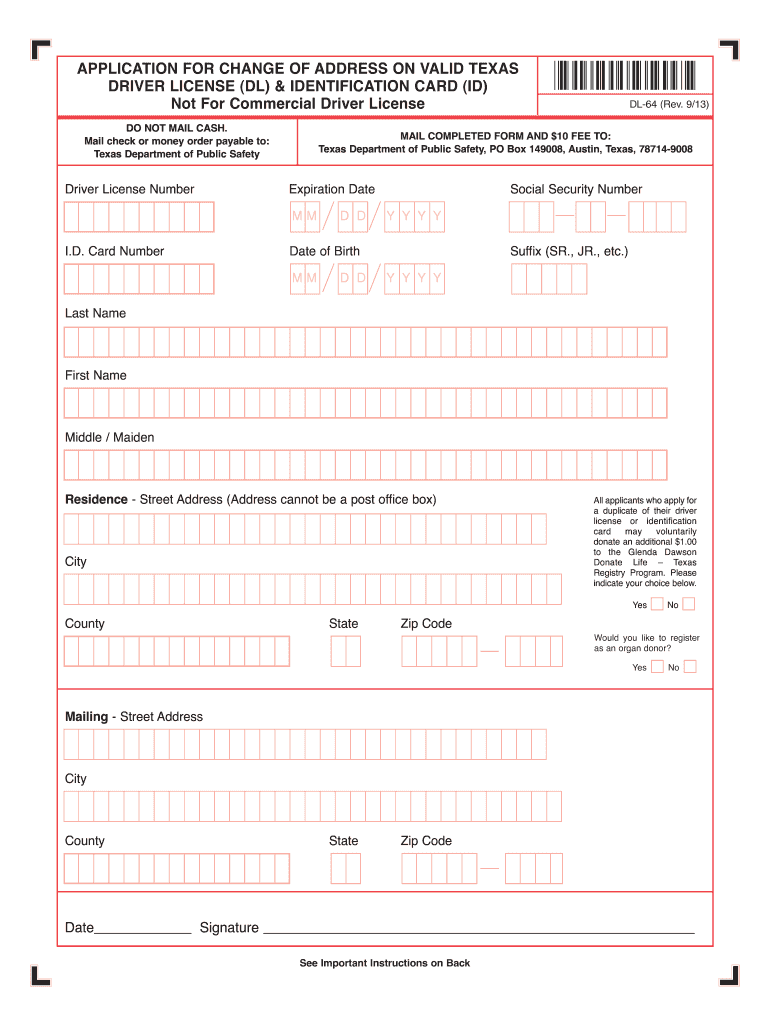
- Obtain the Correct Form: Visit the Texas DPS website and download the Change of Address form. It’s crucial to use the official form to ensure your request is processed correctly.
- Complete the Form: Fill out the form accurately and completely, providing all the requested information, including your driver’s license number, old address, and new address.
- Include Supporting Documentation (If Required): Review the form instructions carefully. In some cases, you may need to include a photocopy of your current driver’s license and proof of your new address.
- Mail the Form: Send the completed form and any required documentation to the address specified on the form. It is highly recommended to send it via certified mail so you have a record of delivery.
The mail-in option can take several weeks to process, so plan accordingly. This method is best for updating your record rather than immediately obtaining a new card.
Important Considerations After Changing Your Address
Once you have successfully updated your address with the Texas DPS, there are a few additional points to keep in mind to ensure a seamless transition.
Vehicle Registration and Insurance
Remember that updating your driver’s license address is only one part of the relocation process. You will also need to update your vehicle registration and inform your auto insurance provider of your new address. Failure to do so could lead to complications with insurance claims or registration renewals. Your vehicle registration can also be updated online through the Texas Department of Motor Vehicles (DMV) or in person at a county tax assessor-collector’s office.
Voter Registration
If you are registered to vote in Texas, changing your address often necessitates updating your voter registration information as well. This ensures you are assigned to the correct polling place for future elections. You can update your voter registration online through the Texas Secretary of State website or by mail.
Other Important Notifications
Beyond official documents, consider updating your address with other important entities, such as your employer, banks, credit card companies, utility providers, and subscription services. This ensures you continue to receive all your mail and important communications without interruption. For those who frequently travel or engage in tourism, updating your address is also crucial for receiving travel confirmations and booking details.
Changing your address on your Texas driver’s license is a straightforward administrative task that ensures you remain in compliance with state laws and maintain accurate personal records. By understanding the available options – online, in-person, or by mail – and gathering the necessary documentation, you can efficiently manage this aspect of your move. A proactive approach to updating your address safeguards your legal standing and simplifies many other administrative and personal transitions, allowing you to focus on settling into your new Texas home, whether it’s a charming bungalow in San Antonio or a modern apartment in Dallas.
LifeOutOfTheBox is a participant in the Amazon Services LLC Associates Program, an affiliate advertising program designed to provide a means for sites to earn advertising fees by advertising and linking to Amazon.com. Amazon, the Amazon logo, AmazonSupply, and the AmazonSupply logo are trademarks of Amazon.com, Inc. or its affiliates. As an Amazon Associate we earn affiliate commissions from qualifying purchases.